FiveTech Support Forums

FiveWin / Harbour / xBase community
Board index FiveWin for Harbour/xHarbour New TOutlookMail ( Office365/Outlook )
Posts: 231
Joined: Fri Jul 20, 2012 01:49 AM
New TOutlookMail ( Office365/Outlook )
Posted: Sun Jul 06, 2025 03:57 AM
The new version of FWH introduces a new class: TOutlookMail, which allows sending emails through Office365/Outlook using OAuth2.

You can find a working example in:
samples/outlook/testoutlook.prg

Please note that you will need your own client_id, client_secret, and redirect_uri.

You can follow tutorials like the one below to obtain this information for your app:
https://www.youtube.com/watch?v=7doSLoFUMpg

Be sure to configure the following scope:
"Mail.Send offline_access openid profile SMTP.Send User.Read"

Example screen:

Click to connect


Do you login
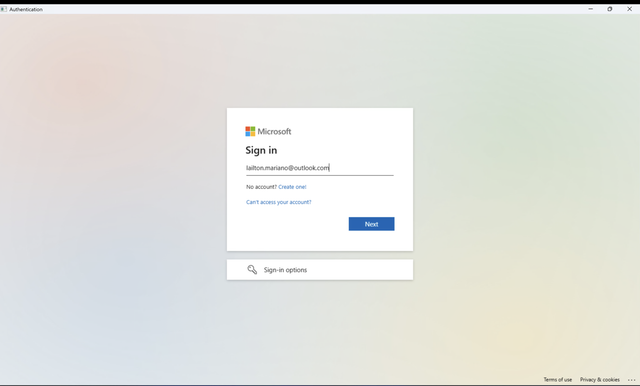

After connected, you will see it:


Email received after click button Send:
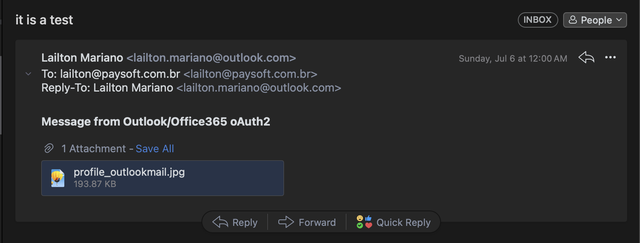

We hope you enjoy this new feature.
If you have any questions, feel free to reach out!

:D
Regards,

Lailton Fernando Mariano
Posts: 3022
Joined: Fri Oct 07, 2005 01:45 PM
Re: New TOutlookMail ( Office365/Outlook )
Posted: Mon Jul 07, 2025 02:50 AM

Is this update available?

Tim Stone
http://www.MasterLinkSoftware.com
http://www.autoshopwriter.com
timstone@masterlinksoftware.com
Using: FWH 23.10 with Harbour 3.2.0 / Microsoft Visual Studio Community 2022-24 32/64 bit
Posts: 44158
Joined: Thu Oct 06, 2005 05:47 PM
Re: New TOutlookMail ( Office365/Outlook )
Posted: Mon Jul 07, 2025 04:01 AM

Dear Tim,

Yes, it is: FWH 25.06.2

You can download it using your login and password as usual

regards, saludos

Antonio Linares
www.fivetechsoft.com
Posts: 230
Joined: Thu Sep 17, 2015 11:40 PM
Re: New TOutlookMail ( Office365/Outlook )
Posted: Mon Jul 07, 2025 03:18 PM

tambien podemos bajar la actualizacion los participante al webinar

Carlos Atuncar - CaSoftSystem
Chincha - Perú
+51983478218
carlosalbatun@gmail.com
Posts: 3022
Joined: Fri Oct 07, 2005 01:45 PM
Re: New TOutlookMail ( Office365/Outlook )
Posted: Fri Jul 11, 2025 12:32 AM
I just spent time with the video ( after coding my application ). It seems very complex and I'm not exactly sure how it applies.

I have two types of Microsoft Email accounts.
1). My business email is run through the Microsoft 365 Exchange Server associated with my subscription
2). My personal account is using Microsoft Outlook ( email address@outlook.com )

My clients would obviously use their own email addresses, but for the purpose of making the integration work, I am assuming I need to "register the application" to get an ID and SECRET. It seemed like the video went way beyond this.

Is there something that documents this for our purposes in having email working once Microsoft retires SMTP on these accounts ?

Thanks.
Tim Stone
http://www.MasterLinkSoftware.com
http://www.autoshopwriter.com
timstone@masterlinksoftware.com
Using: FWH 23.10 with Harbour 3.2.0 / Microsoft Visual Studio Community 2022-24 32/64 bit
Posts: 231
Joined: Fri Jul 20, 2012 01:49 AM
Re: New TOutlookMail ( Office365/Outlook )
Posted: Fri Jul 11, 2025 03:06 AM
Hi Tim,

It is really a little hard, but here I have a step by step for you:

# after connect to azure portal

1 - Microsoft Entra ID
https://portal.azure.com/#blade/Microsoft_AAD_IAM/ActiveDirectoryMenuBlade

2 - App Registration
https://portal.azure.com/#view/Microsoft_AAD_IAM/ActiveDirectoryMenuBlade/~/RegisteredApps

Click in "+ New Registration"
Enter a Name to your application and choose who can connect.
in my test I have checked:

"[X] Accounts in any organizational directory (Any Microsoft Entra ID tenant - Multitenant) and personal Microsoft accounts (e.g. Skype, Xbox)"

In the redirect URI

Platform select "Web"
Enter the address (example): "http://localhost:5500/"
( It will be the redirect_uri )

and click in Register

On the next screen on the right side you will see the option: Client credentials -> Add a certificate or secret
( or from Menu go to the option "Certificates & secrets" )

Click in New client secret, in description field enter something "I have added FiveTech" and next select number of month
expires ( I have selected 24 months ) and click in ADD.

In the next screen copy the VALUE and Secret ID

( client_secret )
VALUE: nvF8Q~u~~....
( the client_id you need to take from the app registration )
Secret ID: 15ca3c39-.....
Now on the left side menu, click in API Permissions

Click in Add Permission:
You need add "Microsoft Graph"
Then click in Delegated Permissions
and select the options below:

Section OpenID permission:
-> offline_access
-> openid
-> profile

Section IMAP:
-> IMAP.AccessAsUser.All

Section POP:
-> POP.AccessAsUser.All

Section SMTP:
-> SMTP.Send

Section User:
-> User.Read

Then click in ADD permissions

That's all.
Regards,

Lailton Fernando Mariano
Posts: 1598
Joined: Fri Oct 07, 2005 05:56 PM
Re: New TOutlookMail ( Office365/Outlook )
Posted: Thu Apr 30, 2026 05:11 PM

Hi All,

Doess TOutlookMail support xHarbour? I try to connect Office365 but the sample in samples\outlook shows that it use Harbour.
This sample was not work

#Include "FiveWin.ch"

Function Main()

   Local oEmail := CreateObject( "CDO.Message" )
   Local oConfig := CreateObject( "CDO.Configuration" )
   Local oFields, oError

   If oEmail == Nil .Or. oConfig == Nil
      MsgStop( "Cannot create CDO objects", "Error" )
      Return .F.
   EndIf

if MsgYesno('test fivewin send office 365')
   // Get the configuration fields
   oFields := oConfig:Fields

   // SMTP Server settings for Office 365

   oFields:Item( "http://schemas.microsoft.com/cdo/configuration/smtpserver" ):Value := "smtp.office365.com"
   oFields:Item( "http://schemas.microsoft.com/cdo/configuration/smtpserverport" ):Value := 587
   oFields:Item( "http://schemas.microsoft.com/cdo/configuration/smtpusessl" ):Value := .F.  // Using STARTTLS, not direct SSL
   oFields:Item( "http://schemas.microsoft.com/cdo/configuration/smtpconnectiontimeout" ):Value := 60

   // Enable STARTTLS - This is critical for Office 365
   oFields:Item( "http://schemas.microsoft.com/cdo/configuration/smtpusetls" ):Value := .T.

   // Authentication settings
   oFields:Item( "http://schemas.microsoft.com/cdo/configuration/smtpauthenticate" ):Value := 1  // Basic authentication
   oFields:Item( "http://schemas.microsoft.com/cdo/configuration/sendusername" ):Value := "your.email@yourdomain.com"
   oFields:Item( "http://schemas.microsoft.com/cdo/configuration/sendpassword" ):Value := "your_password"
   oFields:Item( "http://schemas.microsoft.com/cdo/configuration/sendusing" ):Value := 2
   // Save configuration
   oFields:Update()

   // Assign configuration to email
   oEmail:Configuration := oConfig

   // Set email properties
   oEmail:From     := "your.email@yourdomain.com"
   oEmail:To       := "recipient@example.com"
   oEmail:CC       := "cc@example.com"
   oEmail:BCC      := "bcc@example.com"
   oEmail:Subject  := "Test Email from FiveWin with xHarbour"
   oEmail:TextBody := "This is a test email sent via Office 365 SMTP with STARTTLS encryption." + Chr(13) + Chr(10) + ;
                      "Sent at: " + Dtoc(Date()) + " " + Time()

   // Optional: Add HTML body (if you use HTMLBody, TextBody is ignored)
   // oEmail:HTMLBody := "<html><body><b>This is bold text</b></body></html>"

   // Optional: Add attachments
   // oEmail:AddAttachment( "c:\path\to\file.pdf" )

   // Send email
   TRY
      oEmail:Send()
      MsgInfo( "Email sent successfully!", "Success" )
   CATCH oError
      MsgStop( "Failed to send email: " + oError:Description, "Error" )
   END

end
Return .T.

Thanks in advance for any suggestion
Dutch

Regards,

Dutch


FWH 2304 / xHarbour Simplex 1.2.3 / BCC73 / Pelles C / UEStudio

FWPPC 10.02 / Harbour for PPC (FTDN)

ADS V.9 / MySql / MariaDB

R&R 12 Infinity / Crystal Report XI R2

(Thailand)

Continue the discussion