

Microservice Dual Use – it couldn’t be simpler
I have extended my DBF microservice so that it can be accessed simultaneously from the web (PHP/Browser) and from the PC (FiveWin/Harbour).
The beauty of it: the API is extremely simple – it always just takes a JSON payload.
Example payload:
{
"start": 1,
"end": 20,
"databasePath": "x:\\xwhdaten\\datawin\\kunden.dbf",
"fields": ["INDEX","NAME","VORNAME","STRASSE","ORT"]
}
start / end → define the range (e.g. 1–20 records).
databasePath → absolute DBF file.
fields → the desired columns.
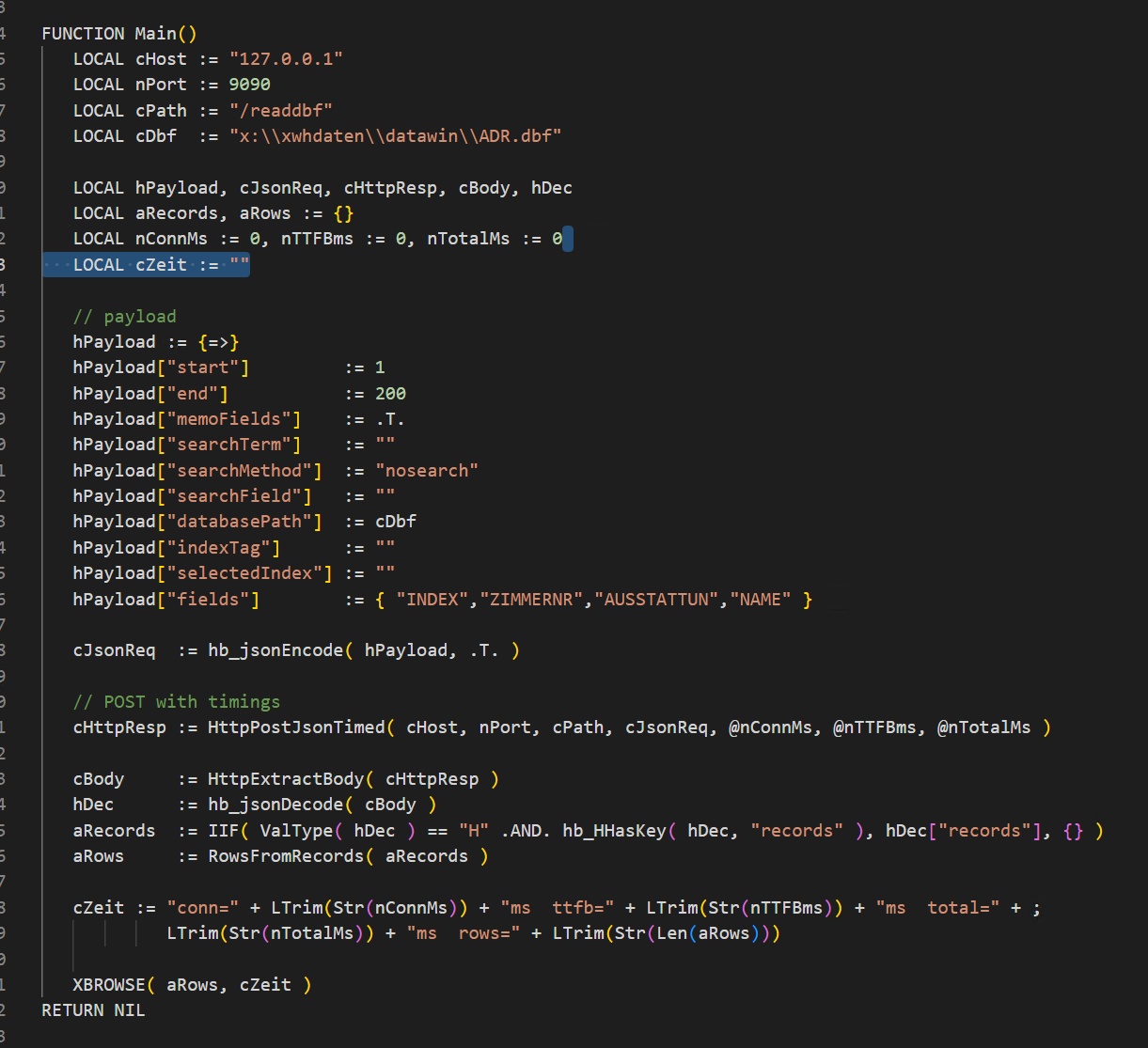
👉 The same payload works both in PHP (via file_get_contents() or curl) and directly in a FiveWin/Harbour program (via hb_socketSend() and hb_jsonDecode()).
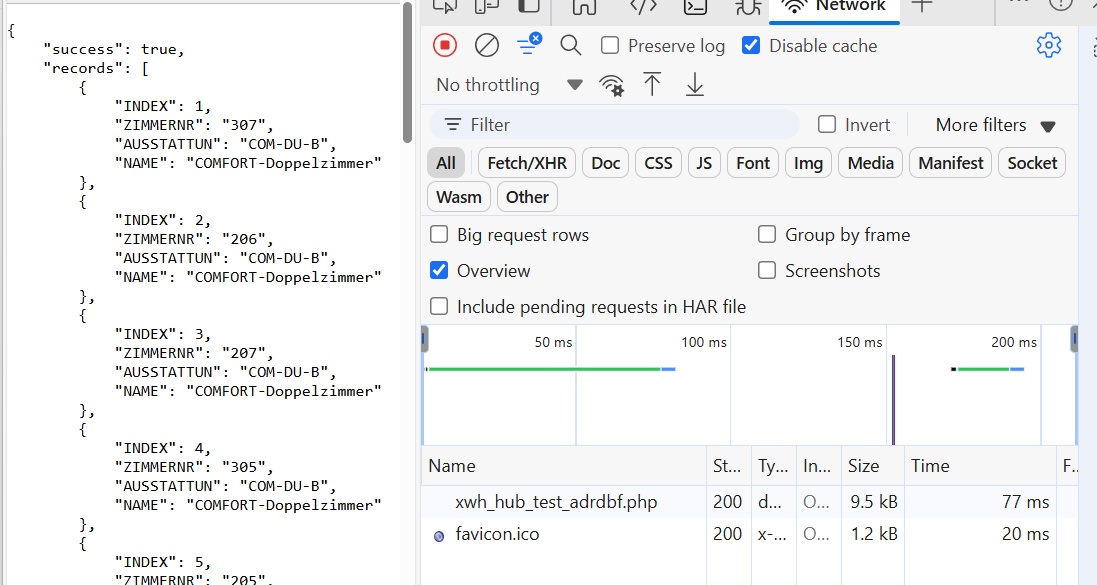
On the web I receive the JSON response, which can be displayed in the browser or further processed.
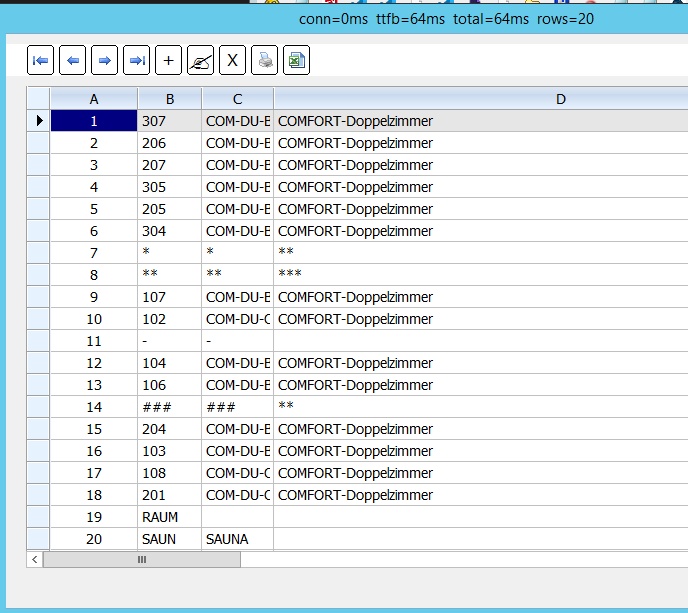
On the PC I can display the same response directly with XBROWSE() or use it in internal logic.
Conclusion: One single API format → two worlds:
-Web applications with PHP/JS
-Desktop tools with Harbour/FiveWin
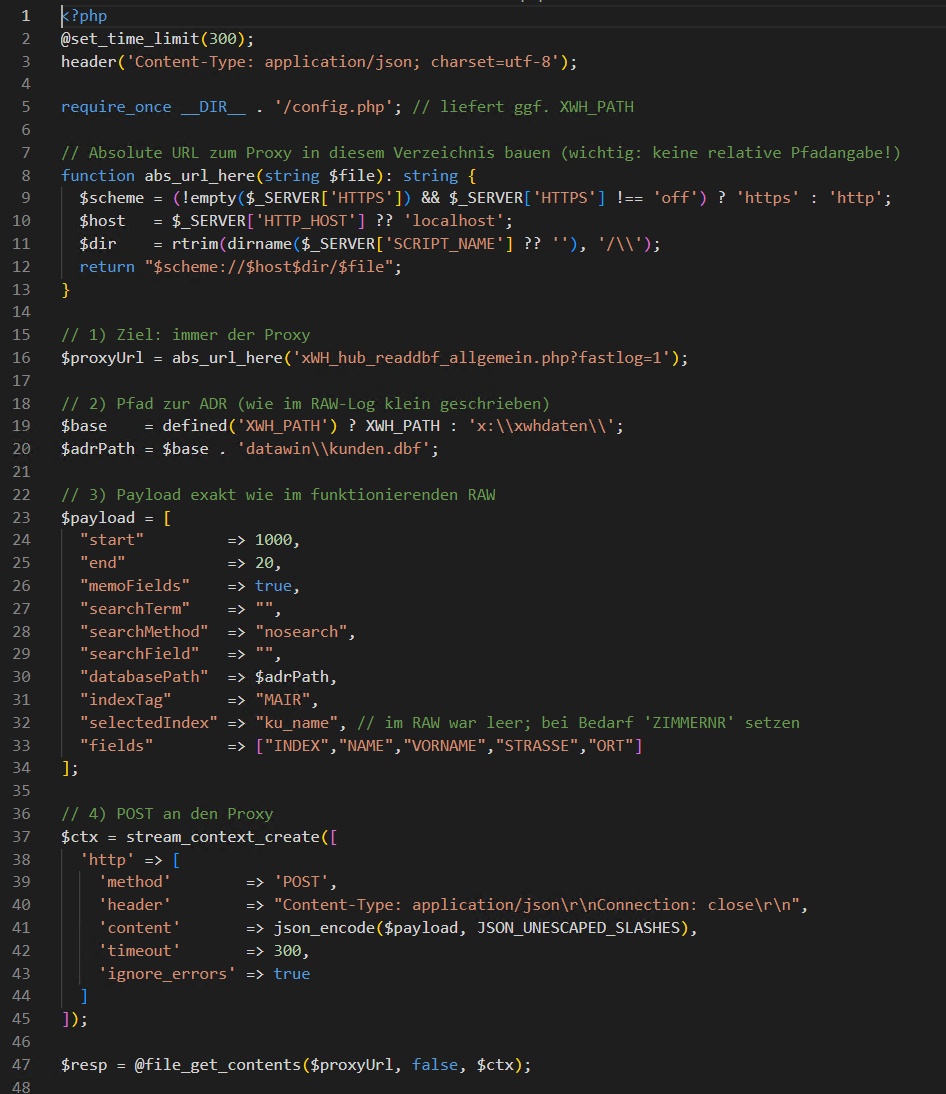
I have extended my DBF microservice so that it can be accessed simultaneously from the web (PHP/Browser) and from the PC (FiveWin/Harbour).
The beauty of it: the API is extremely simple – it always just takes a JSON payload.
Example payload:
{
"start": 1,
"end": 20,
"databasePath": "x:\\xwhdaten\\datawin\\kunden.dbf",
"fields": ["INDEX","NAME","VORNAME","STRASSE","ORT"]
}
start / end → define the range (e.g. 1–20 records).
databasePath → absolute DBF file.
fields → the desired columns.
On the web I receive the JSON response, which can be displayed in the browser or further processed.
On the PC I can display the same response directly with XBROWSE() or use it in internal logic.
Conclusion: One single API format → two worlds:
-Web applications with PHP/JS
-Desktop tools with Harbour/FiveWin