

Hi,
Let's talk about resource usage and how to access them by granting permissions to access other folders.
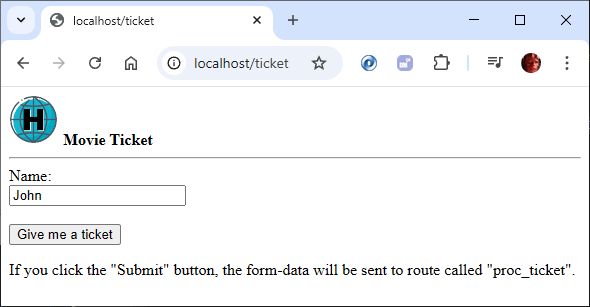
If we modify the ticket.html screen to, for example, insert a logo in the title, by adding the image to the 'web' directory, it could be as simple as this:
And we would see the image appear on the screen because we defined the 'web' directory as our root.
But let's put our resources, in this case images, somewhere else to separate the application code from the resources. We'll create a folder in our root directory called /images, so now we'll have two folders: web and images.
In this case, our code would now look like this:
If we ran the code, we'd get an error and the image wouldn't load.
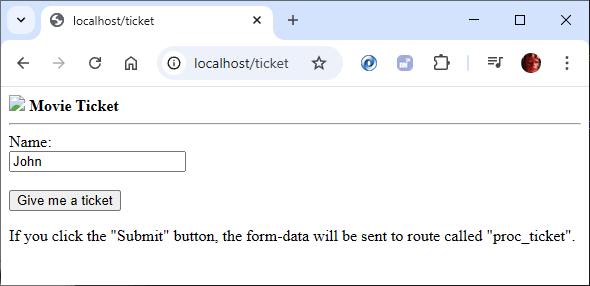
The reason is easy to understand. Hix protects our entire system and only allows access where we permit it. By default, we had the root folder (web) accessible, but now we also want to use a folder where we'll store all our resources, in this case, images.
To do this, we'll select the 'folders' command, and this is where we can define access to the different folders in our Hix system. We'll add the 'images' folder.
We'll save the configuration and start the server. Our system will now allow access to the folder. It's that easy, that's all.
We can grant access to folders for different types of access and we just have to specify it in this 'folders' section.
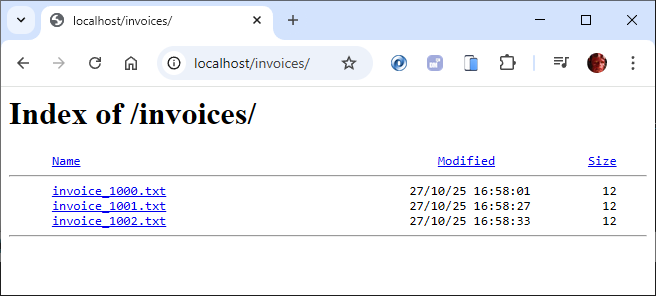
Imagine we want to have a folder where we store invoices for users to download; we would define it here. This just leaves explaining the 'Index' column. If set to 'Y', the system will show the contents of the folder, which can be useful in some cases.
If we run the URL localhost/invoices/ a listing of the contents would appear.
If we specify 'N', we can only access it if we know the exact resource name: localhost/images/logo.png

Is it easy?
C.
Let's talk about resource usage and how to access them by granting permissions to access other folders.
If we modify the ticket.html screen to, for example, insert a logo in the title, by adding the image to the 'web' directory, it could be as simple as this:
<img src="web/logo.png" width="50px"/>
<b>Movie Ticket</b>
<hr>But let's put our resources, in this case images, somewhere else to separate the application code from the resources. We'll create a folder in our root directory called /images, so now we'll have two folders: web and images.
Hix
 +--- images
+--- web<img src="images/logo.png" width="50px"/>
<b>Movie Ticket</b>
<hr>The reason is easy to understand. Hix protects our entire system and only allows access where we permit it. By default, we had the root folder (web) accessible, but now we also want to use a folder where we'll store all our resources, in this case, images.
To do this, we'll select the 'folders' command, and this is where we can define access to the different folders in our Hix system. We'll add the 'images' folder.
  Folder Name              Index
 ═══════════════════════════════════════════════
images NWe can grant access to folders for different types of access and we just have to specify it in this 'folders' section.
Imagine we want to have a folder where we store invoices for users to download; we would define it here. This just leaves explaining the 'Index' column. If set to 'Y', the system will show the contents of the folder, which can be useful in some cases.
  Folder Name              Index
 ═══════════════════════════════════════════════
   images                     N
   invoices                   Y
If we specify 'N', we can only access it if we know the exact resource name: localhost/images/logo.png
Is it easy?
C.
Salutacions, saludos, regards
"...programar es fácil, hacer programas es difícil..."
UT Page -> https://carles9000.github.io/
Forum UT -> https://discord.gg/bq8a9yGMWh
HIX -> https://github.com/carles9000/hix
"...programar es fácil, hacer programas es difícil..."
UT Page -> https://carles9000.github.io/
Forum UT -> https://discord.gg/bq8a9yGMWh
HIX -> https://github.com/carles9000/hix