FiveTech Support Forums

FiveWin / Harbour / xBase community
Board index mod_harbour HTML for Newcomers Coming from FiveWin
Posts: 6983
Joined: Fri Oct 07, 2005 07:07 PM
HTML for Newcomers Coming from FiveWin
Posted: Sat Jan 10, 2026 10:58 PM

Hello friends,

HTML for Newcomers Coming from FiveWin
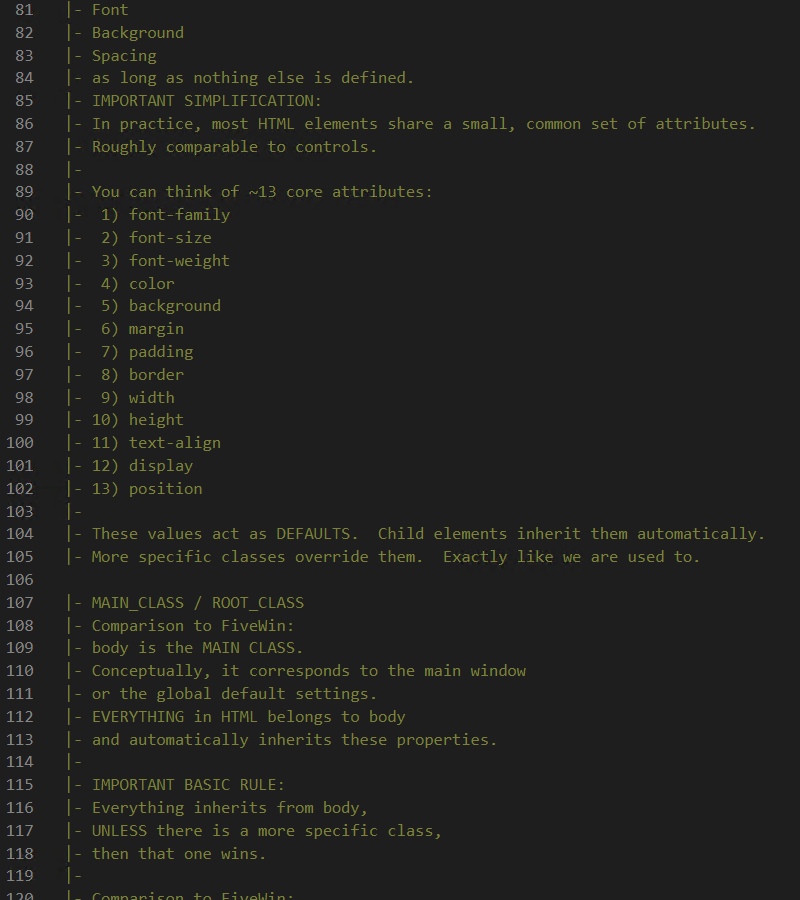
A minimal, comment-driven example

Intro

Over the years, I’ve noticed that many developers coming from FiveWin perceive HTML and CSS as something fundamentally different, complex, or even a bit mysterious.

I have to admit something upfront:
it took me quite a long time to understand HTML and CSS this way myself.
Not because they are complicated — but because they are often explained without connecting them to the mental models we already know from FiveWin.

So instead of starting with frameworks, tools, or theory, I tried a very simple approach:

treat HTML as a program

treat the browser as a runtime

think in terms of defaults, inheritance, and overrides

explain everything directly in the source code

remove all explanations for the final release

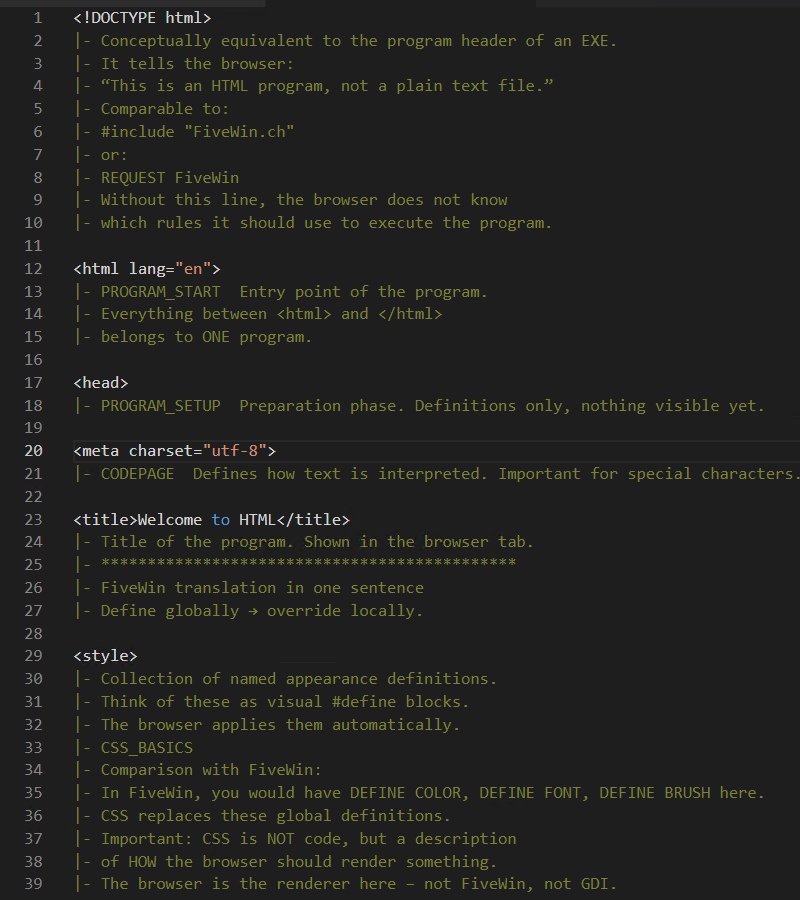
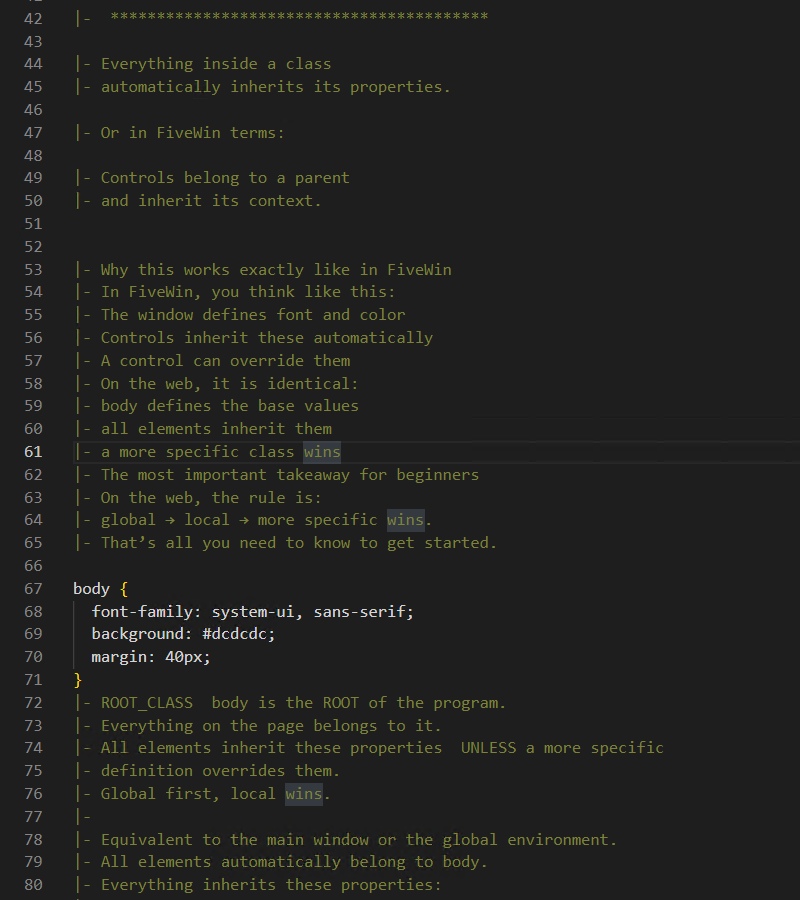
With Harbourino-style source annotations, you can comment as much as you want while learning —
none of that ends up in the shipped product.

When I use comparisons in the commented learning version, they always refer to FiveWin.
The comparisons are intentionally pragmatic, not academically perfect.
The goal is understanding, not theory.

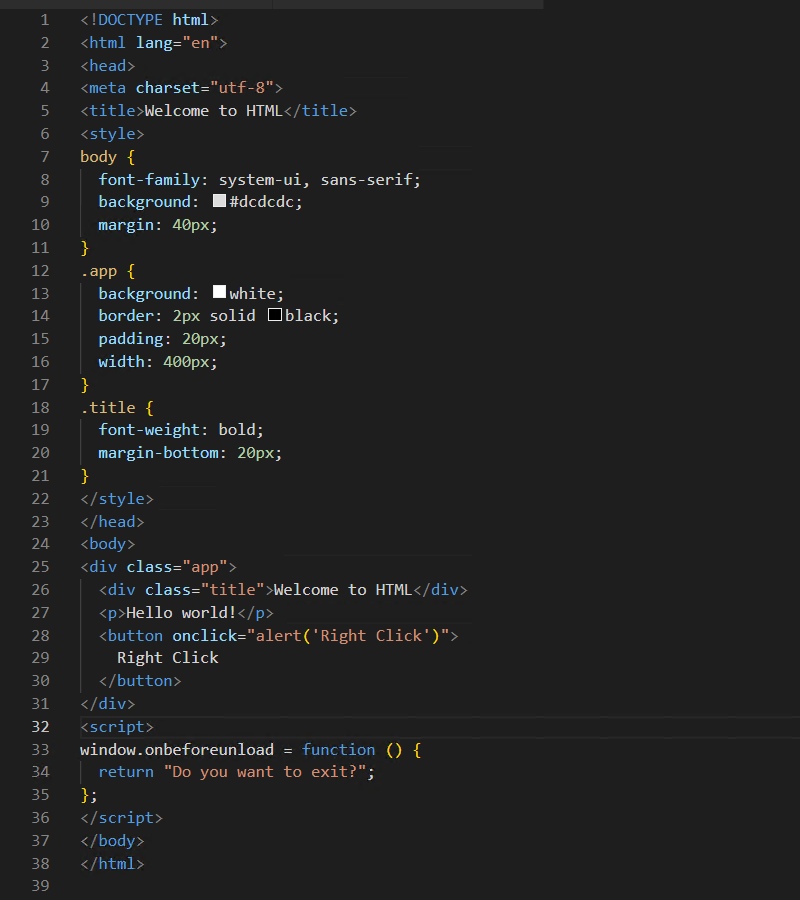
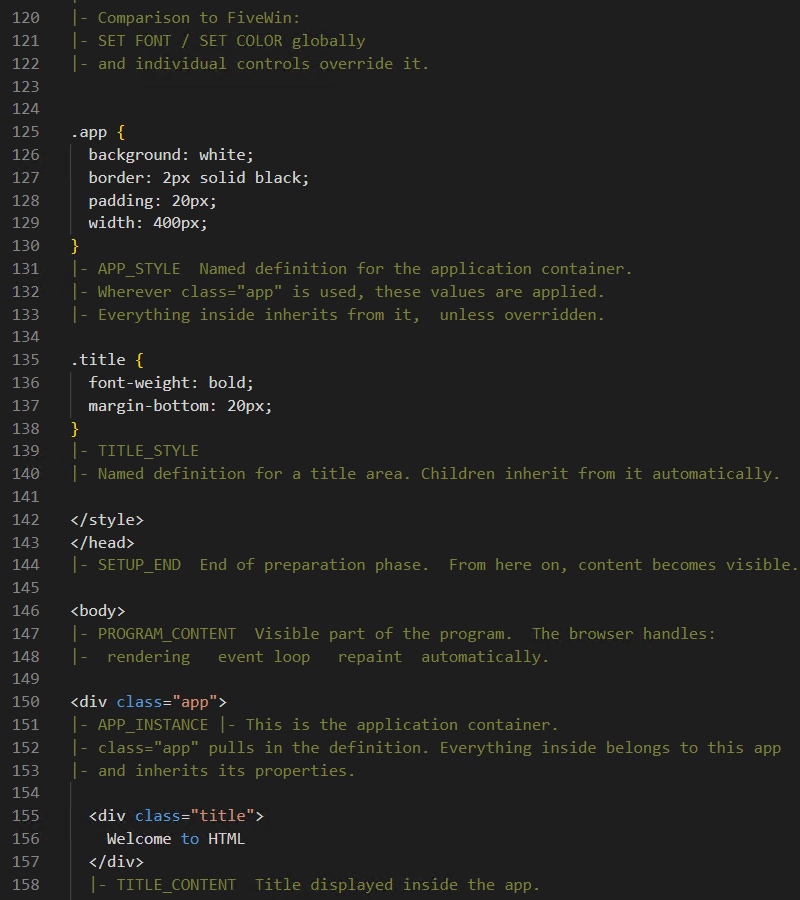
Minimal HTML Program (Release Version)
Below is the final release version of the example.
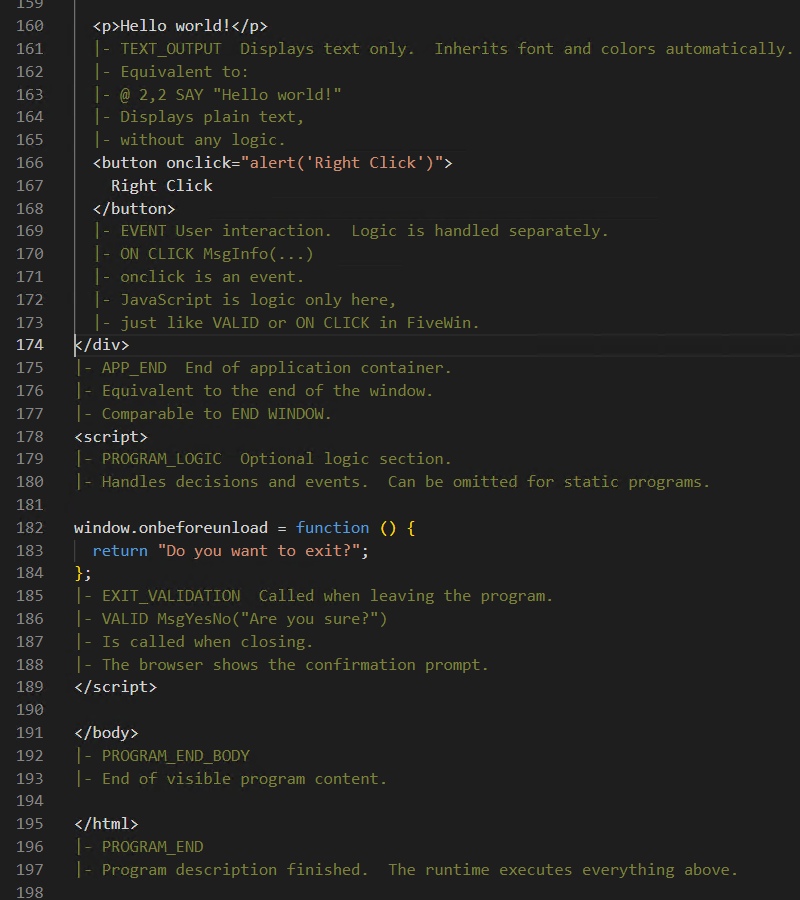
The commented learning version behaves exactly the same — it just contains extensive inline explanations.

Using Harbourino, you can switch the commented learning version to the final release version automatically.
This is important because on the web the source code is always visible, and explanatory comments are usually not something you want to ship in production.

That is the core principle of this approach:

learn with rich, inline explanations

ship clean, minimal source code

If there is interest, I can also show how to bring this simple “Hello World” program safely to the web.
With costs of roughly 20 € for a domain name, you already have:

your own domain

your own web server

a real, reachable web setup

No frameworks required.

Best regards,
Otto


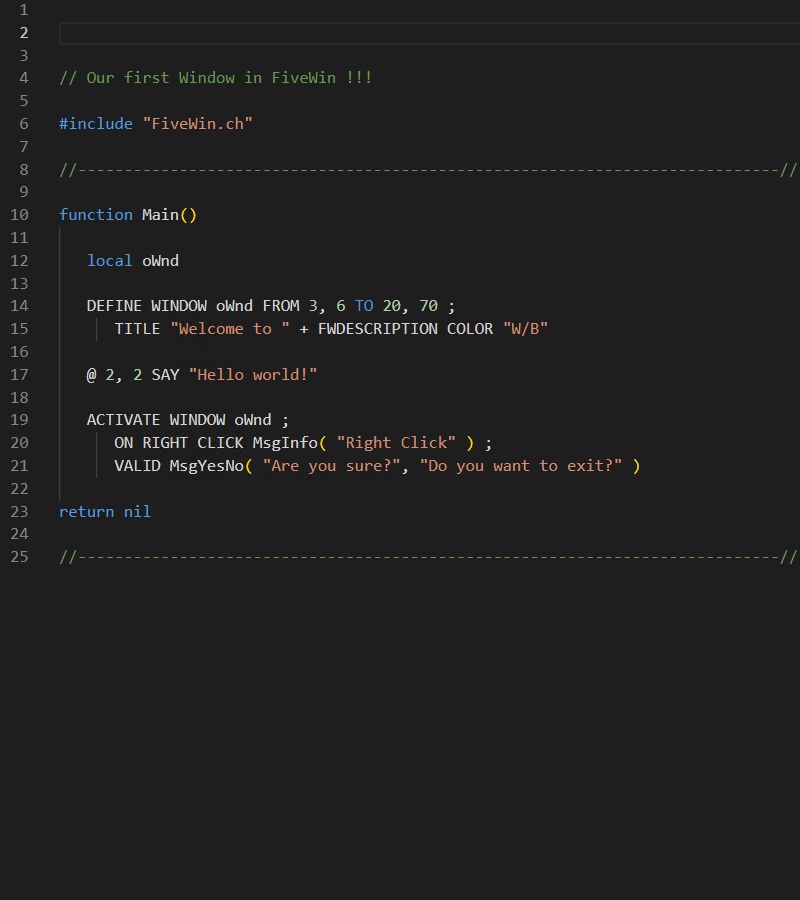
Same as this FW-program.


Posts: 6983
Joined: Fri Oct 07, 2005 07:07 PM
Re: HTML for Newcomers Coming from FiveWin
Posted: Sun Jan 11, 2026 09:02 AM

Hello friends,

here is another mental shift that helped me a lot when coming from FiveWin.

One thing that is easy to overlook when starting with HTML and PHP is this:

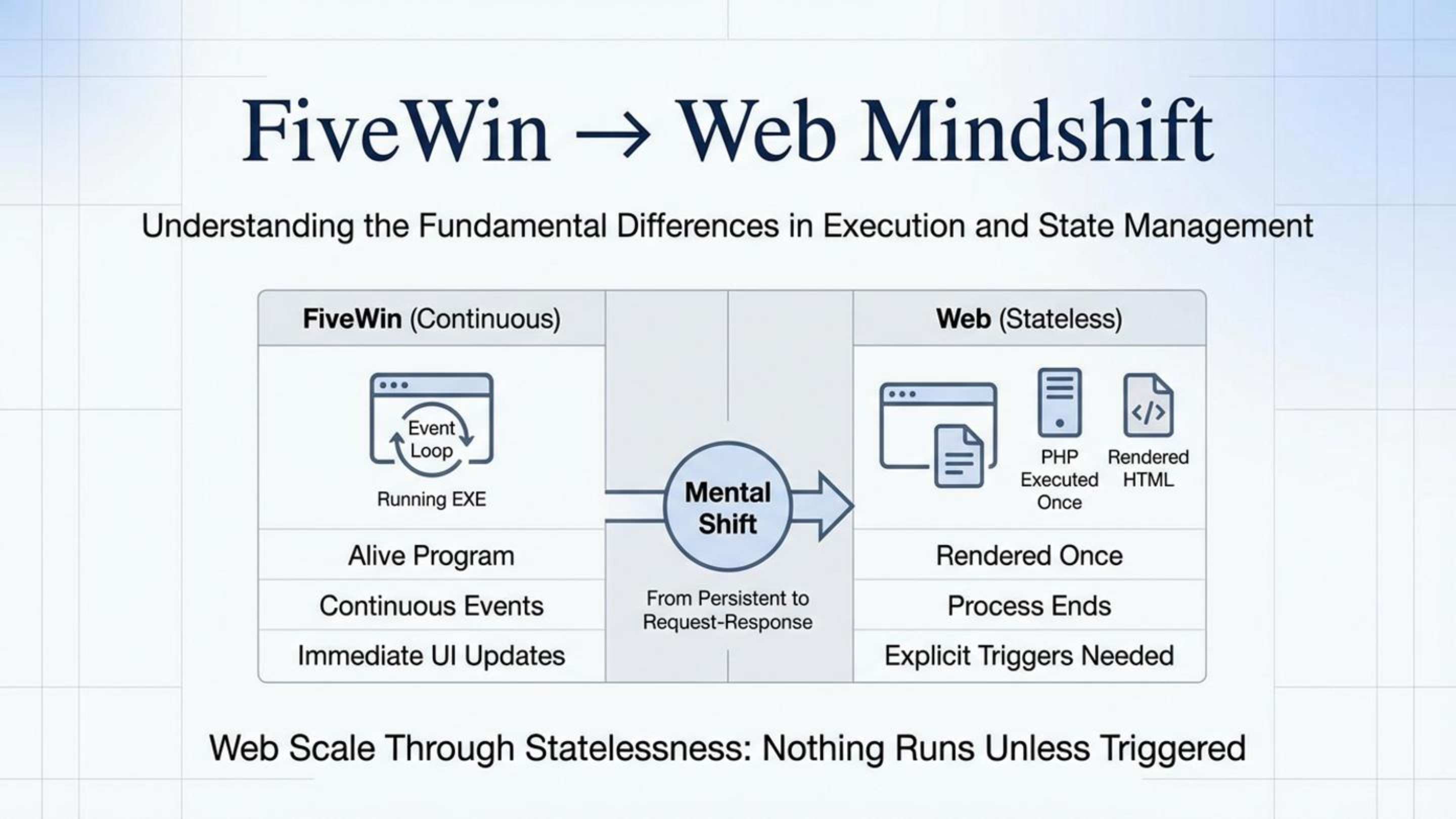
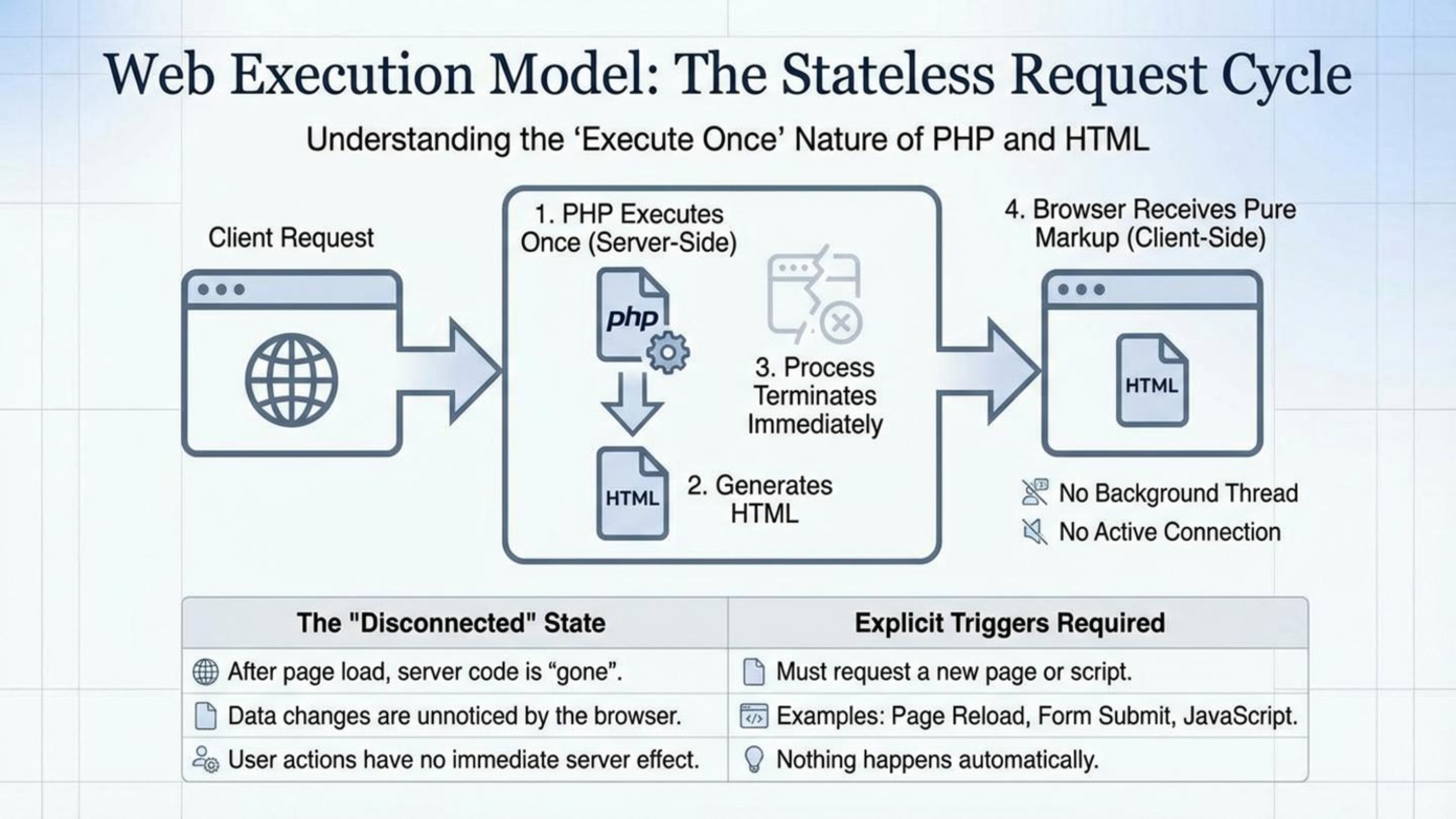
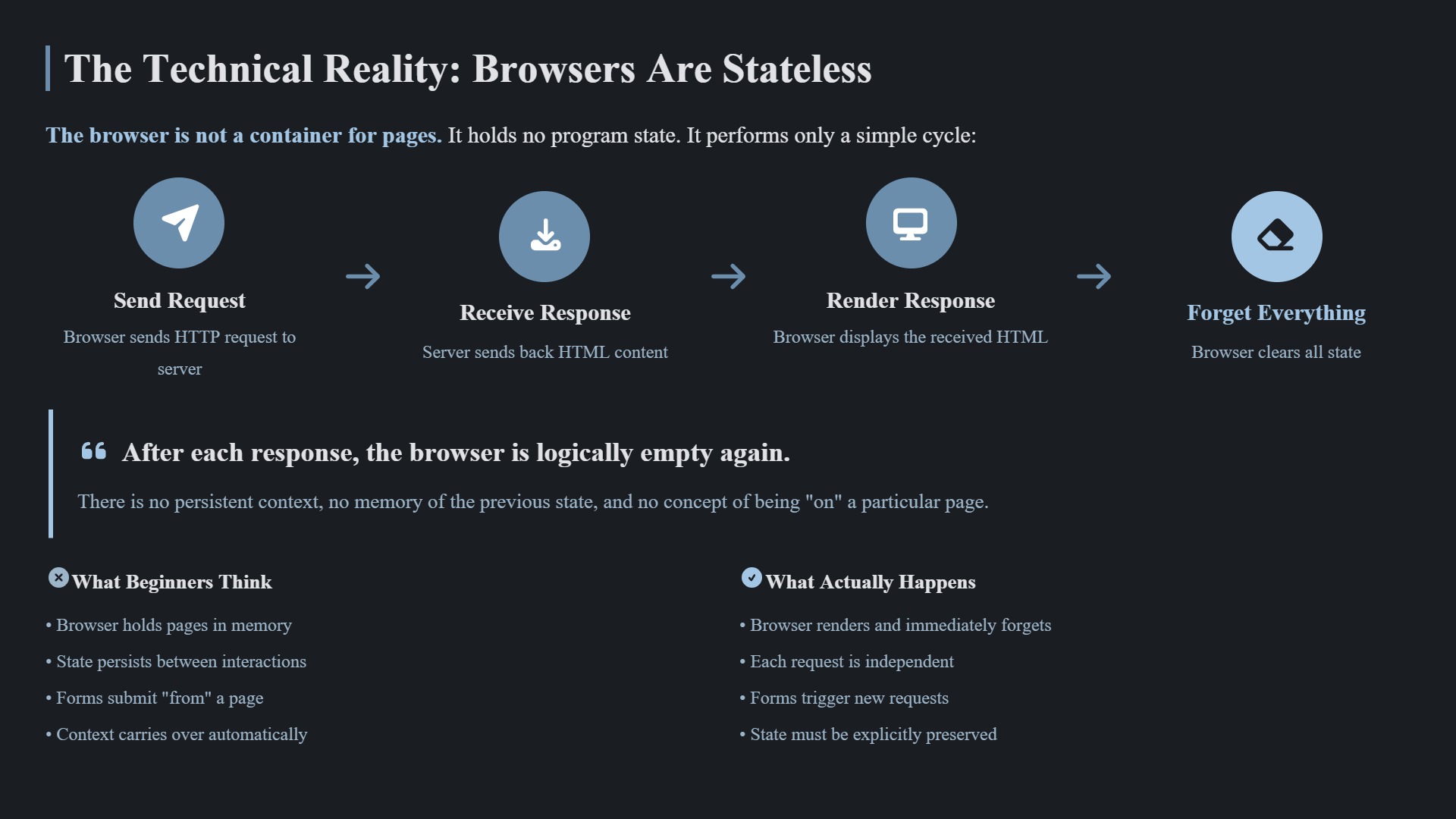
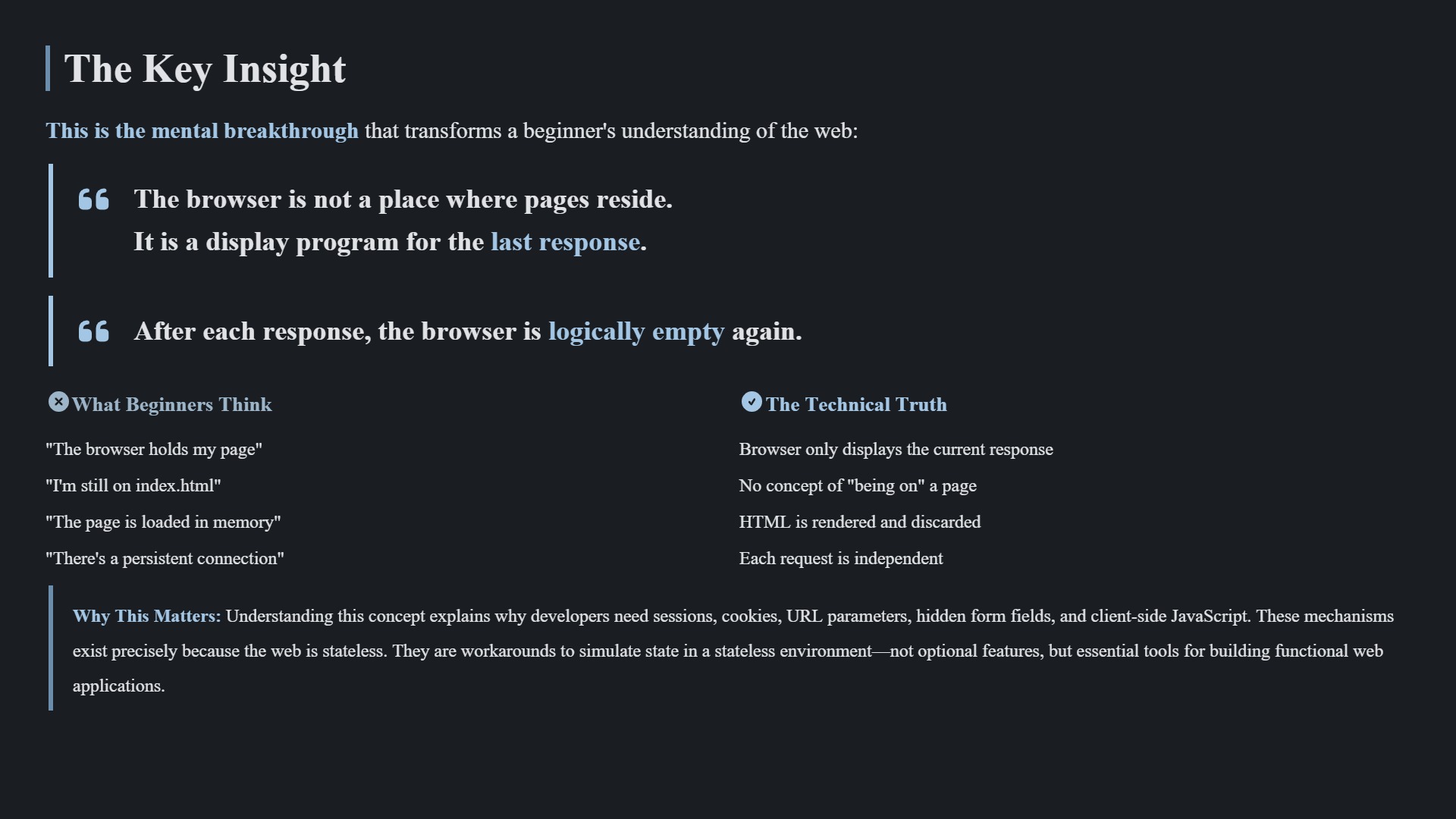
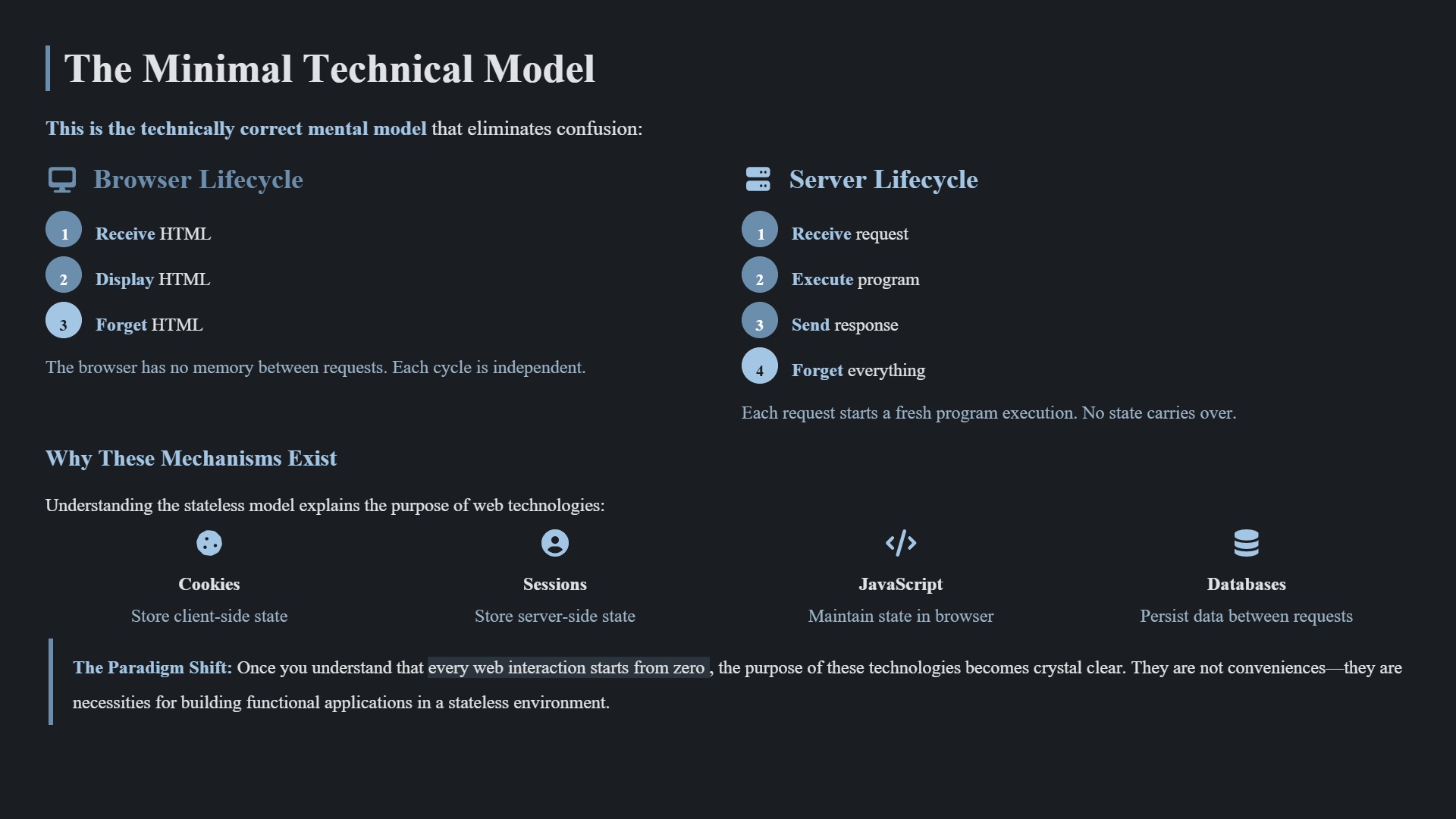
HTML and PHP do not keep running.
They do not automatically reload anything.
They are executed once, from top to bottom, and then they are finished.

This is very different from what we are used to in FiveWin.

In a FiveWin application:

  • the program is alive
  • the window exists
  • the event loop keeps running
  • code reacts continuously to user actions

On the web, it works differently.

PHP is executed:

  • once per request
  • from top to bottom
  • and then it exits

After that:

  • PHP is gone
  • the process ends
  • only the rendered HTML remains in the browser

Nothing is “listening” anymore.

Because of this, it often doesn’t make sense to overthink perfect structure or long-lived architecture in the same way we would in a desktop application.

The program:

  • runs once
  • produces a result
  • and terminates

There are:

  • no permanent objects
  • no running window
  • no continuous repaint cycle
  • no hidden background state

That also explains why many very simple PHP scripts work perfectly fine in production.

This does not mean that clean code is unimportant.

It means:

  • clean code is about clarity, not lifecycle
  • structure is for humans, not for a long-running program
  • simplicity often beats abstraction

A helpful mental model for FiveWin developers is this:

In FiveWin, you build a machine that keeps running.
On the web, you write a function that returns a result.

Once that function returns, everything is gone.

Understanding this removes a lot of unnecessary complexity and explains:

  • why pages reload
  • why forms submit
  • why JavaScript exists
  • why web systems are stateless by default

And also why statelessness is not a limitation, but a feature.

If there is interest, I can continue with:

  • where state actually lives on the web
  • why sessions exist
  • or how to safely bring small programs online

Best regards,
Otto

Posts: 6983
Joined: Fri Oct 07, 2005 07:07 PM
Re: HTML for Newcomers Coming from FiveWin
Posted: Sun Jan 11, 2026 09:54 PM

Hello everyone,

before we continue with a complete example, I’d like to pause for a moment and look at one single building block in isolation:
the HTML form.

This is exactly the point where many developers coming from FiveWin start to get confused, because it looks like a button should “do something”.

In the web world, it doesn’t.

A form contains no logic.
A submit button executes no code.
It only creates a request.

To make this as clear and readable as possible, I’ll show the form block using a Harbourino-style structure.
This is not a framework and not new syntax — it’s just a way to keep the source readable while learning.
In the final release, all of this disappears.
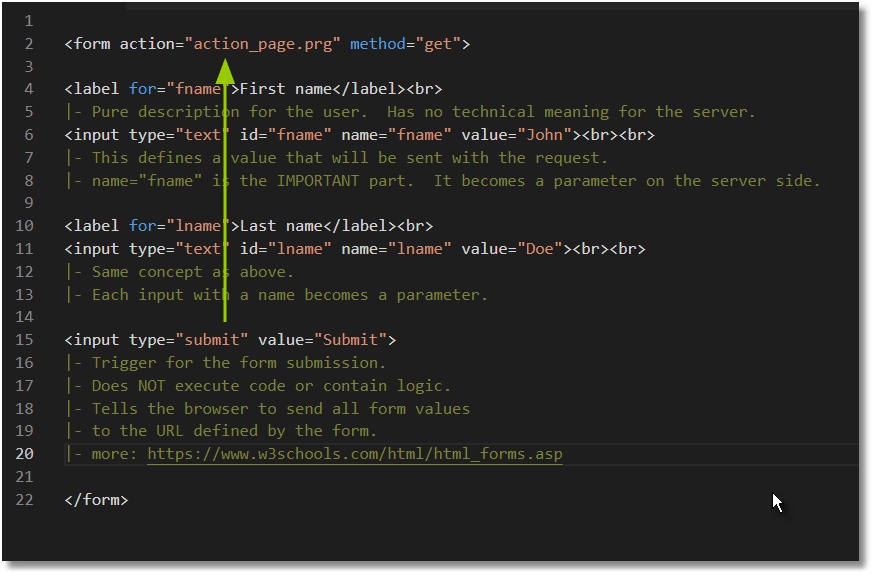
The flow works exactly like this:

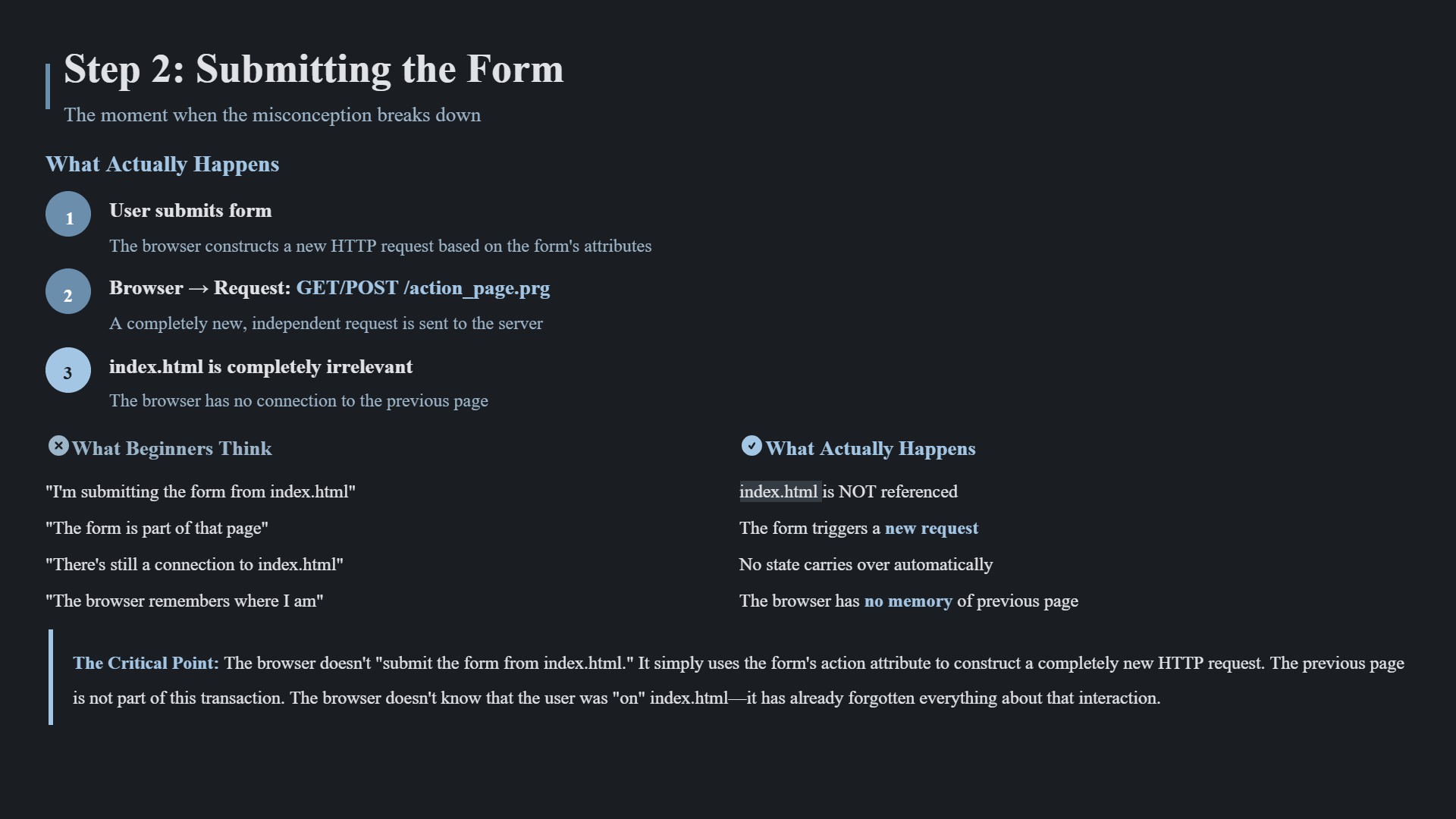
The user clicks

<input type="submit" value="Submit">

The browser creates an HTTP request
(GET or POST, depending on the form’s method).

That request is received by the server
(including URL, method, headers, and optionally a body).

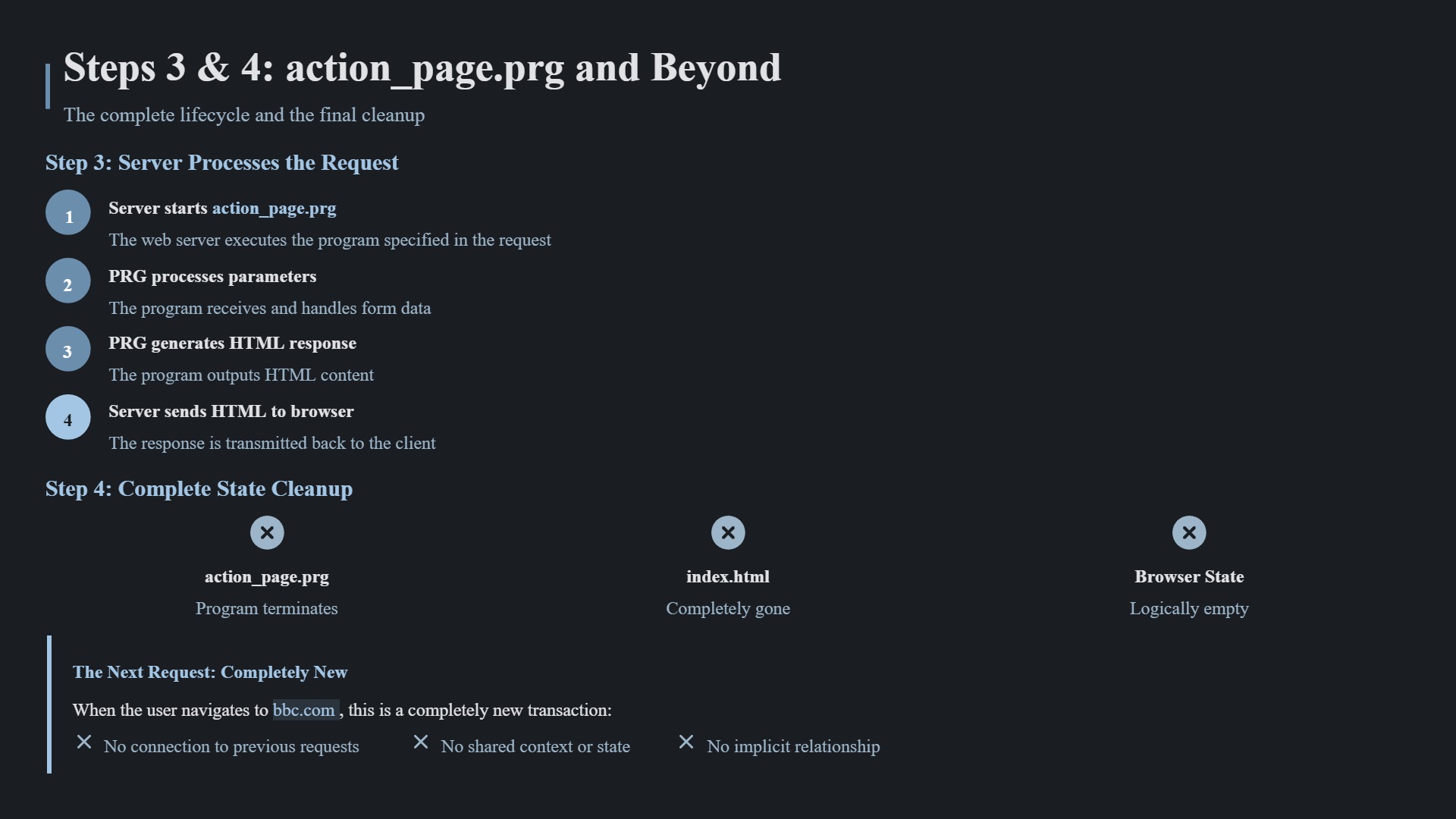
The server then executes action_page.prg exactly once.

The parameters sent via GET or POST
are processed inside action_page.prg.

The script generates a response
(usually HTML, sometimes plain text or JSON).

The server sends this response back to the browser.

The script terminates.
It does not keep running.

Two important clarifications:

The submit button does not send anything by itself.
It only tells the browser to submit the form.

The server does not “create HTML automatically”.
action_page.prg generates the HTML response,
and the server simply delivers it.

In one sentence:

The browser sends a request.
The server runs the PRG once.
The PRG processes the parameters and generates HTML.
The server returns that HTML to the browser.

That’s the complete and correct web execution model.
At this point it helps to briefly clarify how data is actually sent on the web.

A web request always consists of a few concrete parts.
You don’t need to remember many things — there are only four.

You can think of a web request like an email.

  1. The URL
    This is the recipient.

Example:

https://example.com/action_page.prg

From a FiveWin point of view:

  • URL ≈ program name
  • URL ≈ email address

It defines which program will be executed on the server.


---
  1. The method (GET or POST)
    This defines how the data is transmitted.

You can think of it like this:

  • GET → information written on the outside
  • POST → information inside the envelope

The two most common methods are GET and POST.


---
  1. Headers
    Headers are metadata, comparable to the envelope information of an email.

They describe things like:

  • browser type
  • language
  • encoding
  • expected response type

At the beginning, you usually don’t need to care about them.
The browser fills them automatically.


---
  1. Body (optional)
    The body is the actual content of the message.

This is where the form data is placed when using POST.


---

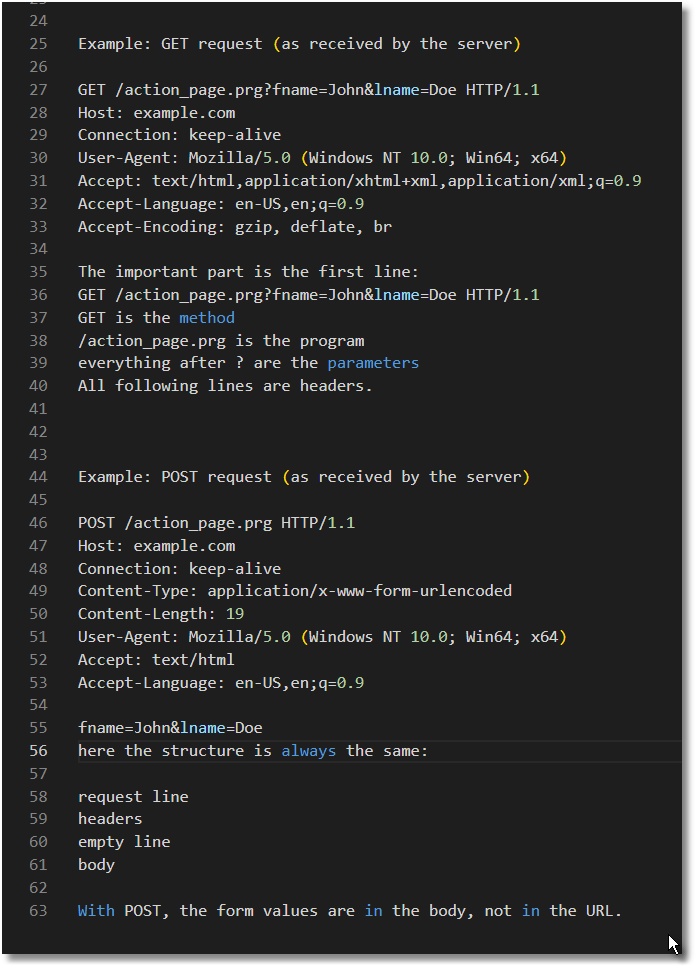
To make this even less abstract, here is how a request actually arrives at the server — as plain text.


---

Example: GET request (as received by the server)

GET /action_page.prg?fname=John&lname=Doe HTTP/1.1
Host: example.com
Connection: keep-alive
User-Agent: Mozilla/5.0 (Windows NT 10.0; Win64; x64)
Accept: text/html,application/xhtml+xml,application/xml;q=0.9
Accept-Language: en-US,en;q=0.9
Accept-Encoding: gzip, deflate, br

The important part is the first line:

GET /action_page.prg?fname=John&lname=Doe HTTP/1.1
  • GET is the method
  • /action_page.prg is the program
  • everything after ? are the parameters

All following lines are headers.


---

Example: POST request (as received by the server)

POST /action_page.prg HTTP/1.1
Host: example.com
Connection: keep-alive
Content-Type: application/x-www-form-urlencoded
Content-Length: 19
User-Agent: Mozilla/5.0 (Windows NT 10.0; Win64; x64)
Accept: text/html
Accept-Language: en-US,en;q=0.9

fname=John&lname=Doe

Here the structure is always the same:

  • request line
  • headers
  • empty line
  • body

With POST, the form values are in the body, not in the URL.


---

A very helpful mental model is again the email comparison:

  • URL → recipient
  • headers → envelope information
  • body → message text

The server-side program reads this message once, generates a response, and then terminates.

From a FiveWin perspective, this is very similar to ShellExecute() with parameter passing:

  • URL → program name
  • GET parameters → command line parameters
  • POST body → input data
  • program runs once → produces output → exits

---

The most important takeaway is this:

A form does not execute code.
It creates a request.
The URL defined by the form decides which program runs,
and the method (GET or POST) decides where the data is located.

In the next step, we’ll put this block back into our Hello World example and see how everything fits together.
Best regards,
Otto

Posts: 6983
Joined: Fri Oct 07, 2005 07:07 PM
Re: HTML for Newcomers Coming from FiveWin
Posted: Mon Jan 12, 2026 01:14 AM

"Statelessness Explained: What Happens When Your Server Acts Like a LAN Cable Being Unplugged After Every Request"

Introduction:
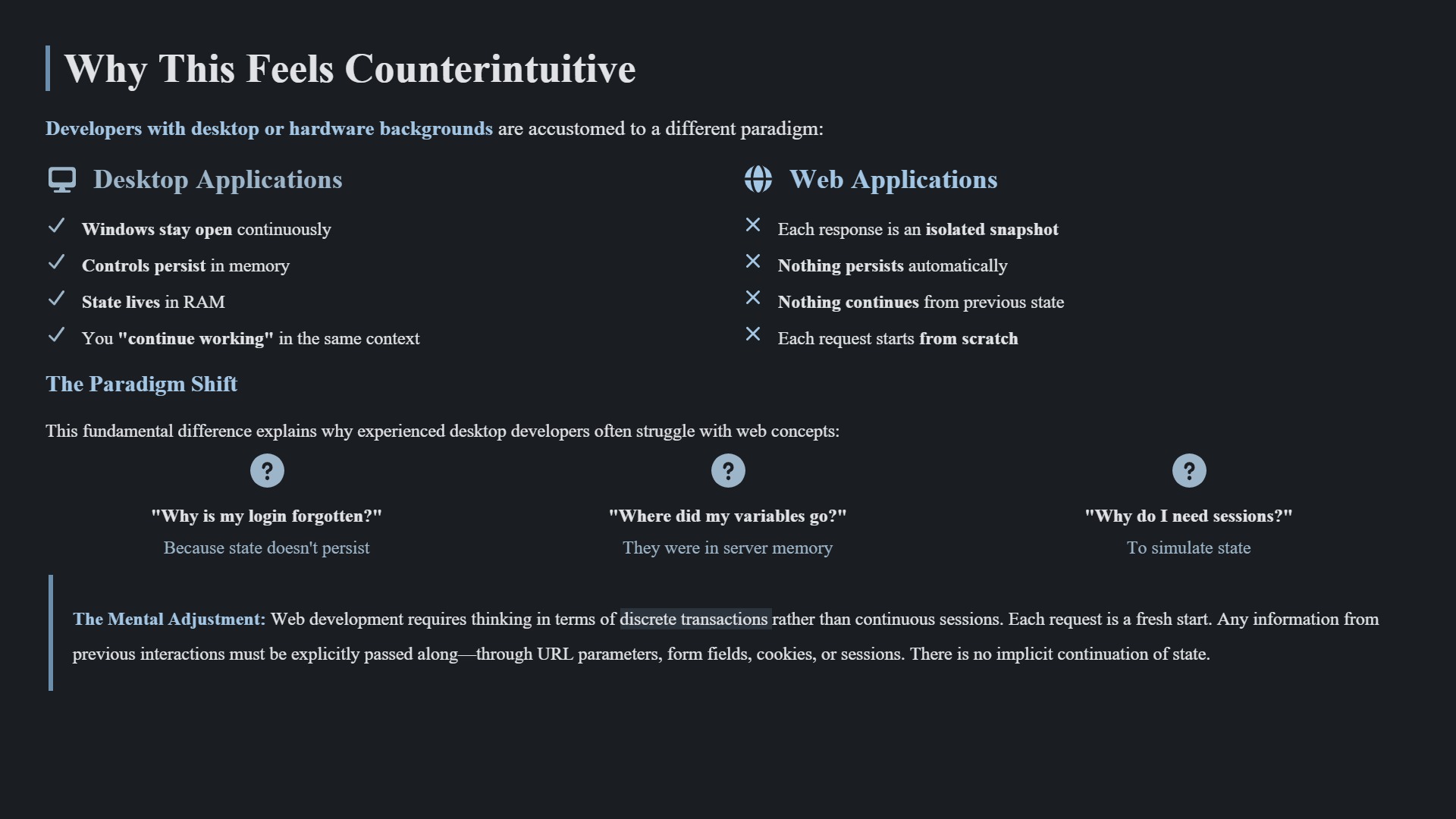
Imagine you’re used to FiveWin, where your application runs continuously, variables persist, and the network connection is stable—like a PC with its LAN cable securely plugged in. Now, picture the web as a server that physically unplugs your LAN cable after every single request. That’s statelessness in a nutshell.


---

FiveWin vs. Web: The LAN Cable Analogy

1. FiveWin/Harbour (LAN Cable Plugged In)

  • Persistent State:
    Your application runs in memory, and variables (PUBLIC, PRIVATE) stay alive.
    The network connection (LAN) remains active—databases, sessions, and everything else "live" as long as the program runs.
    Example:
    Code (xbase): Select all Collapse
      PUBLIC cUser := "Max"  // Stays in memory until the program ends.
    Like a PC with a stable LAN connection.

2. Web (HTTP – Stateless)

  • LAN Cable Pulled After Every Request:
  • Browser sends a request → Server responds with HTML → Connection drops.
  • Everything in the server’s memory (RAM) for that client is wiped.
  • Exception: Sessions/Cookies = "A sticky note" you explicitly hand to the server to remember you.
  • Example (PHP):
    Code (php): Select all Collapse
        $_SESSION['user'] = "Max"; // Only survives because you wrote it on the "sticky note."
        $normalVar = "Gone after the request!"; // ❌ Forgotten.

3. JavaScript (Browser-Side)

  • Runs Locally Like an Offline PC:
  • Variables (let, const) persist in the browser tab (like a PC with no LAN but still powered).
  • But: Close the tab → Power off → Everything is erased.
  • Example:
    Code (javascript): Select all Collapse
        let counter = 0; // Stays in the tab, but the *server* never sees it!

4. The Core Rule

"Web development feels like working on a PC where someone unplugs the LAN cable after every click.
Want the server to remember something? You must write it down (sessions/cookies) or keep it locally (JavaScript).
No sticky note? It’s gone.**"


---

Key Takeaways for Your Documentation

  • Desktop (FiveWin): LAN stays plugged in → State persists.
  • Web: LAN unplugged after every request → Fresh start.
  • Solutions:
  • Sessions/Cookies = "Sticky notes" for the server.
  • JavaScript = "Local offline mode" (but only in the tab!).
  • Hidden Fields = "Data slipped into an envelope" (no return receipt).
Posts: 6983
Joined: Fri Oct 07, 2005 07:07 PM
Re: HTML for Newcomers Coming from FiveWin
Posted: Mon Jan 12, 2026 06:48 AM

Appendix: Where Does the Code Actually Run?
The core misunderstanding—and why it explains everything.

The Hard Truth: The Browser Is Just a Terminal

The browser:

Renders HTML.
Collects input (forms, clicks).
Sends requests to the server.
But: It does not execute PRG, PHP, or any server-side code.

What "hosted" really means:
When we say "action_page.prg is hosted," it technically means:

The program physically resides on the server.
It is started by the server (in a server process/worker).
It uses server CPU and RAM.
The browser never sees the code—it only knows:

The URL.
The response it receives.

Common Misconception (and Why It’s Wrong)
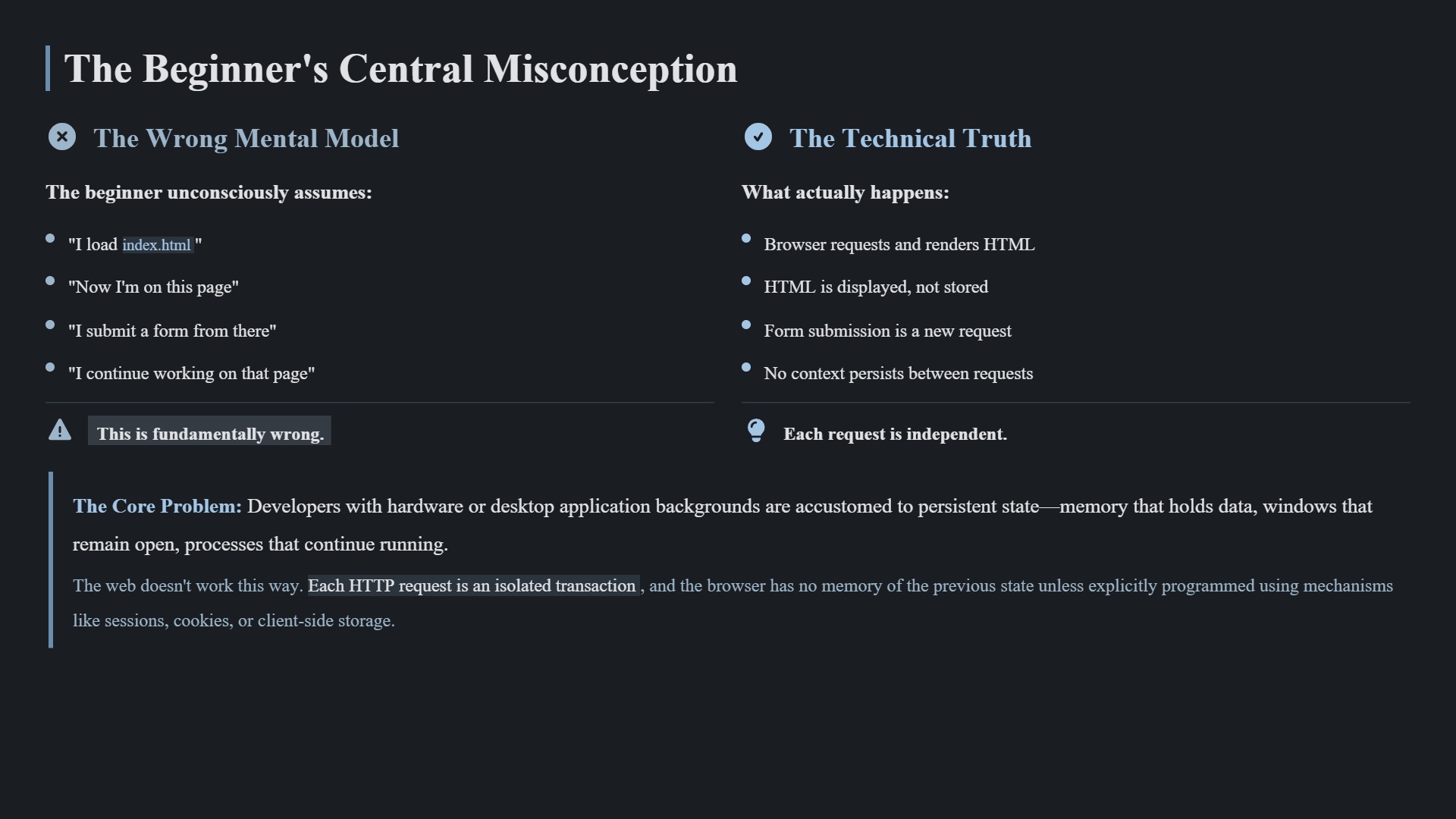
False assumption:
"I load index.html, then continue working with that program."
Reality:

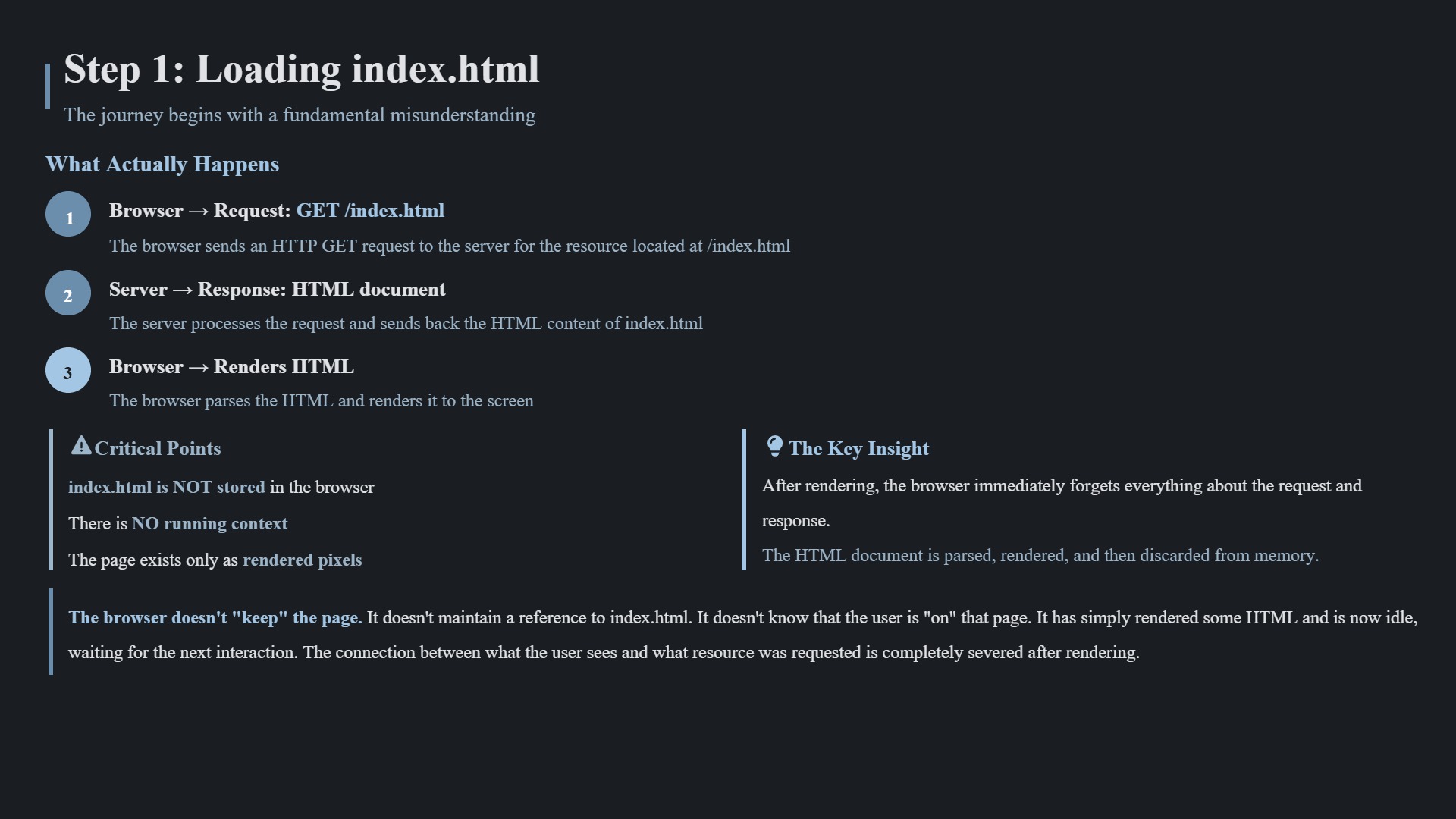
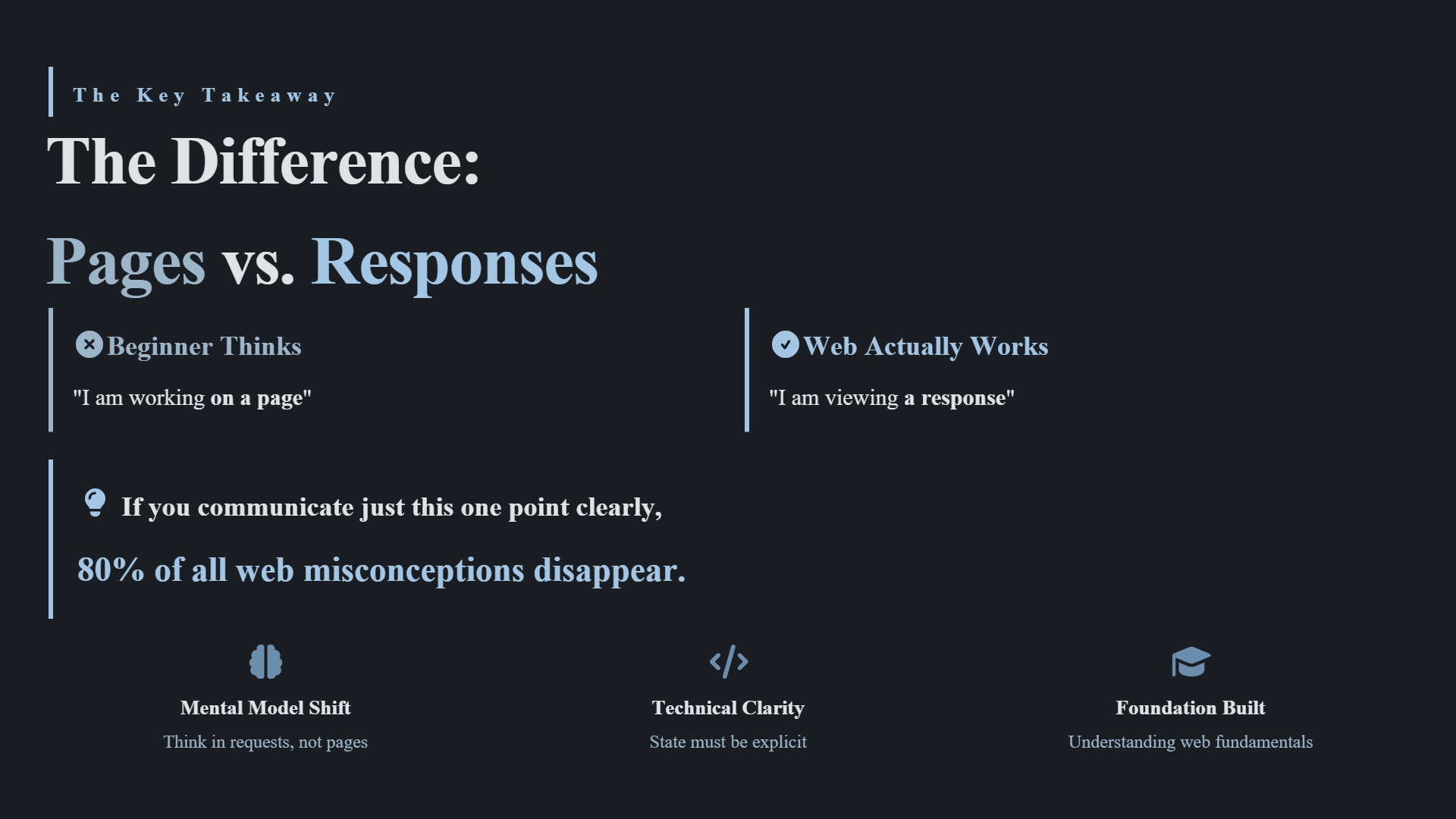
Browser → Request: GET /index.html
Server → Response: HTML file
Browser → Displays HTML.
→ After that, it’s over.

Next click:
Browser → New Request: POST /action_page.prg
Server → Starts action_page.prg from scratch
→ A different program. A new process. A fresh start.

→ index.html is not a running application.
It’s just a response—like a printed sheet of paper.
It doesn’t persist, doesn’t call server code.

FiveWin Comparison (1:1 Mapping)


  FiveWin
  Web


  Local EXE runs continuously.
  Server program restarts on every request.


  ShellExecute("myapp.exe")
  ShellExecute("server", "action_page.prg?params")


  Code runs locally in-process.
  Code runs on the remote machine (server).


→ The browser is like a client EXE that only calls ShellExecute—but executes nothing itself.

The Single Most Important Sentence to Remember

"In the web, no program is 'reused.'
It is always restarted—on the server."

Why This Explains Everything

Debugging: You can’t debug server code like a local EXE (because it doesn’t run locally).
Logs: Errors must be logged server-side—or they’re gone forever.
Structure: Every request is a fresh start → Clean, modular code is critical.

Posts: 6983
Joined: Fri Oct 07, 2005 07:07 PM
Re: HTML for Newcomers Coming from FiveWin
Posted: Mon Jan 12, 2026 07:05 AM

Posts: 6983
Joined: Fri Oct 07, 2005 07:07 PM
Re: HTML for Newcomers Coming from FiveWin
Posted: Mon Jan 12, 2026 10:26 PM

Part 4 – From PRG Logic to HTML Output (Arrays, Templates, and Maintainability)

In the previous parts of this small series, we covered the most important conceptual shift when moving from a FiveWin / desktop mindset to a web-based model with HIX:

  • a PRG does not run permanently
  • there is no server-side “ON CLICK”
  • every interaction is an HTTP request
  • a PRG starts, runs once, produces a response, and ends

In this part, we go one step further and look at how data is handled and presented, especially when coming from DBF or SQL-based applications.


---

1. Arrays and TArrayData still work exactly the same

From the Harbour point of view, nothing changes.

You can:

  • read data from DBF
  • read data from SQL
  • load the result into an array or a TArrayData
  • process it in memory

For example:

Code (harbour): Select all Collapse
LOCAL aData := {
   { "John Smith",     "12 Oak Street",     "London" },
   { "Emily Johnson",  "45 Baker Street",   "Manchester" },
   { "Michael Brown",  "8 River Road",      "Oxford" },
   { "Sarah Wilson",   "221 King Avenue",   "Bristol" },
   { "David Taylor",   "19 Hill View",      "Leeds" },
   { "Laura Anderson", "77 Green Lane",     "York" },
   { "Robert Thomas",  "5 Station Street",  "Cambridge" },
   { "Anna Martin",    "30 Park Crescent",  "Bath" },
   { "James White",    "102 High Street",   "Nottingham" },
   { "Olivia Harris",  "16 Meadow Close",   "Reading" }
}

This is pure Harbour.
Nothing web-specific here.


---

2. The key difference: the browser never sees the array

This is the most important point to understand:

The array (or TArrayData) is only a temporary working structure inside the PRG.
The browser will never receive the array itself.

What the browser receives is always a string.

That string must follow HTML rules.


---

3. Building HTML from an array

A typical pattern is:

  1. loop over the array
  2. build HTML rows
  3. inject them into an HTML template

Example:

Code (harbour): Select all Collapse
LOCAL cRows := ""
LOCAL i

FOR i := 1 TO Len( aData )
   cRows += ;
      "<tr>" + ;
      "<td>" + aData[i][1] + "</td>" + ;
      "<td>" + aData[i][2] + "</td>" + ;
      "<td>" + aData[i][3] + "</td>" + ;
      "</tr>" + CRLF
NEXT

At this point, we already have valid HTML fragments.


---

4. Why TEXT … ENDTEXT helps a lot

Technically, using many ?? statements works perfectly fine.

However, once the HTML grows, it quickly becomes hard to read and maintain.

A cleaner alternative is to build the HTML as a single coherent block using TEXT … ENDTEXT.

Example:

Code (harbour): Select all Collapse
LOCAL cHtml

TEXT INTO cHtml
<h2>Sample Address List</h2>

<table border="1" cellpadding="6" cellspacing="0">
  <thead>
    <tr>
      <th>Name</th>
      <th>Street</th>
      <th>City</th>
    </tr>
  </thead>
  <tbody>
    ${ cRows }
  </tbody>
</table>
ENDTEXT

Advantages of this approach:

  • the HTML reads like real HTML
  • syntax highlighting works properly
  • the layout can be copied into a .html file and tested standalone
  • debugging becomes much easier
  • the code stays maintainable as it grows

This is not a requirement and not a dogma, just a practical experience that pays off very quickly in web code.


---

5. Output: one string, one response

At the very end, the PRG simply outputs the generated HTML:

Code (harbour): Select all Collapse
?? cHtml
RETURN NIL

That is the complete request lifecycle:

  • PRG starts
  • data is read
  • processed in memory
  • converted into HTML
  • sent to the browser
  • PRG ends

---

6. Practical limits (important in web UIs)

In practice, there is a natural limit:

  • around 200–500 rows in an HTML table
  • the UI starts to feel heavy

This is not a Harbour limitation, but a result of:

  • HTML size
  • browser rendering
  • network transfer

That is why web applications typically use:

  • paging (for example 100 rows per page)
  • incremental loading
  • repeated requests with offsets

Again: this is a web model, not a server-side one.


---

7. FiveWin comparison

If you come from FiveWin, a good mental model is:

REPORT FORM → HTML instead of PRINTER

The logic is the same.
Only the output target has changed.


---

Conclusion

  • Arrays and TArrayData work exactly as before
  • they are internal processing tools
  • the browser only ever sees HTML
  • using templates (TEXT … ENDTEXT) improves readability and maintenance
  • once this mental model clicks, web output becomes straightforward

In the next part, we will look at routing, protecting PRG code, and how URLs map to server-side logic.

Best regards,
Otto
Continue the discussion