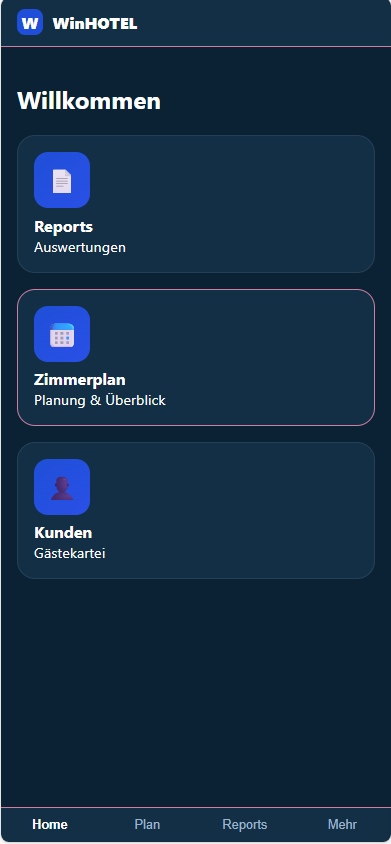
The WinHOTEL Launcher is the central app shell and entry point for all WinHOTEL modules.
It acts as a dashboard and control center for core functions such as Room Planning, Customer Management, and Reports.
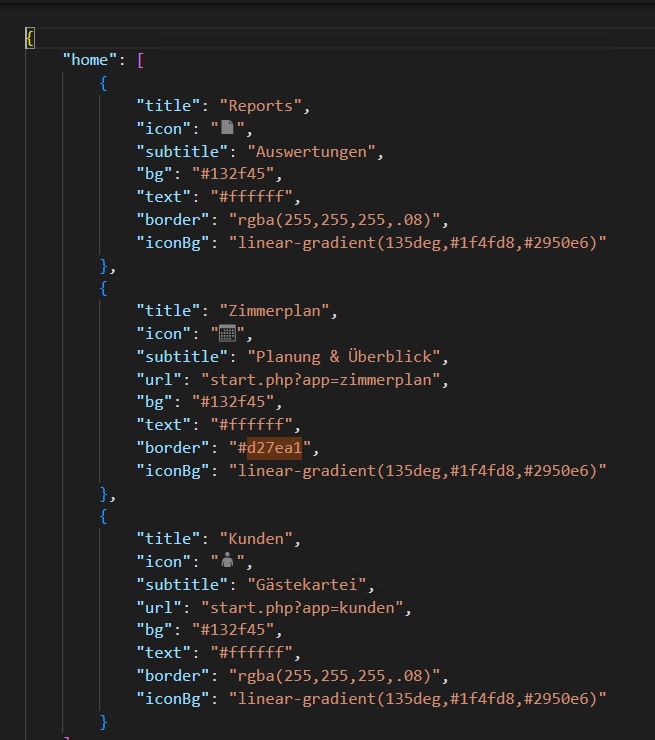
The launcher is fully data-driven:
tiles, order, colors, icons, and navigation targets are loaded from an external JSON configuration. The launcher itself contains no business logic – it only renders the UI and handles navigation.
Desktop & Mobile
Desktop: responsive grid layout with multiple tiles per row for quick overview
iPhone / Android: the same UI logic with a mobile-first, touch-optimized layout
The design is intentionally “iPhone-like” even on desktop:
large cards, clear spacing, minimal UI, and strong visual hierarchy
The launcher is PWA-enabled and can be installed on mobile devices.
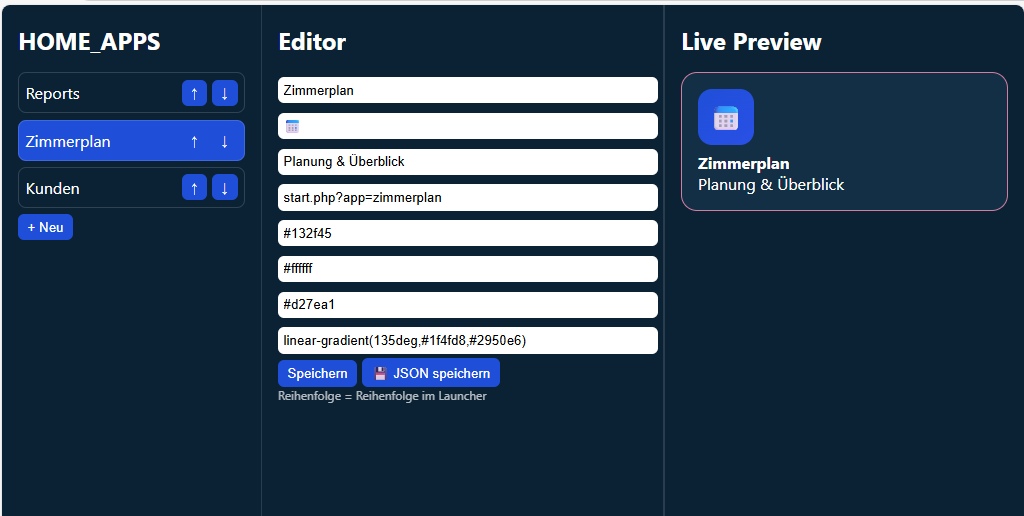
Launcher Editor (Config App) – Overview
The Launcher Editor is an internal in-house tool used to configure the launcher without touching code.
It directly edits the launcher.json file that the launcher consumes.
Features
Edit all home tiles:
Title
Icon (emoji-based)
Subtitle
Target URL
Background, text, border, and icon colors
Reorder tiles using up/down controls
→ the order directly defines the launcher layout
Live preview of each tile while editing
Save changes to a central JSON configuration file
Desktop & Mobile
Desktop: three-column layout
(tile list → editor → live preview)
iPhone / Android: same logic, vertically stacked and touch-friendly
The editor follows the same mobile-first, app-style UI philosophy, not a traditional backend interface
How It Works Together
Launcher = rendering & navigation
Editor = configuration & maintenance
JSON = single source of truth
Changes made in the editor become immediately visible in the launcher after a reload, without redeploying or modifying code.