Uwe,
As usual you are the master of creating design programs! My respects.
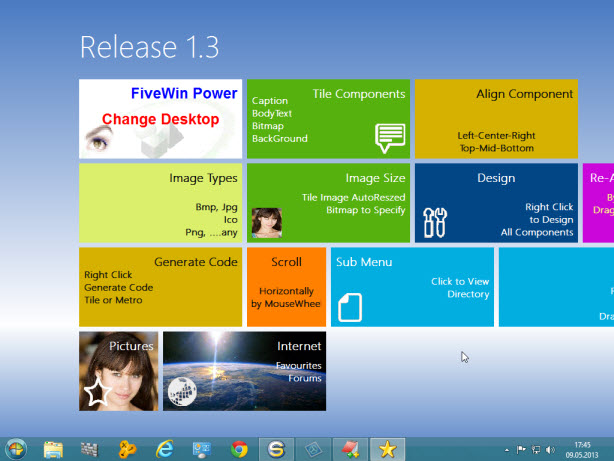
I have looked at your Metro design app and I am impressed. It has a lot of great features and will save a lot of hand coding.
I do have a few comments and suggestions that you may find of interest.
Animat.prg line 58 has a bug (it looks like it was truncated):
oMetro1:bRClicked := { |Row,Col,f,o| IIF( lSubBar = .F., MAIN_MOVE() , ;
I found this because my automatic indenting program choked on this line. One suggestion is that it would be easier to read if your code was indented. I don't seem to have your email address, but if you will provide it I will send you a copy of your animat.prg indented by my program.
Fonts
There are some very specific guidelines for Windows 8 fonts:
Microsoft Guidelines for Windows 8 Fonts
http://msdn.microsoft.com/en-us/library ... s/hh700394
Note that these font specs are for Windows 8 apps in general, not specifically for tiles.
In your app there is no way to set the font type. According to the Windows 8 specs you must use the Segoe UI font, but since that doesn't exist on all versions of Windows, the next best is Arial as you are using. However, your app uses a bold font and bold should not be used on tiles. In fact the spec calls for Segoe UI Light. There is no Arial Light font but the weight might be changable via the DEFINE FONT...WEIGHT command in FW--I haven't tried this yet.
All the examples on Microsoft's site show all tiles with the same color font (white), unless it is text in an image. If you do a Google image search for "windows 8 metro" you will see all the screens use white type.
I haven't yet found specs for the font sizes used in tiles.
So, I would suggest that your global font style, weight and color be Arial, normal weight, white and that it is the default for all tiles. You could still provide your tile properties dialog that would override the global default although it is not clear if this would violate the design guidelines.
Tile Colors
Generally one should use a palette of a select few tile colors in any app. Looking at an example screenshot on Microsoft's site I see tiles with 8 different background colors. So, it would be nice to have a custom palette of say 12 colors that one can select for any application, then each tile's color can be selected from that palette. This would be WAY easier than selecting the colors from the standard color selection dialog.
Of course, you would still have to provide the standard color palette selection dialog for use in building a custom app palette. Each custom palette would have to be saved in a file for reuse for that app design.
Layout
There are some very specific guidelines for laying out a Windows 8 app page. These are not specifically for tiles but I think they are similar. Certainly the margins and spacing of elements could be applicable.
Laying Out An App Page
http://msdn.microsoft.com/en-us/library ... s/hh872191
Toolbar
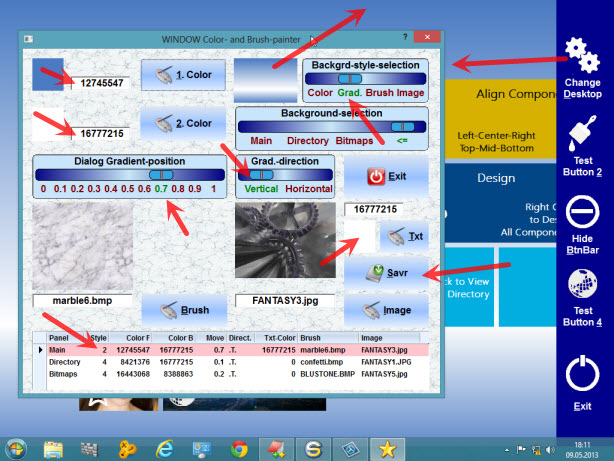
There are some very strange things going on with the new toolbar on the right side. First only one button appears, then a few more, then the bar itself. Are you seeing this too? I am running XP Pro if that is relevant.
Mouseover
When the mouse cursor is over a tile it should be changing to indicate that the tile is clickable.
Scrolling With Mouse-wheel Problems
If the mouse pointer is within about 3 inches of the left side of the screen then mouse-wheel scrolling doesn't work--it just skips back and forth about an inch but there is no scrolling.
Also, when scrolling to the right, the left-most panel will scroll over about 2 inches from the left side of the screen. It should stop at the left side of the screen.
OK, well that should be enough to keep you busy for awhile! 
Regards,
James