FiveTech Support Forums

FiveWin / Harbour / xBase community
Board index FiveWin for Harbour/xHarbour RGB and Gradient Rel. 4.2 UPDATE
Posts: 4043
Joined: Wed Dec 19, 2007 06:40 PM
RGB and Gradient Rel. 4.2 UPDATE
Posted: Thu Aug 07, 2014 03:20 PM
Hello,

I finished the RGB-tool

1. NO function ChooseColor() is needed
2. Overview of all possible color-selections : color-picker, 48 basic-colors
--- Metro, dark and bright-colors from COLOR.ch
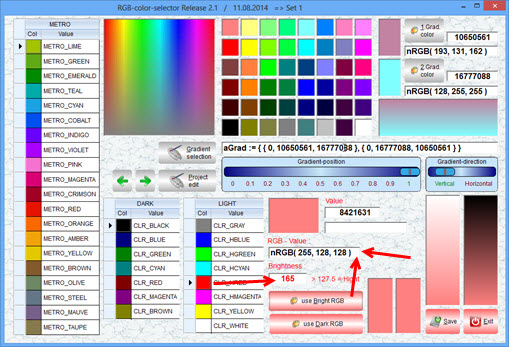
3. Adjust BRIGHTNESS. The original color is shown releated to a brightness-selection
4. Color-brightness - calculation
5. A selected color creates a brightness-gradient with bottom = selected color and top = white
6. Easy create a GRADIENT.
--- select a color and define as 1. or 2. gradient-color

DOWNLOAD ( 1.64 MB ) :
http://www.service-fivewin.de/DOWNLOADS/RGB1.zip

The startscreen
last selections are loaded from INI
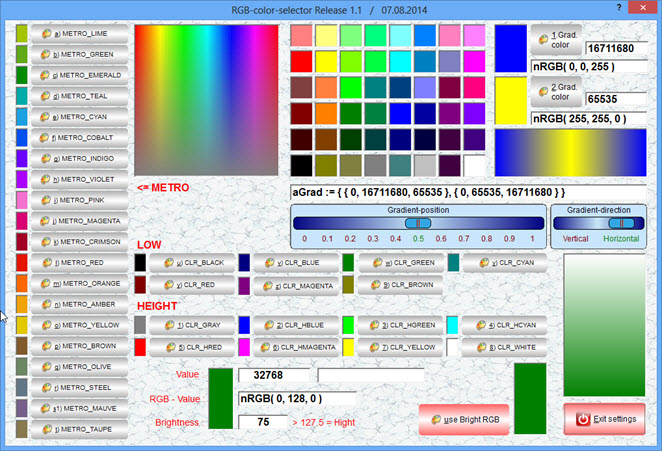


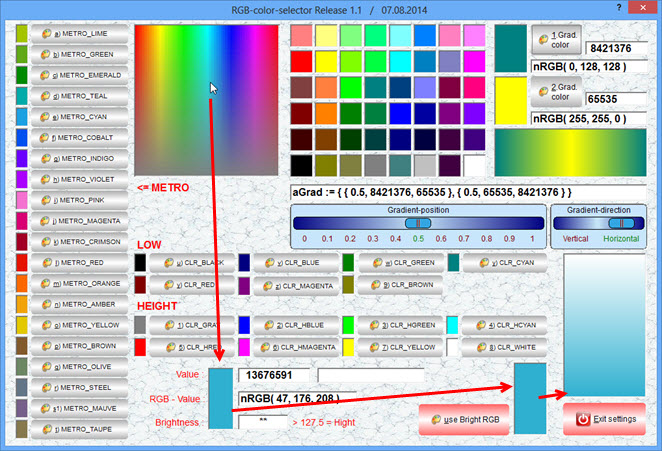
A selected color creates a GRADIENT to adjust the brightness
The selected color used at bottom, white on top
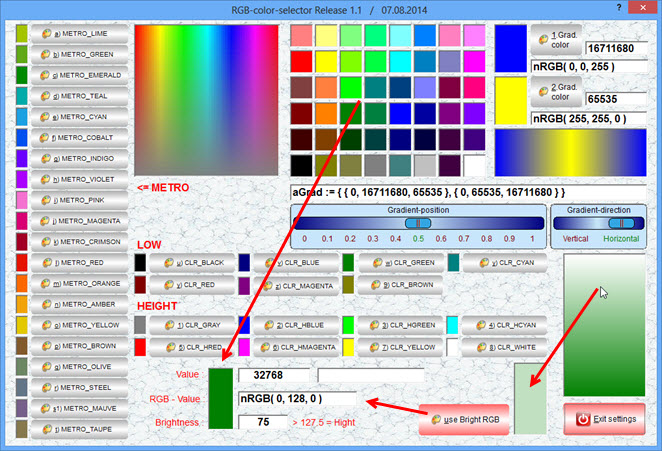


To create a gradient
Select a color and add as 1. or. 2. gradient-color
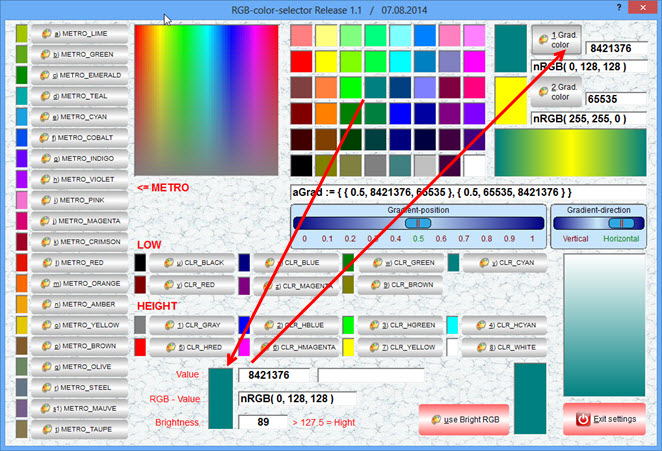


Select a color from COLORS.ch, the color-image or from the 48 basic-colors
You can adjust the BRIGHTNESS of a selected color


Best Regards
Uwe :-)
Since 1995 ( the first release of FW 1.9 )

i work with FW.

If you have any questions about special functions, maybe i can help.
Posts: 4043
Joined: Wed Dec 19, 2007 06:40 PM
Re: RGB and Gradient-painter Rel. 1.1 DOWNLOAD
Posted: Thu Aug 07, 2014 05:59 PM
Hello,

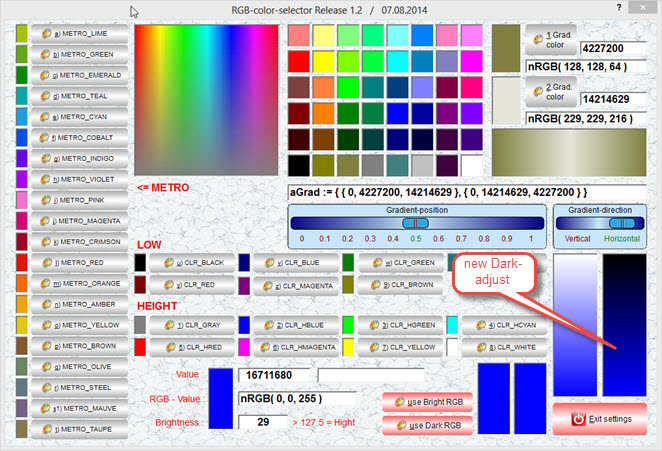
Update 1.2
Added dark-adjust

DOWNLOAD ( 1.64 MB ) :
http://www.service-fivewin.de/DOWNLOADS/RGB2.zip


Best regards
Uwe :-)
Since 1995 ( the first release of FW 1.9 )

i work with FW.

If you have any questions about special functions, maybe i can help.
Posts: 1283
Joined: Fri Feb 10, 2006 02:34 PM
Re: RGB and Gradient-painter Rel. 1.2 UPDATE
Posted: Fri Aug 08, 2014 05:55 AM

Uwe,

Very easy and confortable for me ! i'll use it -> Thanks :D

Salutacions, saludos, regards

"...programar es fácil, hacer programas es difícil..."

UT Page -> https://carles9000.github.io/
Forum UT -> https://discord.gg/bq8a9yGMWh
HIX -> https://github.com/carles9000/hix
Posts: 4043
Joined: Wed Dec 19, 2007 06:40 PM
Re: RGB and Gradient-painter Rel. 2.1 UPDATE
Posted: Mon Aug 11, 2014 10:53 AM
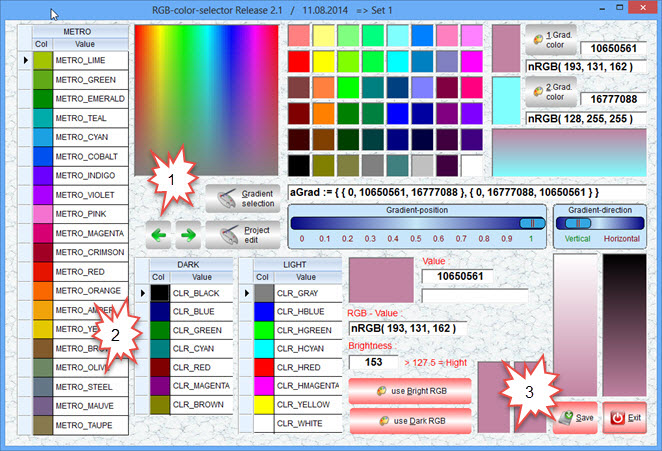
New update with some new sections added.

DOWNLOAD
http://www.pflegeplus.com/DOWNLOADS/RGB3.zip

INI changed to PROJECT.dbf to save all Your designs
Selection of COLORS.ch changed from buttons to xBrowse
< Save > button added, to save all selections to a PROJECT.dbf - record.
Added dialog minimize / maximize


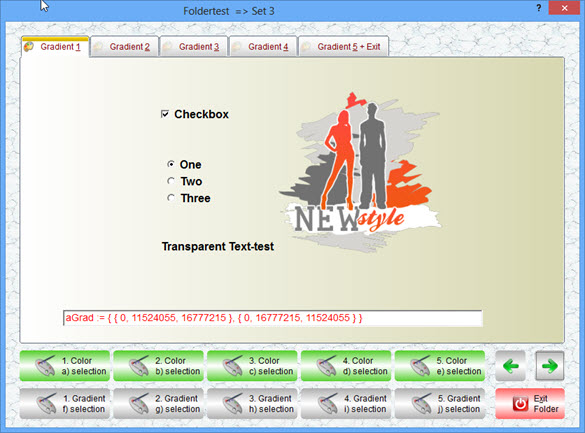
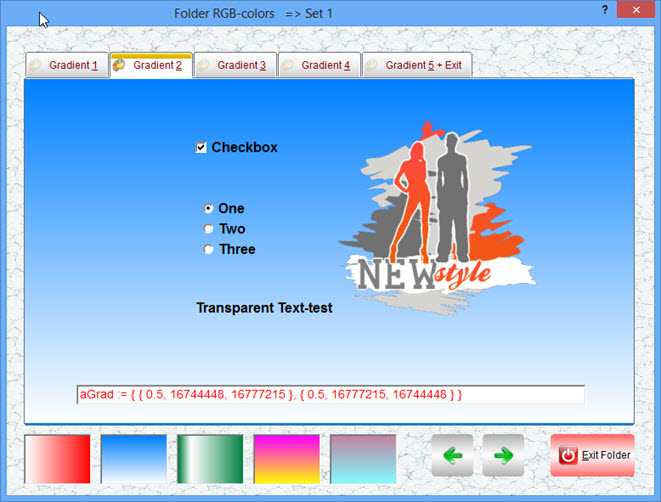
Preview inside a folder using up to 5 possible sets
Usage :
1. create Your gradient
2. select the button < Gradient-selection >
3. select the folderpage You want to save the gradient or color
4. use the button < SAVE >, to save the 5 sets to PROJECT.dbf


The skip-buttons can be used, to change a project.
The main-screen will be updated.


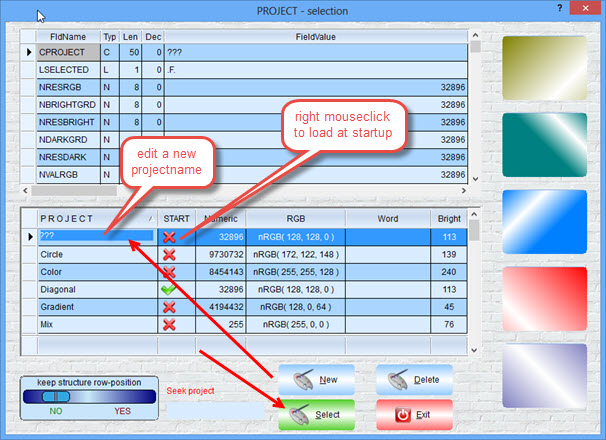
PROJECT.dbf to save up to 5 gradients to each record
Right mouseclick on column < START >, selects a project to be shown at startup.


Standalone FOLDER.exe to scan the PROJECT.dbf and show the 5 saved gradient / color-sets.
( source included )


Maybe 3 changes in COLORS.ch needed, to reach the BRIGHT-level ?

#define CLR_HBLUE 16711680 // RGB( 0, 0, 255 )
#define CLR_HRED 255 // RGB( 255, 0, 0 )
#define CLR_HMAGENTA 16711935 // RGB( 255, 0, 255 )


NEW

#define CLR_HBLUE 16744576 // RGB( 128, 128, 255 )
#define CLR_HRED 8421631 // RGB( 255, 128, 128 )
#define CLR_HMAGENTA 16744703 // RGB( 256, 128, 255 )


Best regards
U :-) we
Since 1995 ( the first release of FW 1.9 )

i work with FW.

If you have any questions about special functions, maybe i can help.
Posts: 4043
Joined: Wed Dec 19, 2007 06:40 PM
Re: RGB and Gradient-painter Rel. 2.2 UPDATE
Posted: Tue Aug 12, 2014 03:51 PM
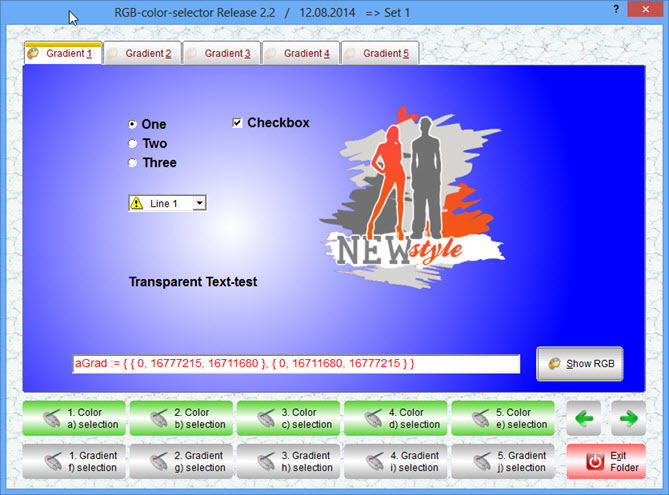
More extensions added :

DOWNLOAD ( 2.68 MB ) :
http://www.service-fivewin.de/DOWNLOADS/RGB4.zip

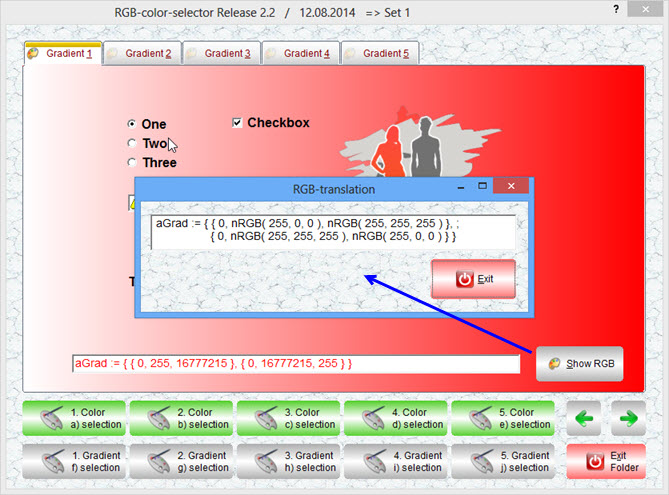
calculate numeric to RGB - values


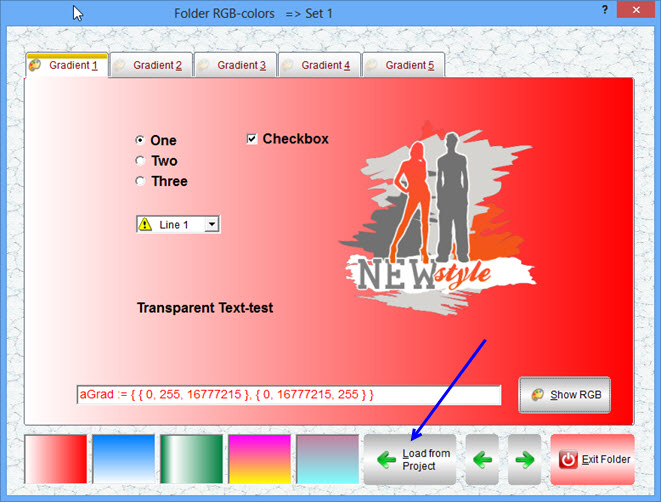
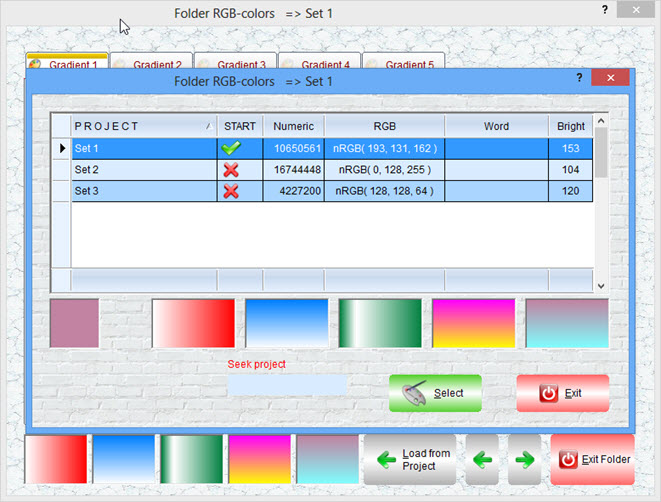
New in FOLDER.exe


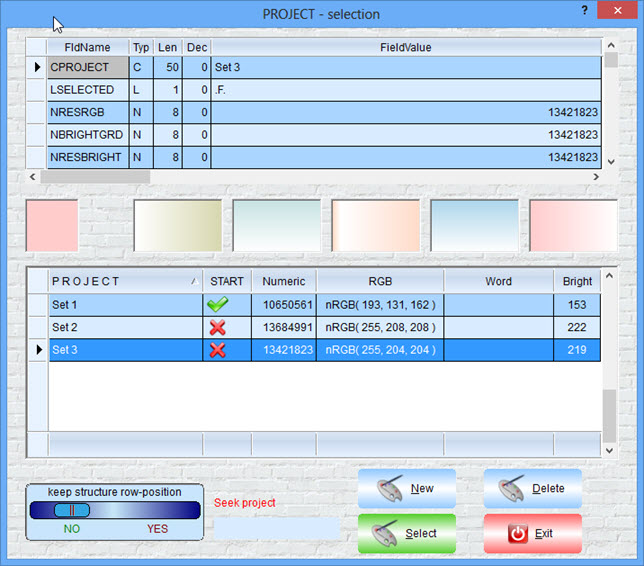
Project-selection inside FOLDER.exe


Best regards
Uwe :-)
Since 1995 ( the first release of FW 1.9 )

i work with FW.

If you have any questions about special functions, maybe i can help.
Posts: 1283
Joined: Fri Feb 10, 2006 02:34 PM
Re: RGB and Gradient-painter Rel. 2.2 UPDATE
Posted: Wed Aug 13, 2014 08:35 AM

Uwe,

Good tool for me... thanks !

Salutacions, saludos, regards

"...programar es fácil, hacer programas es difícil..."

UT Page -> https://carles9000.github.io/
Forum UT -> https://discord.gg/bq8a9yGMWh
HIX -> https://github.com/carles9000/hix
Posts: 4043
Joined: Wed Dec 19, 2007 06:40 PM
Re: RGB and Gradient-painter Rel. 2.2 UPDATE
Posted: Wed Aug 13, 2014 11:40 AM
Carles,

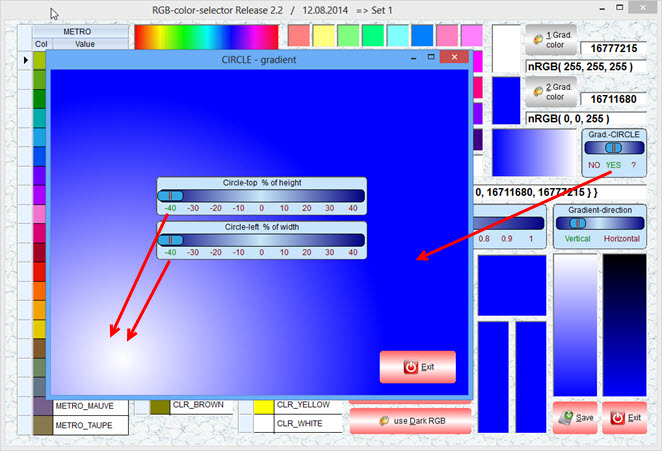
I can add optional a CIRCLE-gradient if needed, with a defined position top / left of the center-color


Visual-design of a CIRCLE-gradient moving the 1. gradient-color around.
top = 0 and left = 0, shows the 1. color centered.


best regards
Uwe :-)
Since 1995 ( the first release of FW 1.9 )

i work with FW.

If you have any questions about special functions, maybe i can help.
Posts: 4043
Joined: Wed Dec 19, 2007 06:40 PM
Re: RGB and Gradient-painter Rel. 3.1 UPDATE ( Grd.-Circle )
Posted: Sun Aug 17, 2014 05:16 PM
CIRCLE-gradient added and many improvements :
the 48 basiccolors are defined as button now, to show the focus.

DOWNLOAD ( 2.4 MB ) :
http://www.service-fivewin.de/DOWNLOADS/RGB5.zip

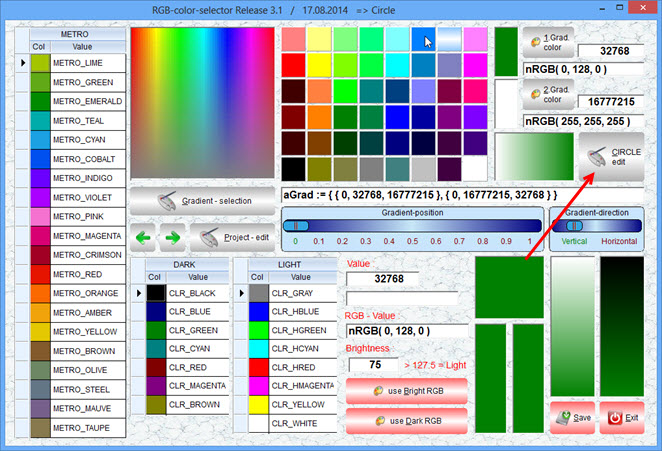
New button < Circle-edit >


create CIRCLE-gradient


Select button < Gradient-selection > from main-screen and
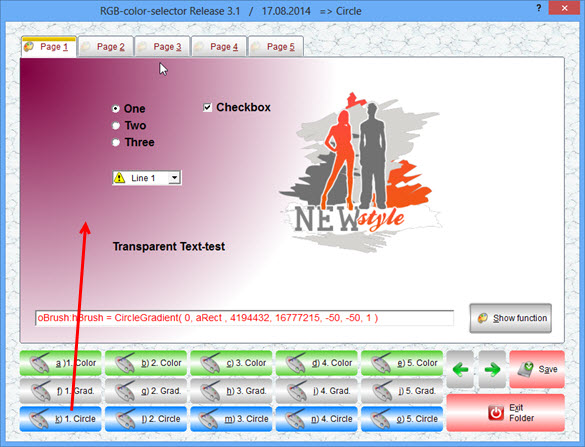
add style to folder-page color, normal or circle-gradient
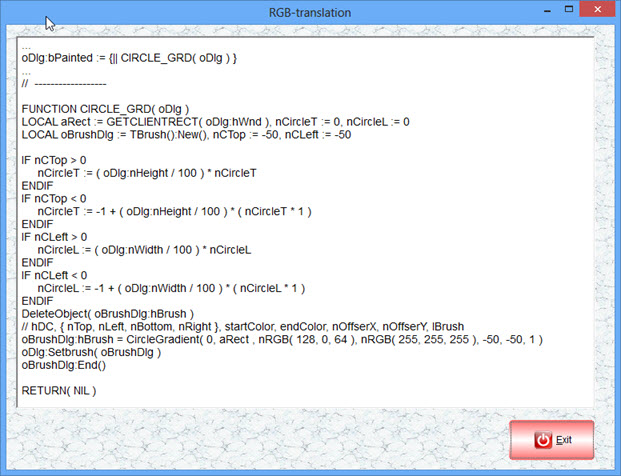
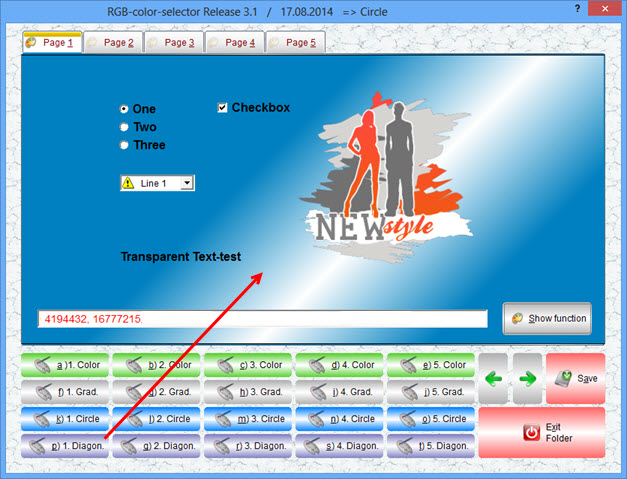
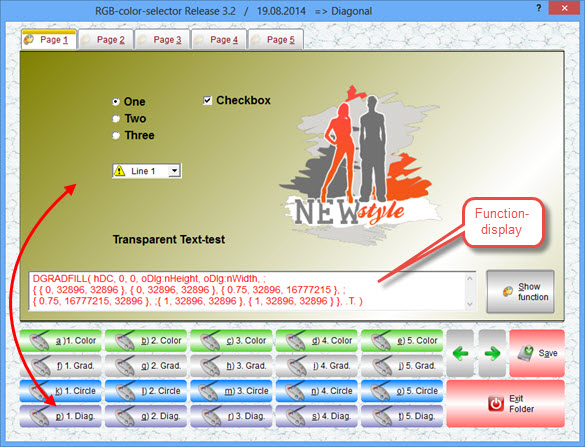
The button < Show function > displays the used function inside a multiline get.


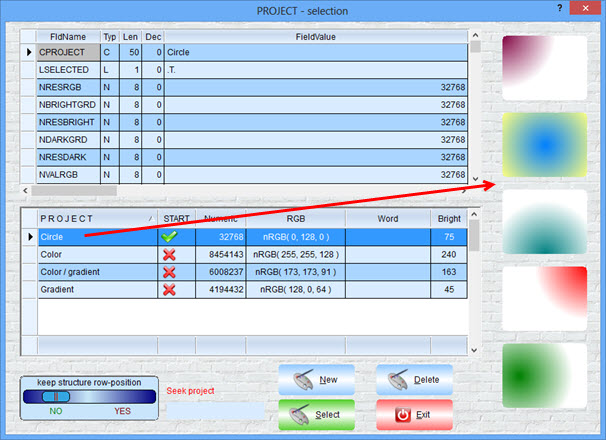
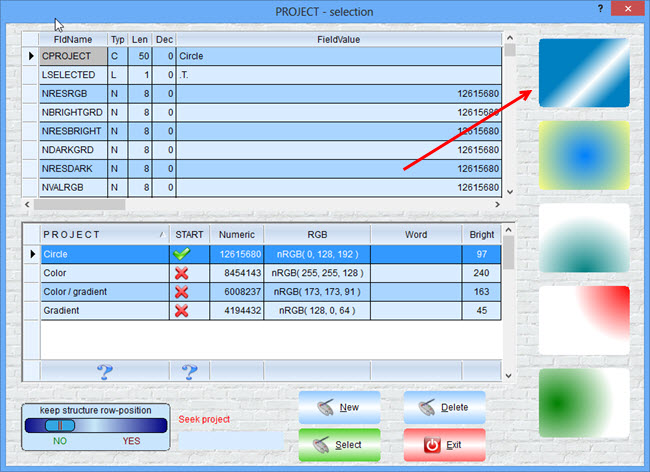
Style-preview in section project of the 5 possible selections for each record.
Double-click cell < PROJECT > for text-changing.
Right mouseclick in cell < START > selects a project to be shown at startup.
Button < NEW > creates a new project as a copy of the active project.
Using button < SAVE > saves all settings to the active project.
In case You want to create a new color / gradient-set, create a new project-record at first.


Best regards
Uwe :-)
Since 1995 ( the first release of FW 1.9 )

i work with FW.

If you have any questions about special functions, maybe i can help.
Posts: 153
Joined: Tue Aug 05, 2014 09:48 AM
Re: RGB and Gradient-painter Rel. 3.1 UPDATE ( Grd.-Circle )
Posted: Mon Aug 18, 2014 04:15 AM

Nice

Regards, Greetings


Try FWH. You will enjoy it's simplicity and power.!
Posts: 4043
Joined: Wed Dec 19, 2007 06:40 PM
Re: RGB and Gradient Rel. 3.1 UPDATE ( Grd.-Circle+Diagonal )
Posted: Mon Aug 18, 2014 10:13 AM
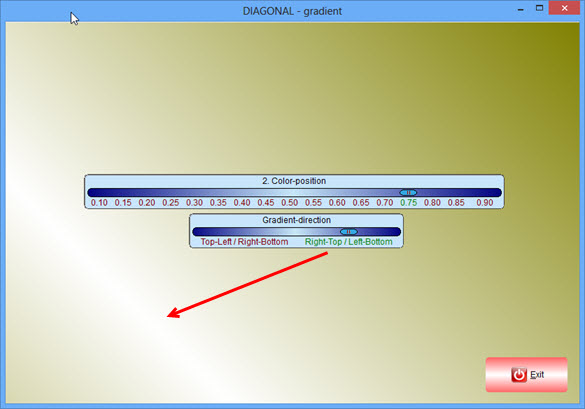
I'm working on a solution, to add a DIAGONAL-gradient using the 2 defined colors
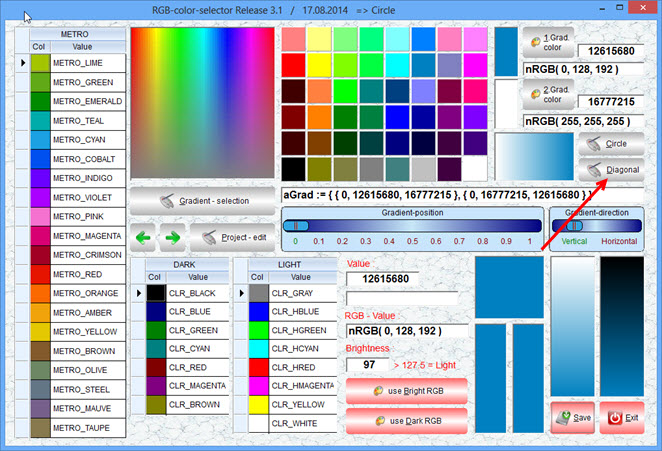
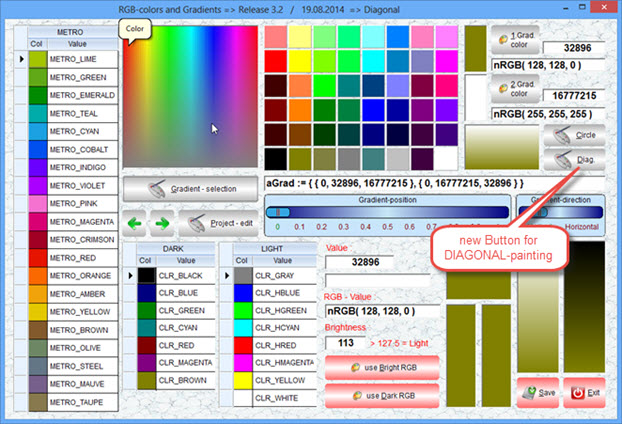
A new button < Diagonal > is added, to design the gradient.


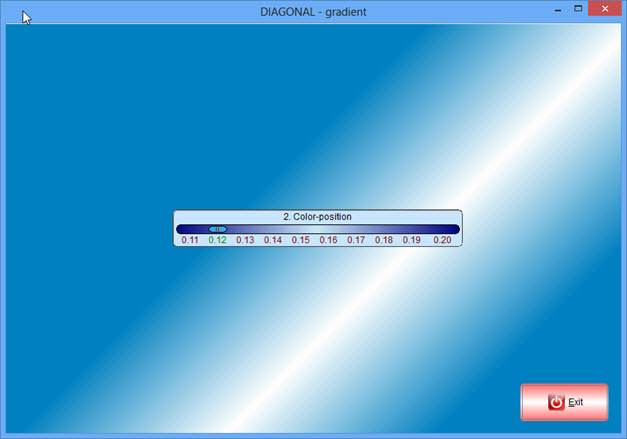
DIAGONAL-gradient-design with 2 colors defined as gradient on main-dialog


Add to project ( folderpage )
You can mix color, vert./horiz.-gradient, circle and diagonal


Preview from inside the project-section


best regards
Uwe :-)
Since 1995 ( the first release of FW 1.9 )

i work with FW.

If you have any questions about special functions, maybe i can help.
Posts: 4043
Joined: Wed Dec 19, 2007 06:40 PM
RGB and Gradient Rel. 3.1 UPDATE (Grd.Circle+Diagonal)
Posted: Tue Aug 19, 2014 02:27 PM
I finished all gradient-paintings
( All needed functions are included in the standalone-viewer FOLDER.exe / prg )

DOWNLOAD ( 2.37 MB ) :
http://www.service-fivewin.de/DOWNLOADS/RGB6.zip


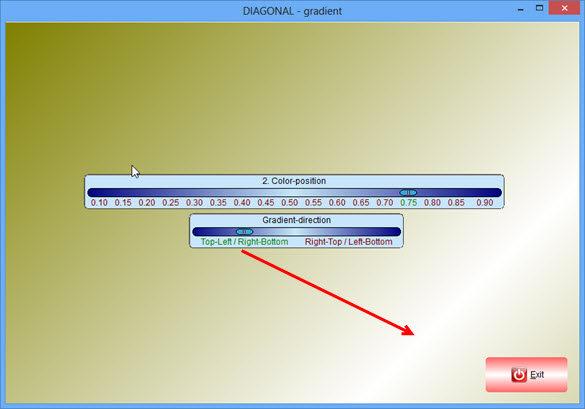
The new painter
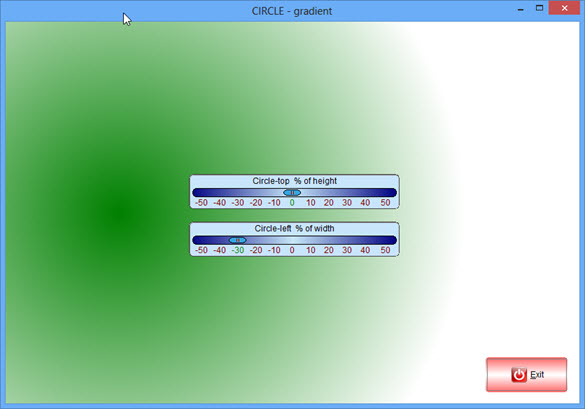
move the 2. color to any position You like, using the 2 sliders :


Add a selected color or gradient to a folderpage.
The related function is displayed in the multiline-get
< SAVE > the result to Your selected project, if You like.
Be careful, not to overwrite a finished project. Instead create
a new project before and select it.


Project-edit


Best regards
Uwe :-)
Since 1995 ( the first release of FW 1.9 )

i work with FW.

If you have any questions about special functions, maybe i can help.
Posts: 4043
Joined: Wed Dec 19, 2007 06:40 PM
Re: RGB and Gradient Rel. 4.1 UPDATE
Posted: Wed Feb 04, 2015 02:47 PM
Hello,

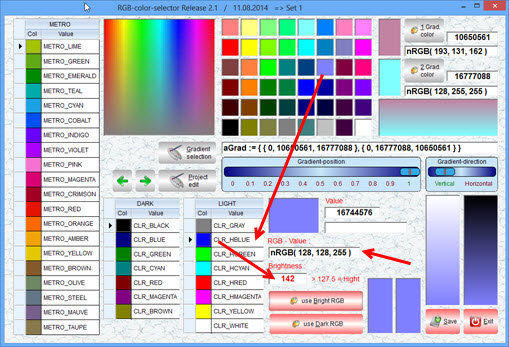
I finished the new release of the RGB-tool
( a better logic and handling than the old release )
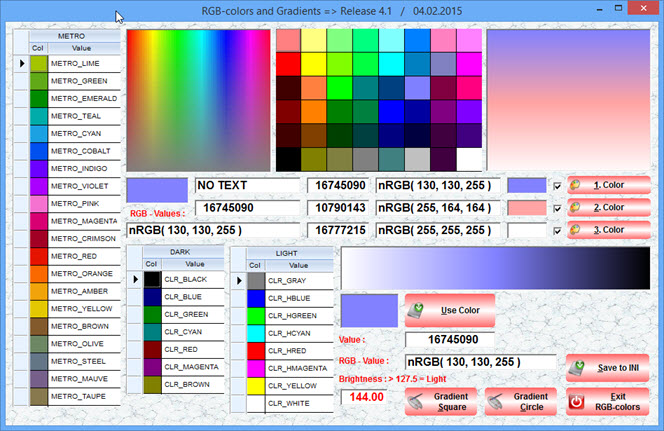
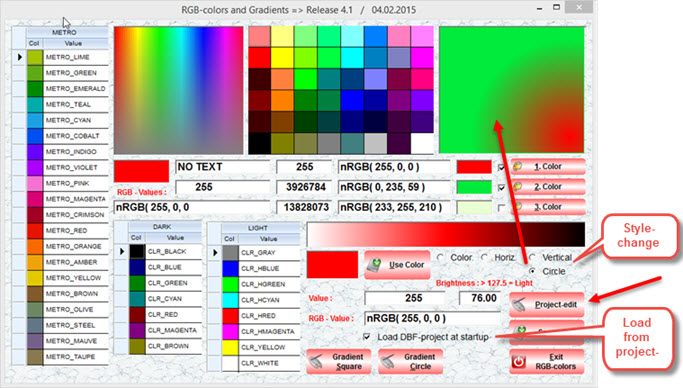
The RGB-tool is completely rewritten.
It can handle all possible color-selections and shows the result as numeric or RGB-value.
Because of NON transparent using DIAGONAL, I only used square and circle

1. 3 color-support of building a square gradient ( New )
2. easy result-check using a template and compile a test
3. all colorselections using xBrowse
4. modify color light / dark from only one gradient-pick ( New )
5. display of all RGB- and color-values
6. New compile-template

7. All selections / values can be saved to a INI

There will be a extension in the next release, using a project-DBF ( like used in old releases )

Usage :
1. pick a color from one of the five possible solutions
-- The selected color will be displayed as
-- color-bmp, numeric and RGB-value
2. A calculation of bright or dark is included.
3. From the gradient white - selected color - black
-- You can adjust the color-brightness.
-- Use the button < use color > to accept the change
4. on the right/top You can activate 3 checkboxes for a selected color
-- to be used for the gradient-display
5. select a button for a preview of the square- or circle-gradient
6. From inside the preview You can adjust the gradient-position
7. The result is shown on the main-gradient
8. Save to INI to display the selections for the next start

DOWNLOAD ( 2,8 MB ) :
http://www.service-fivewin.de/DOWNLOADS/RGB7.zip


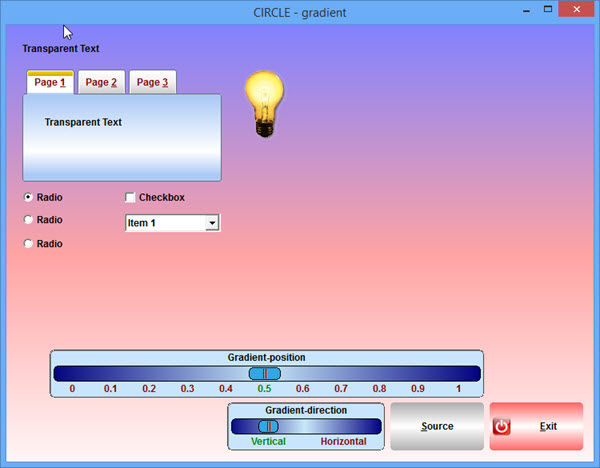
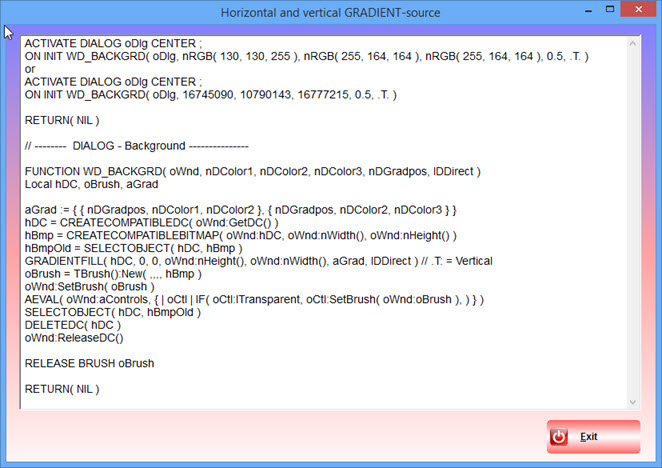
SQUARE-preview with the possibility to change the position


Source


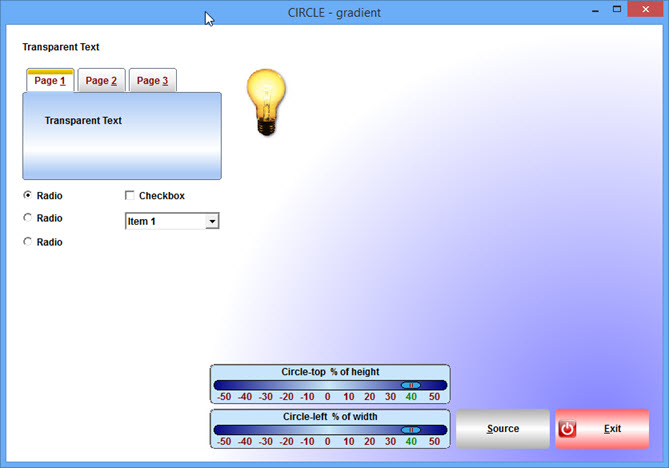
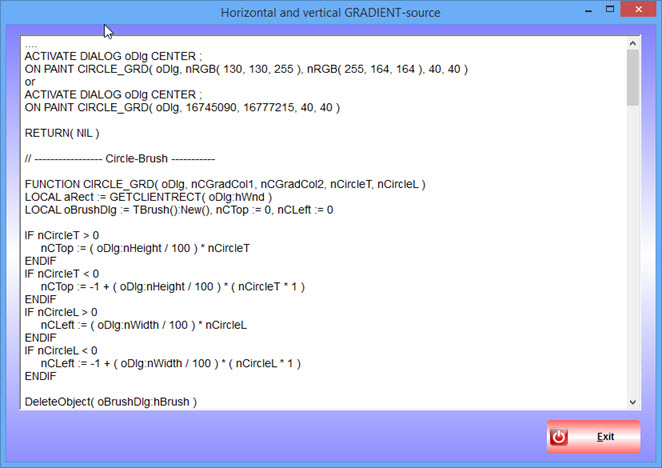
CIRCLE-preview with the possibility to change the position


Source


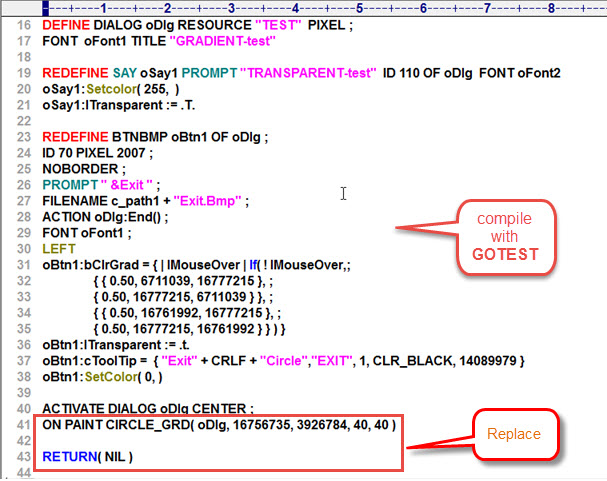
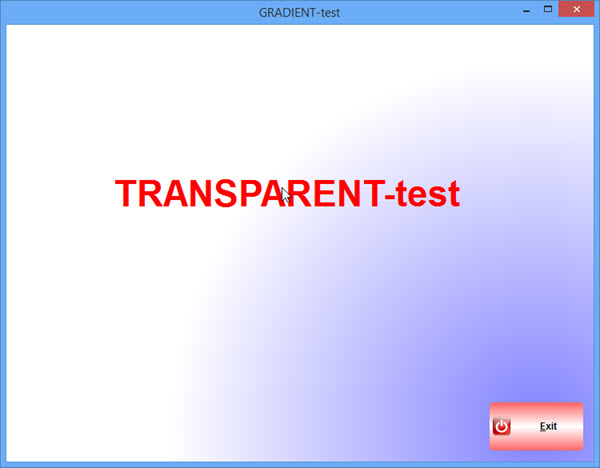
COMPILE TEST.prg
replace the source after
ACTIVATE DIALOG with selected SQUARE- or CIRCLE-code
check the MAKE-file !!!


CIRCLE compiled


SQUARE compiled


Best Regards
Uwe :-)
Since 1995 ( the first release of FW 1.9 )

i work with FW.

If you have any questions about special functions, maybe i can help.
Posts: 153
Joined: Tue Aug 05, 2014 09:48 AM
Re: RGB and Gradient Rel. 4.1 UPDATE
Posted: Wed Feb 04, 2015 03:31 PM

Excellent
Thank you, Sir

Regards, Greetings


Try FWH. You will enjoy it's simplicity and power.!
Posts: 4043
Joined: Wed Dec 19, 2007 06:40 PM
Re: RGB and Gradient Rel. 4.1 UPDATE
Posted: Thu Feb 05, 2015 01:36 PM
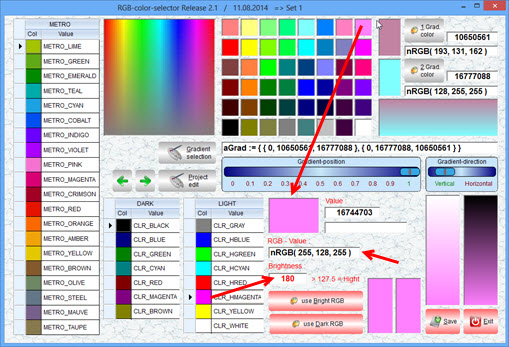
Many new functions added.
I will include a new DOWNLOAD after some more tests

What's new :

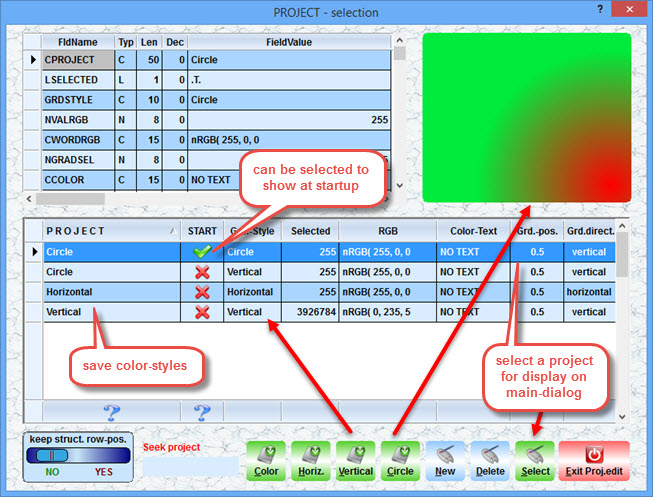
1. added a project-manager
--- save any color and style to the project-DBF
2. switch / change the style of the Gradient-preview on main-dialog.
--- there are error-messages using wrong combinations :
--- sample1 : selected circle needs 2 colors. 1 or 3 selected colors displays a error-message
--- sample2 : selected gradient needs 2 or 3 colors. Only 1 defined color displays a error-message
--- sample3 : selected color needs only 1 color. More defined, displays a error-message
3. define at startup, if a color-set must be loaded from INI or project-DBF


The new functions :


The new PROJECT-EDIT
save any of Your selections as project to the DBF
a style can be changed and saved
The < select >-button shows the selection of a project on the main-dialog


Best Regards
Uwe :-)
Since 1995 ( the first release of FW 1.9 )

i work with FW.

If you have any questions about special functions, maybe i can help.
Posts: 4043
Joined: Wed Dec 19, 2007 06:40 PM
Re: RGB and Gradient Rel. 4.1 UPDATE
Posted: Sun Feb 08, 2015 12:48 PM
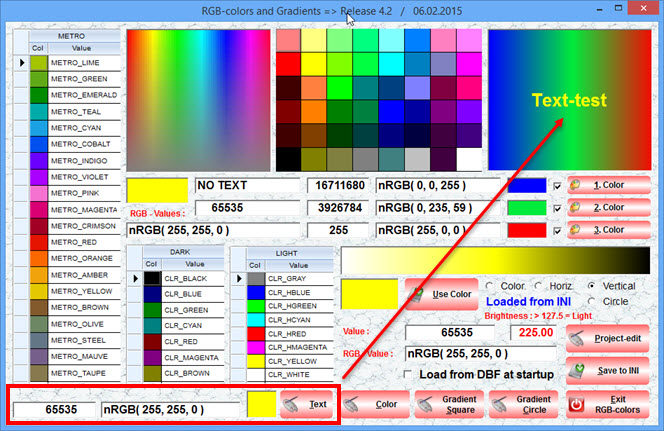
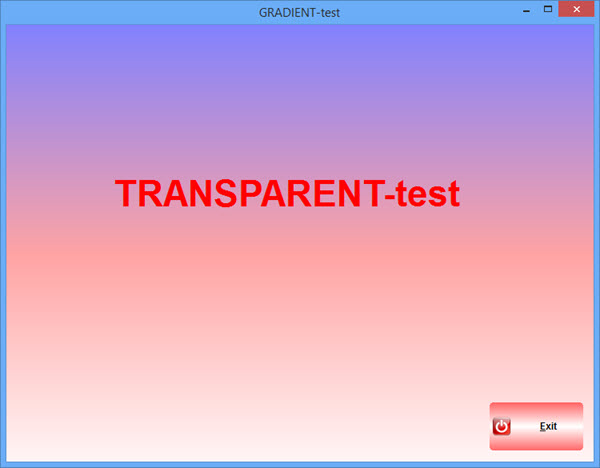
Added a new section TEXT
Now it is possible, to check the textcolor related to any created background.
The textcolor can be selected like the other colors.
Any ideas, adding still more ?


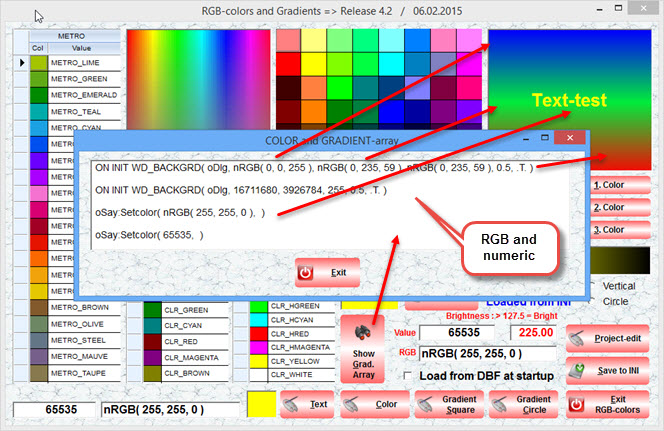
Added a new button, to display color and gradient-array.
Makes it easy copy and past values to Your application


Best Regards
Uwe :-)
Since 1995 ( the first release of FW 1.9 )

i work with FW.

If you have any questions about special functions, maybe i can help.