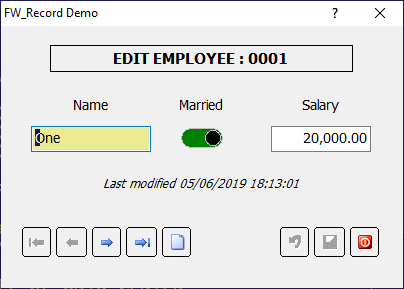
This original post was about edits with a browse. I was responding to that post with a method I use to make editing of a browse list easier and faster. It's a concept my clients really appreciate. I really don't see how that relates to your question following it. I was strictly addressing the question of edit controls and a faster means of moving through a lot of data. It has absolutely no relationship to the database ( though I do use tdatabase / tdata / trecord ) since I built the same concept back with Clipper and DOS ... and in fact, it probably dates all the way back to dBase II ...
Tim Stone
http://www.MasterLinkSoftware.com
http://www.autoshopwriter.com
timstone@masterlinksoftware.com
Using: FWH 23.10 with Harbour 3.2.0 / Microsoft Visual Studio Community 2022-24 32/64 bit
http://www.MasterLinkSoftware.com
http://www.autoshopwriter.com
timstone@masterlinksoftware.com
Using: FWH 23.10 with Harbour 3.2.0 / Microsoft Visual Studio Community 2022-24 32/64 bit