FiveTech Support Forums

FiveWin / Harbour / xBase community
Board index FiveWin for Harbour/xHarbour MDI child window appearance
Posts: 44162
Joined: Thu Oct 06, 2005 05:47 PM

Re: MDI child window appearance

Posted: Tue Dec 27, 2022 09:38 AM
Dear Silvio,

I just sent a new message to Lailton :-)
regards, saludos

Antonio Linares
www.fivetechsoft.com
Posts: 44162
Joined: Thu Oct 06, 2005 05:47 PM

Re: MDI child window appearance

Posted: Wed Dec 28, 2022 06:45 AM
Dear Silvio,

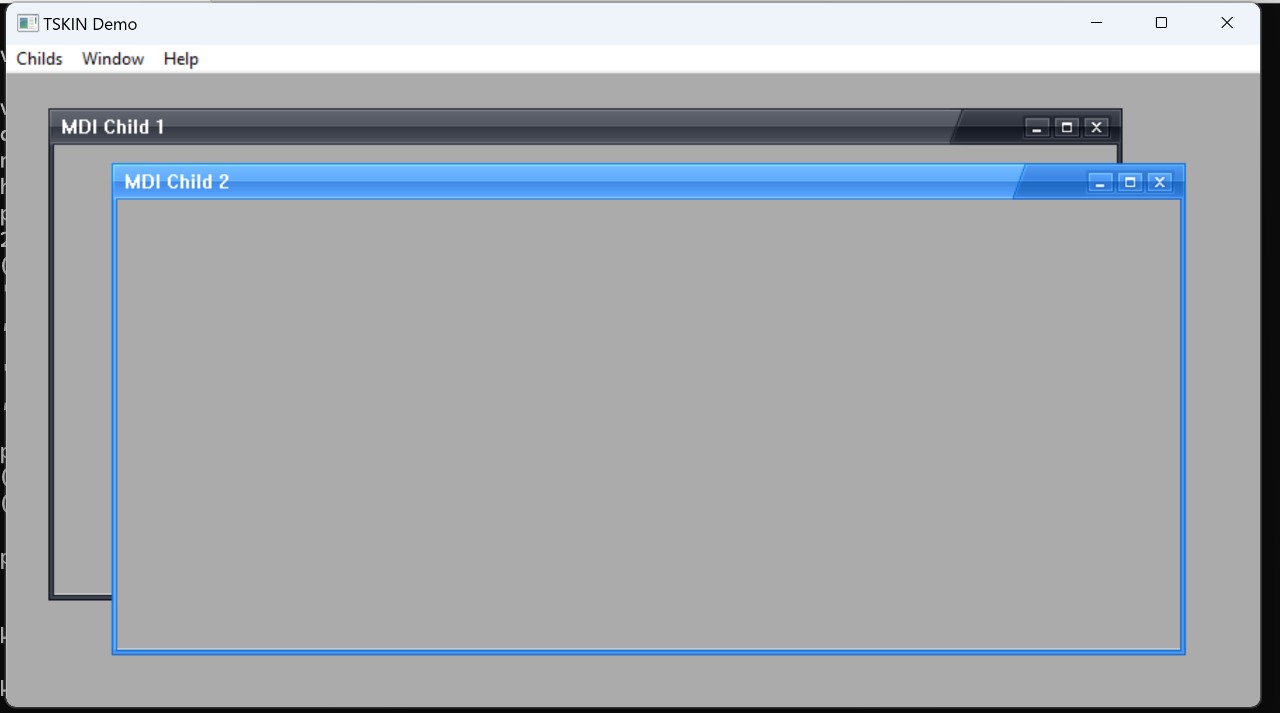
Master Lailton added MDICHILD support for his Class TSkin and see the results :-)

We will include it in next FWH version!

Lets see if we can add a new skin for Windows 10/11 style...


https://github.com/FiveTechSoft/screenshots/blob/master/mdi-skin.mov?raw=true
regards, saludos

Antonio Linares
www.fivetechsoft.com
Posts: 7318
Joined: Thu Oct 18, 2012 07:17 PM

Re: MDI child window appearance

Posted: Wed Dec 28, 2022 09:47 AM

Nice i saw the mov,

can you resize the win child or are fix sizes?

Since from 1991/1992 ( fw for clipper Rel. 14.4 - Momos)

I use : FiveWin for Harbour March-April 2024 - Harbour 3.2.0dev (harbour_bcc770_32_20240309) - Bcc7.70 - xMate ver. 1.15.3 - PellesC - mail: silvio[dot]falconi[at]gmail[dot]com
Posts: 44162
Joined: Thu Oct 06, 2005 05:47 PM

Re: MDI child window appearance

Posted: Wed Dec 28, 2022 09:55 AM
Dear Silvio,

Here you have the EXE:
https://github.com/FiveTechSoft/FWH_tools/blob/master/skin3.exe

Please execute it from FWH\samples
regards, saludos

Antonio Linares
www.fivetechsoft.com
Posts: 7318
Joined: Thu Oct 18, 2012 07:17 PM

Re: MDI child window appearance

Posted: Wed Dec 28, 2022 11:41 AM
Antonio Linares wrote:Dear Silvio,

Here you have the EXE:
https://github.com/FiveTechSoft/FWH_tools/blob/master/skin3.exe

Please execute it from FWH\samples
Application
===========
Path and name: C:\Work\errori\child_wnd_style\skin3 (1).exe (32 bits)
Size: 4,913,152 bytes
Compiler version: Harbour 3.2.0dev (r-2084736466)
FiveWin version: FWH 22.10
C compiler version: Borland/Embarcadero C++ 7.0 (32-bit)
Windows 10 64 Bits, version: 6.2, Build 9200

Time from start: 0 hours 0 mins 0 secs
Error occurred at: 12/28/22, 12:40:25
Error description: Error BASE/1087 Argument error: --
Args:
[ 1] = U
Since from 1991/1992 ( fw for clipper Rel. 14.4 - Momos)

I use : FiveWin for Harbour March-April 2024 - Harbour 3.2.0dev (harbour_bcc770_32_20240309) - Bcc7.70 - xMate ver. 1.15.3 - PellesC - mail: silvio[dot]falconi[at]gmail[dot]com
Posts: 44162
Joined: Thu Oct 06, 2005 05:47 PM

Re: MDI child window appearance

Posted: Wed Dec 28, 2022 12:43 PM
Please copy the EXE to FWH\samples and execute it there :-)
regards, saludos

Antonio Linares
www.fivetechsoft.com
Posts: 7318
Joined: Thu Oct 18, 2012 07:17 PM

Re: MDI child window appearance

Posted: Wed Dec 28, 2022 03:01 PM
Antonio Linares wrote:Please copy the EXE to FWH\samples and execute it there :-)
Nice work!!

If you create more colore Styles Is good!!
Since from 1991/1992 ( fw for clipper Rel. 14.4 - Momos)

I use : FiveWin for Harbour March-April 2024 - Harbour 3.2.0dev (harbour_bcc770_32_20240309) - Bcc7.70 - xMate ver. 1.15.3 - PellesC - mail: silvio[dot]falconi[at]gmail[dot]com
Posts: 7318
Joined: Thu Oct 18, 2012 07:17 PM

Re: MDI child window appearance

Posted: Wed Dec 28, 2022 03:06 PM
Silvio.Falconi wrote:
Please copy the EXE to FWH\samples and execute it there :-)
Nice work!!

If you create more colore Styles Is good!!
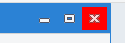
for a sample close button on win 10 is as this

Since from 1991/1992 ( fw for clipper Rel. 14.4 - Momos)

I use : FiveWin for Harbour March-April 2024 - Harbour 3.2.0dev (harbour_bcc770_32_20240309) - Bcc7.70 - xMate ver. 1.15.3 - PellesC - mail: silvio[dot]falconi[at]gmail[dot]com
Posts: 44162
Joined: Thu Oct 06, 2005 05:47 PM

Re: MDI child window appearance

Posted: Wed Dec 28, 2022 04:25 PM

Dear Silvio,

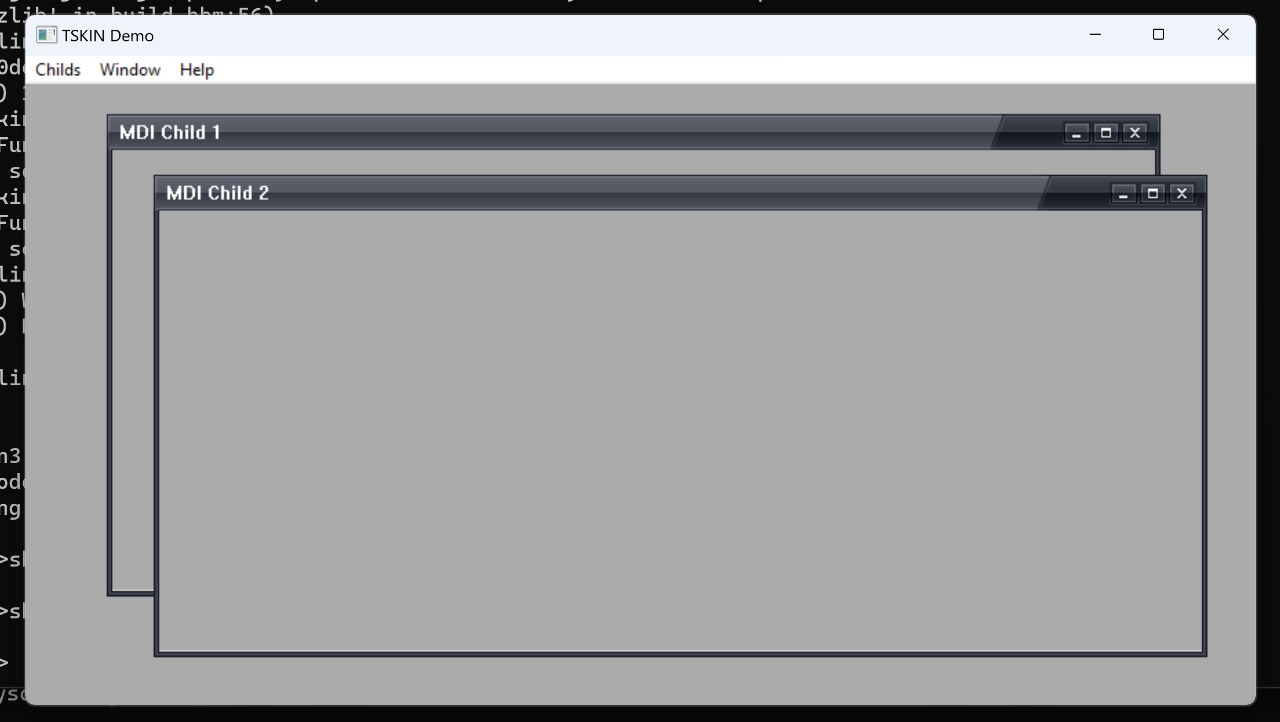
Do you want it as the first screenshot that you posted or as this previous one ?
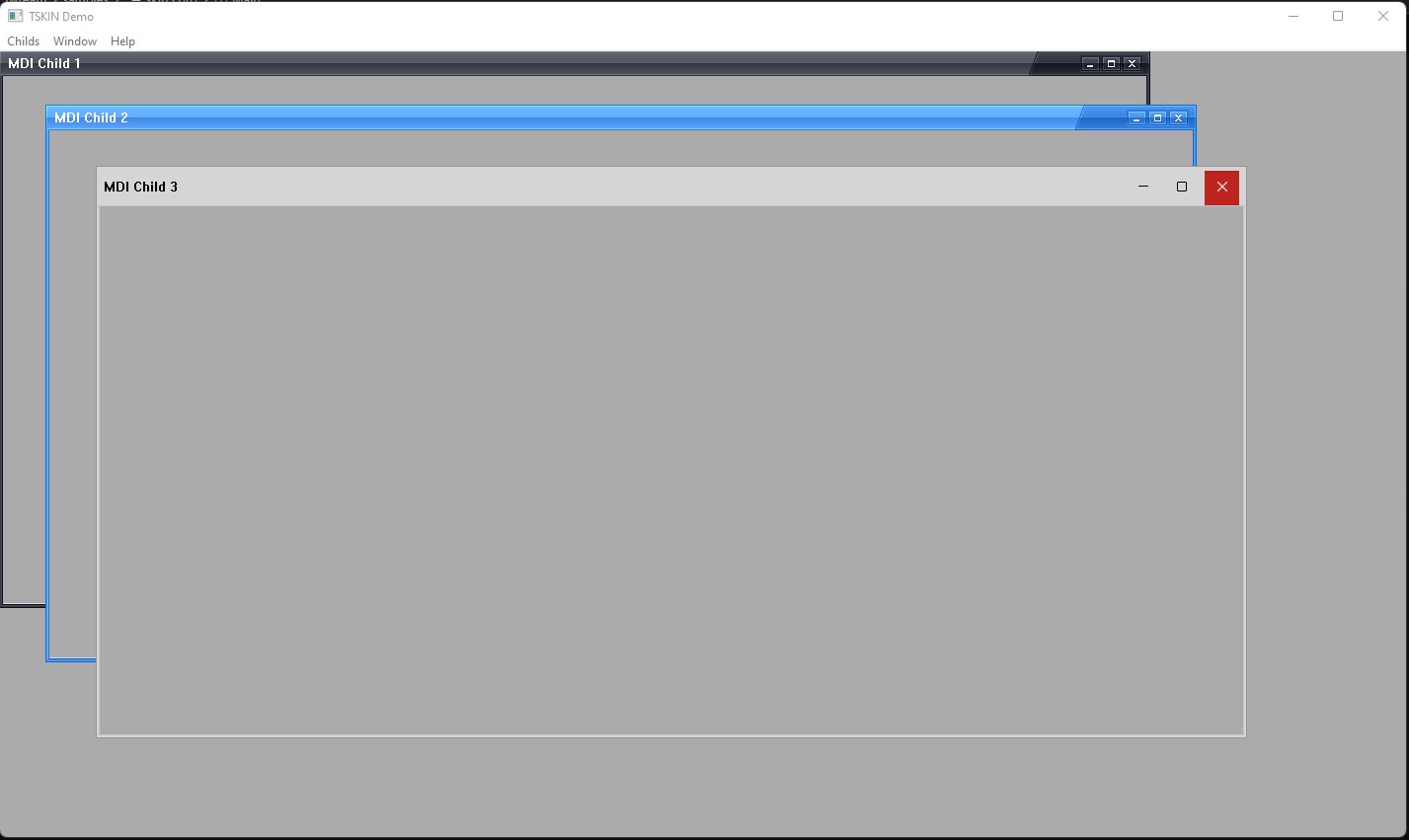
regards, saludos

Antonio Linares
www.fivetechsoft.com
Posts: 44162
Joined: Thu Oct 06, 2005 05:47 PM

Re: MDI child window appearance

Posted: Wed Dec 28, 2022 07:51 PM
Dear Silvio,

Look at this! Thanks to Master Lailton! :-)

EXE and new theme:
https://github.com/FiveTechSoft/FWH_tools/blob/master/mdi_skin_w11.zip
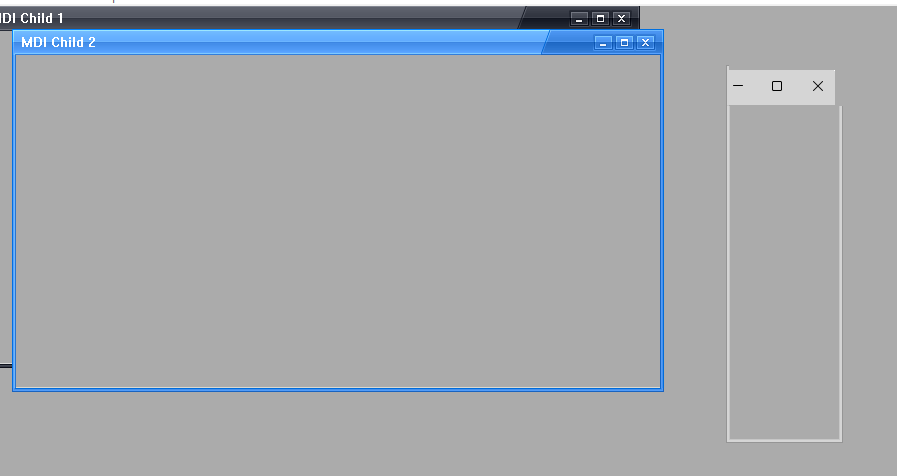
regards, saludos

Antonio Linares
www.fivetechsoft.com
Posts: 7318
Joined: Thu Oct 18, 2012 07:17 PM

Re: MDI child window appearance

Posted: Wed Dec 28, 2022 08:48 PM
Antonio Linares wrote:Dear Silvio,

Do you want it as the first screenshot that you posted or as this previous one ?

I'd like what I posted azure, I don't have win 11 yet but I would see it fine in win 10,the header more small
Since from 1991/1992 ( fw for clipper Rel. 14.4 - Momos)

I use : FiveWin for Harbour March-April 2024 - Harbour 3.2.0dev (harbour_bcc770_32_20240309) - Bcc7.70 - xMate ver. 1.15.3 - PellesC - mail: silvio[dot]falconi[at]gmail[dot]com
Posts: 7318
Joined: Thu Oct 18, 2012 07:17 PM

Re: MDI child window appearance

Posted: Wed Dec 28, 2022 09:07 PM
Antonio Linares wrote:Dear Silvio,

Look at this! Thanks to Master Lailton! :-)

EXE and new theme:
https://github.com/FiveTechSoft/FWH_tools/blob/master/mdi_skin_w11.zip
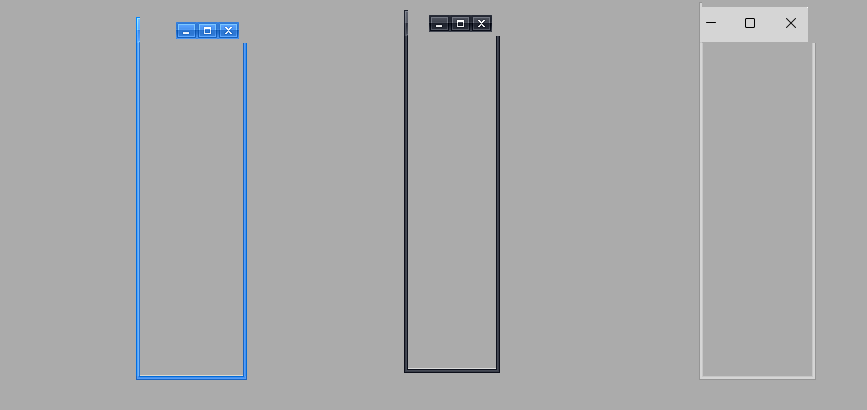
playing with the window I got this error


so i did a test on all three window types and i saw this


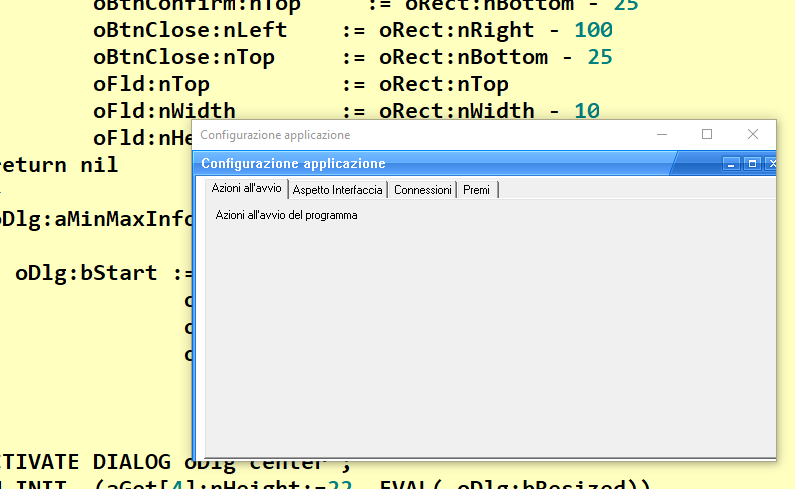
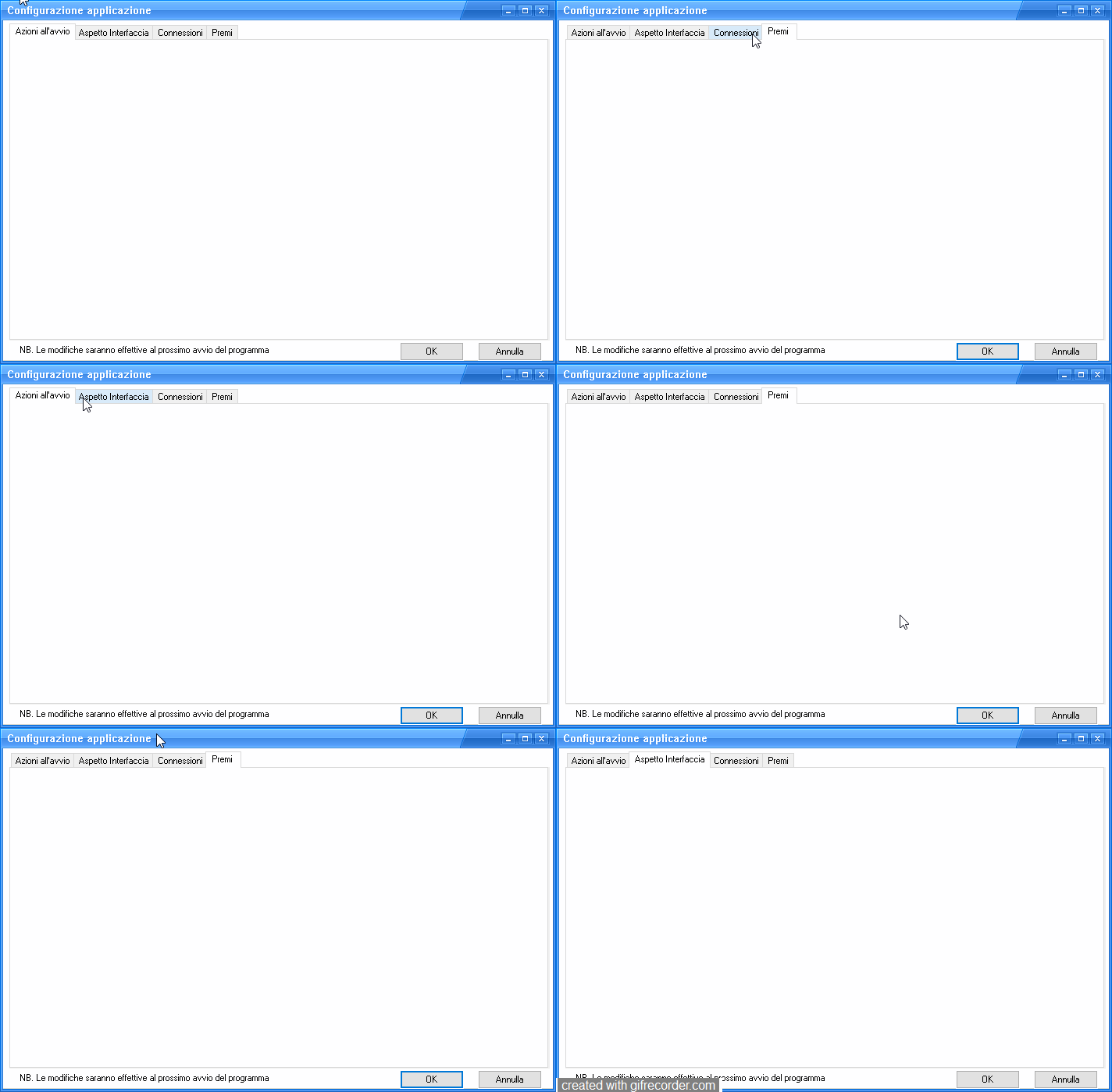
however even in the dialog there is some error if for example I use a resizable dialog with a folder inside it gives me an error in the sense that it shows the interface incorrectly as you can see below


dialog source
Code (fw): Select all Collapse
#include "fivewin.ch"
#include "constant.ch"

Function Configurazione()
   local oDlg, oFld,oFont,oBold
   local oBtnConfirm,oBtnClose
   local aprompts:={"Azioni all'avvio","Aspetto Interfaccia","Connessioni","Premi"  }
   local cTitle:= "Configurazione applicazione"
   local oSkin
   local aGet:=array(30)
   local oSay

DEFINE FONT oFont NAME "MS Sans Serif" SIZE 0, 12
    DEFINE FONT oBold NAME "MS Sans Serif" SIZE 0, 12 BOLD

DEFINE DIALOG  oDlg ;
      SIZE 500, 250  PIXEL TRUEPIXEL RESIZABLE ;
      TITLE cTitle     COLOR 0, CLR_WHITE FONT oFont  STYLE WS_POPUP

       @ 1,1 FOLDER oFld Prompts aprompts OF oDlg;
               SIZE oDlg:nWidth-5,oDlg:nHeight-30


     @ 100,10 Say oSay Prompt  "NB. Le modifiche saranno effettive al prossimo avvio del programma" of oDlg SIZE 350,18 PIXEL  TRANSPARENT
     @ 100,10 BUTTON oBtnConfirm PROMPT "OK" of oDlg  SIZE 80,22 DEFAULT ACTION ( oDlg:end( IDOK  ) )
     @ 100,10 BUTTON oBtnClose PROMPT "Annulla" of oDlg  SIZE 80,22 CANCEL ACTION ( oDlg:end( IDCANCEL ) )


 oDlg:bResized  := <||
        local oRect        := oDlg:GetCliRect()
        oSay:nLeft    := oRect:nLeft+5
        oSay:nTop     := oRect:nBottom - 25
                oBtnConfirm:nLeft    := oRect:nRight - 200
                oBtnConfirm:nTop     := oRect:nBottom - 25
                oBtnClose:nLeft    := oRect:nRight - 100
                oBtnClose:nTop     := oRect:nBottom - 25
                oFld:nTop          := oRect:nTop
                oFld:nWidth        := oRect:nWidth - 10
                oFld:nHeight      := oRect:nBottom - 30
        return nil
        >
        oDlg:aMinMaxInfo := { nil, nil, ,, 600, 350,600, 350 }

          oDlg:bStart := {|| oSkin := Skin( oDlg, "Blue_skin" ),;
                       oSkin:this[ 10 ]:bLButtonUp := nil  ,;
                       oSkin:this[ 11 ]:bLButtonUp := nil ,;
                       oSkin:this[ 9 ]:bLButtonUp := nil }

 ACTIVATE DIALOG oDlg center ;
       ON INIT  ( EVAL( oDlg:bResized))

 return nil
//----------------------------------------------------------------------------------------------//
Since from 1991/1992 ( fw for clipper Rel. 14.4 - Momos)

I use : FiveWin for Harbour March-April 2024 - Harbour 3.2.0dev (harbour_bcc770_32_20240309) - Bcc7.70 - xMate ver. 1.15.3 - PellesC - mail: silvio[dot]falconi[at]gmail[dot]com
Posts: 7318
Joined: Thu Oct 18, 2012 07:17 PM

Re: MDI child window appearance

Posted: Wed Dec 28, 2022 09:30 PM
now i fixed the dialog it might work but there is still a slight flash when i change between tabs of the folder in the video it is not visible well


Code (fw): Select all Collapse
#include "fivewin.ch"
#include "constant.ch"

Function Configurazione()
   local oDlg, oFld,oFont,oBold
   local oBtnConfirm,oBtnClose
   local aprompts:={"Azioni all'avvio","Aspetto Interfaccia","Connessioni","Premi"  }
   local cTitle:= "Configurazione applicazione"
   local oSkin
   local aGet:=array(30)
   local oSay

     Local nBottom   := 29
     Local nRight    := 90
     Local nWidth :=  Max( nRight * DLG_CHARPIX_W, 180 )
     Local nHeight := nBottom * DLG_CHARPIX_H

    DEFINE FONT oFont NAME "MS Sans Serif" SIZE 0, 12
    DEFINE FONT oBold NAME "MS Sans Serif" SIZE 0, 12 BOLD

DEFINE DIALOG  oDlg ;
      SIZE nWidth, nHeight  PIXEL TRUEPIXEL RESIZABLE  ;
      TITLE cTitle COLOR 0, CLR_WHITE FONT oFont  ;
      STYLE WS_POPUP

       @ 10,1 FOLDER oFld Prompts aprompts OF oDlg;
               SIZE oDlg:nWidth-5,oDlg:nHeight-30


     @ 100,25 Say oSay Prompt  "NB. Le modifiche saranno effettive al prossimo avvio del programma" of oDlg SIZE 350,18 PIXEL  TRANSPARENT
     @ 100,10 BUTTON oBtnConfirm PROMPT "OK" of oDlg  SIZE 80,22 DEFAULT ACTION ( oDlg:end( IDOK  ) )
     @ 100,10 BUTTON oBtnClose PROMPT "Annulla" of oDlg  SIZE 80,22 CANCEL ACTION ( oDlg:end( IDCANCEL ) )


 oDlg:bResized  := <||
        local oRect        := oDlg:GetCliRect()
        oSay:nLeft    := oRect:nLeft+25
        oSay:nTop     := oRect:nBottom - 25
                oBtnConfirm:nLeft    := oRect:nRight - 200
                oBtnConfirm:nTop     := oRect:nBottom - 28
                oBtnClose:nLeft      := oRect:nRight - 100
                oBtnClose:nTop       := oRect:nBottom - 28
                oFld:nTop            := oRect:nTop+30
                oFld:nWidth          := oRect:nWidth - 20
                oFld:nHeight         := oRect:nBottom - 60
        return nil
        >
        oDlg:aMinMaxInfo := { nil, nil, ,, 600, 350,600, 350 }

          oDlg:bStart := {|| oSkin := Skin( oDlg, "Blue_skin" ) }

 ACTIVATE DIALOG oDlg center ;
       ON INIT  ( EVAL( oDlg:bResized))

 return nil
//----------------------------------------------------------------------------------------------//
Since from 1991/1992 ( fw for clipper Rel. 14.4 - Momos)

I use : FiveWin for Harbour March-April 2024 - Harbour 3.2.0dev (harbour_bcc770_32_20240309) - Bcc7.70 - xMate ver. 1.15.3 - PellesC - mail: silvio[dot]falconi[at]gmail[dot]com
Posts: 44162
Joined: Thu Oct 06, 2005 05:47 PM

Re: MDI child window appearance

Posted: Thu Dec 29, 2022 08:52 AM

Dear Silvio,

Your example is working fine here. I don't get any flickering when changing from one tab to another.

Only flickering when maximizing or restoring it

Maybe it is the display driver (?). Could you test it on another pc ?

regards, saludos

Antonio Linares
www.fivetechsoft.com
Posts: 44162
Joined: Thu Oct 06, 2005 05:47 PM

Re: MDI child window appearance

Posted: Thu Dec 29, 2022 08:54 AM
Anyhow such flickering it is not happening on the new example skin3.prg

IMO it works really well :-)
regards, saludos

Antonio Linares
www.fivetechsoft.com