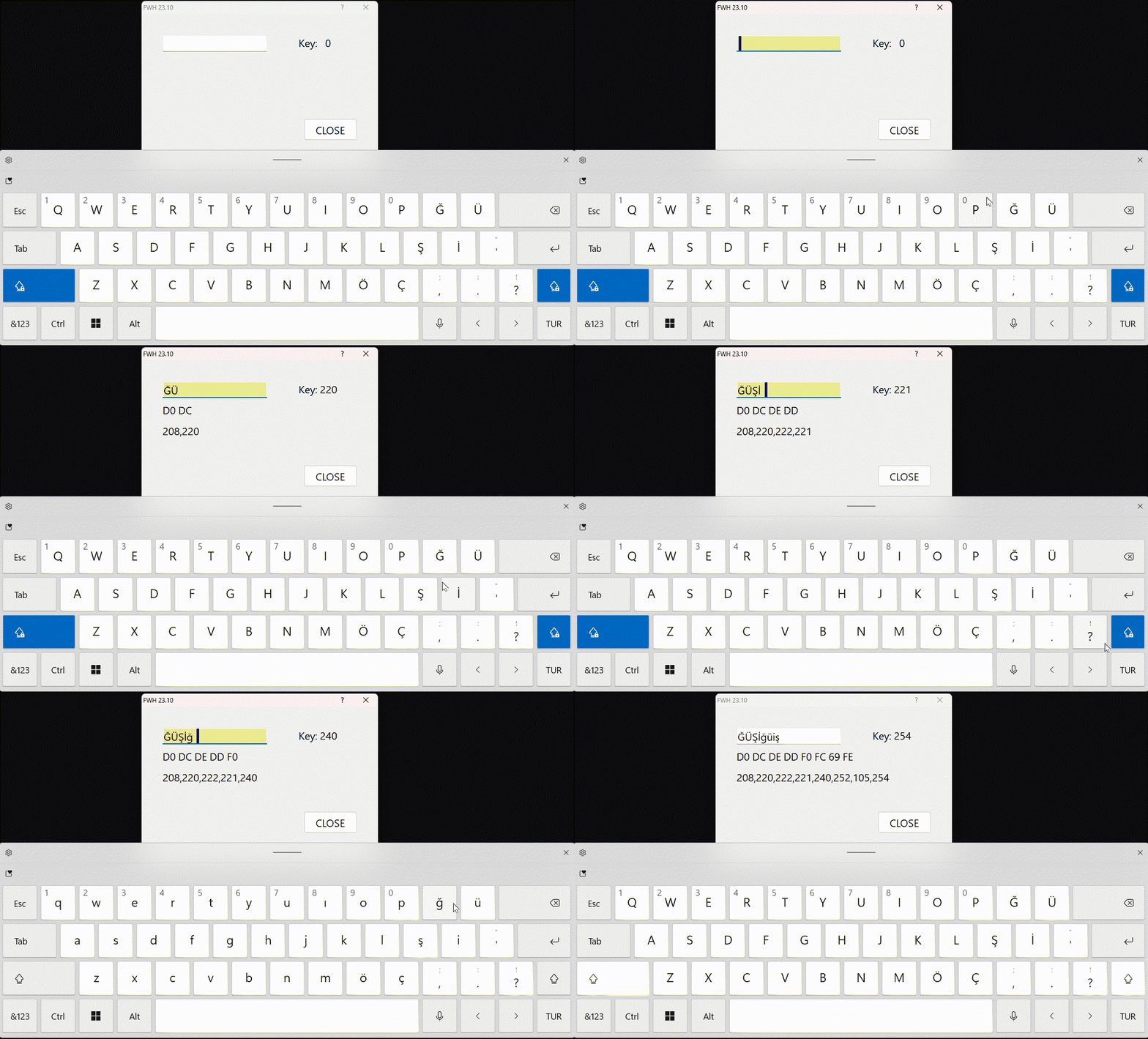
Mr. Rao,
I'm not tdialog. My all child dialogs is twindow and tmdichild based. Sorry.
Best regards,
Best regards,
Ertan,
Mr. Rao,
I'm not tdialog. My all child dialogs is twindow and tmdichild based. Sorry.
Best regards,
Best regards,
Ertan,
METHOD Initiate( hDlg ) CLASS TControl

   DEFAULT ::lActive := .t., ::lDrag := .f., ::lCaptured := .f.,;
           ::lFocused := .f., ::lCancel := .f., ::lTransparent := .f.
        IF ::ClassName()="TGET"
        ? FW_SetUnicode(), ::lUnicode, "Initiate - c1",IsWindowUnicode(::hWnd), PROCNAME()
        ENDIF
   if( ( ::hWnd := GetDlgItem( hDlg, ::nId ) ) != 0 )  <------------------- This line.
        IF ::ClassName()="TGET"
        ? FW_SetUnicode(), ::lUnicode, "Initiate - c1-1",IsWindowUnicode(::hWnd), PROCNAME()
ENDIFnageswaragunupudi wrote:I see "UTF8 GET".IsWindowUnicode( oGet_1:hWnd ) -----> .T. <--------- It should not be.It should always remain .F.
In my tests here, it always remains .F.
In your case, it is .T. from the beginning? Or is it changing to .T. during execution?
Instead of adding ACTION clause, if you run the test program without changes this status is shown by the SAYThis result always remains "ANSI GET".@ 200, 40 SAY { || If( IsWindowUnicode( oGet:hWnd ), "UTF8", "ANSI" ) + ; " GET" } SIZE 200,32 PIXEL OF oDlg UPDATE
Do you see "UTF8 GET" here?
Can you reproduce here the METHOD Link( lSubClass ) in your Window.prg?
Mr. Rao,
I'm not use tdialog but I Use TFolderEx. TFolderEx each sheets is use tdialog. I just wanted to remind
My All tget controls of TFolderEx is perfectly works.
Best regards,
Best regards,
Ertan,
nageswaragunupudi wrote:Can you reproduce here the METHOD Link( lSubClass ) in your Window.prg?I didn't fully understand. Variables are changed before ::Link() in Initiate method in Control.prg. Do you want me to add MsgInfo to the Link method in Window.png?
I see "UTF8 GET".It should not be. It should always remain "ANSI GET".
nageswaragunupudi wrote:When I start to run my application, it say "ANSI GET" first, after than when i press any character (1, A, Ğ), it changes to "UTF8 GET"I see "UTF8 GET".It should not be. It should always remain "ANSI GET".
Can you please re-install FWH2310 ( may be in a separate folder ) and build the above sample with buildh.ba in the samples folder?
For a moment, let us not bother about the font. Important for us is to check whether the Get is ANSI or Unicode
nageswaragunupudi wrote:We tried several times to reproduce your problem at our end with FWH2310 but could not. In other words, Ansi Gets are correctly working here as expected.Hi Mr. Rao,
We enhanced the test we posted earlier for more detailed testing. This is the sample we tried.This is how it is working here.#include "fivewin.ch" REQUEST HB_CODEPAGE_TRWIN function Main() local oDlg, oGet, oFont, nKey := 0 local cVar := Space( 10 ) HB_CDPSELECT( "TRWIN" ) FW_SetUnicode( .f. ) SetGetColorFocus() DEFINE FONT oFont NAME "Segoe UI" SIZE 0,-20 CHARSET 162 // Use the charset that works for you DEFINE DIALOG oDlg SIZE 450,300 PIXEL TRUEPIXEL FONT oFont ; TITLE FWVERSION @ 40, 40 GET oGet VAR cVar SIZE 200,32 PIXEL OF oDlg ON CHANGE oDlg:Update() oGet:bKeyChar := { |k| nKey := k } @ 40,300 SAY { || "Key: " + Str( nKey, 3 ) } SIZE 120,30 PIXEL UPDATE @ 80, 40 SAY { || StrToHex( Trim( cVar ), " " ) } SIZE 390,32 PIXEL OF oDlg UPDATE @ 120, 40 SAY { || ListAsc( cVar ) } SIZE 390,70 PIXEL OF oDlg UPDATE @ 200, 40 SAY { || If( IsWindowUnicode( oGet:hWnd ), "UTF8", "ANSI" ) + ; " GET" } SIZE 200,32 PIXEL OF oDlg UPDATE @ 200,310 BUTTON "CLOSE" SIZE 100,40 PIXEL OF oDlg ACTION oDlg:End() ACTIVATE DIALOG oDlg CENTERED cVar := Trim( cVar ) ? cVar, StrToHex( cVar ), IsUtf8( cVar ) return nil static function ListAsc( cVar ) local aList := {} local c cVar := Trim( cVar ) for each c in cVar AAdd( aList, ASC( c ) ) next return FW_ArrayAsList( aList )
When FW_SetUnicode( .F. ), no keychar is higher than 255 and none of the special or other characters are displayed as "?".
We request both of you to try this sample and point out the problem you are experiencing.
For a moment, let us not bother about the font. Important for us is to check whether the Get is ANSI or UnicodeThere is not any font problem anymore.
I have dowloaded fwh 23.10 and run above sample. As you said before, it says always "ANSI GET".This should not change to "UTF8 GET".
I have deleted all my obj and deleted tget and control prg in my mak file. compiled again. My first screen is login page. When I start to run my application, it say "ANSI GET" first, after than when i press any character (1, A, Ğ), it changes to "UTF8 GET"
Hi,
I also test fwh 23.07. It says always "ANSI GET".
Mr. Rao,
I confirm. Samples say always "ANSI GET". FWH 23.07 and 23.10
Best regards,
Best regards,
Ertan,
ertan wrote:Mr. Rao,Thanks for the information.
I confirm. Samples say always "ANSI GET". FWH 23.07 and 23.10
Best regards,
Mr. Rao,
Your welcome. I'm not use any third party components or activex.
Best regards,
Best regards,
Ertan,
Are you using Windows Manifest while testing this sample?