nageswaragunupudi wrote:METHOD-3:
USING DRAG AND DROP
Sample:
#include "fivewin.ch"

function Main()

   local oDlg, oBar, oBrw, oFont, oCur

   USE CUSTOMER SHARED VIA "DBFCDX"

   DEFINE CURSOR oCur DRAG
   DEFINE FONT oFont NAME "TAHOMA" SIZE 0,-14
   DEFINE DIALOG oDlg SIZE 600,400 PIXEL TRUEPIXEL FONT oFont RESIZABLE

   @ 50,20 XBROWSE oBrw SIZE -20,-20 PIXEL OF oDlg ;
      DATASOURCE "CUSTOMER" AUTOCOLS CELL LINES NOBORDER

   WITH OBJECT oBrw
      :nEditTypes    := EDIT_GET
      :oDragCursor   := oCur
      :bDragBegin    := { |r,c,f| SetDropInfo( oBrw:Values ) }
      :bDropOver     := < |u,r,c,f|
                          oBrw:SetPos( r, c, .t. )
                          oBrw:Lock()
                          oBrw:Values := u
                          oBrw:Unlock( .t. )
                          oBrw:RefreshCurrent()
                          return nil
                          >
      //
      :CreateFromCode()
   END


   ACTIVATE DIALOG oDlg CENTERED
   RELEASE FONT oFont

return nil
Thanks Rao but on my proocedure I have an array with multiselect
I have an array that has a "CodCep" field that is not displayed in xbrowse
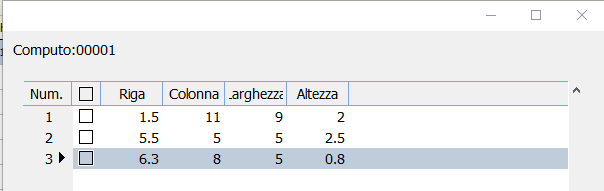
#include "fivewin.ch"


Function Main()

   Test("00001")
   Test("00002")
 retur nil

function Test(codcep)
   local oDlg, oBar, oBrw, oFont
   local aData:= {}

   //adata demo
      aAdd( aData, {codcep, 1.5,11,9,2 } )
      aAdd( aData, {codcep, 5.5,5,5,2.5,0.8 } )
      aAdd( aData, {codcep, 6.3,8,5,0.8 } )


   DEFINE FONT oFont NAME "TAHOMA" SIZE 0,-14
   DEFINE DIALOG oDlg SIZE 600,400 PIXEL TRUEPIXEL FONT oFont RESIZABLE

   @10,10 say "Computo:" +CodCep  SIZE 120,20 pixel OF oDlg

        @ 50,20 XBROWSE oBrw OF oDlg ;
              COLUMNS  2,3,4,5;
              HEADERS "Riga","Colonna","Larghezza","Altezza" ;
              COLSIZES 60,60,60,60 ;
              ARRAY aData     ;
              SIZE -20,-20 PIXEL   STYLE FLAT NOBORDER


   WITH OBJECT oBrw
       :SetMultiSelectCol()
               :lRecordSelector     := .t.
               :bRecSelHeader    := { || " Num. " }
               :bRecSelData      := { |o| Int( o:BookMark ) }
               :nRecSelWidth     := "999"
      :nEditTypes    := EDIT_GET
      :lCanPaste     := .t.
      :nMarqueeStyle := MARQSTYLE_HIGHLROW
      :bClrRowFocus  := { || { CLR_BLACK, RGB( 230,230,230 ) } }
      :bClrSelFocus  := { || { CLR_WHITE, CLR_BLUE } }
      :AddVar( "ACOPY", nil )
      :bPopUp        := { |oCol| PopMenu( oCol ) }
      //
      :CreateFromCode()
   END
ACTIVATE DIALOG oDlg CENTERED
   RELEASE FONT oFont

   return nil


function PopMenu( oCol )

   local oBrw  := oCol:oBrw
   local nCol
   local oPop

   MENU oPop POPUP 2010
   MENUITEM "Copy" ACTION ( ;
      oBrw:aCopy := oBrw:Values, ;
      oBrw:SetFocus() )

      MENUITEM "Paste" WHEN !Empty( oBrw:aCopy ) ACTION ( ;
      oBrw:Lock(), oBrw:Values := oBrw:aCopy, oBrw:Unlock( .t. ), ;
      oBrw:aCopy := nil, ;
      oBrw:RefreshCurrent(), oBrw:SetFocus() )
   ENDMENU

return oPop
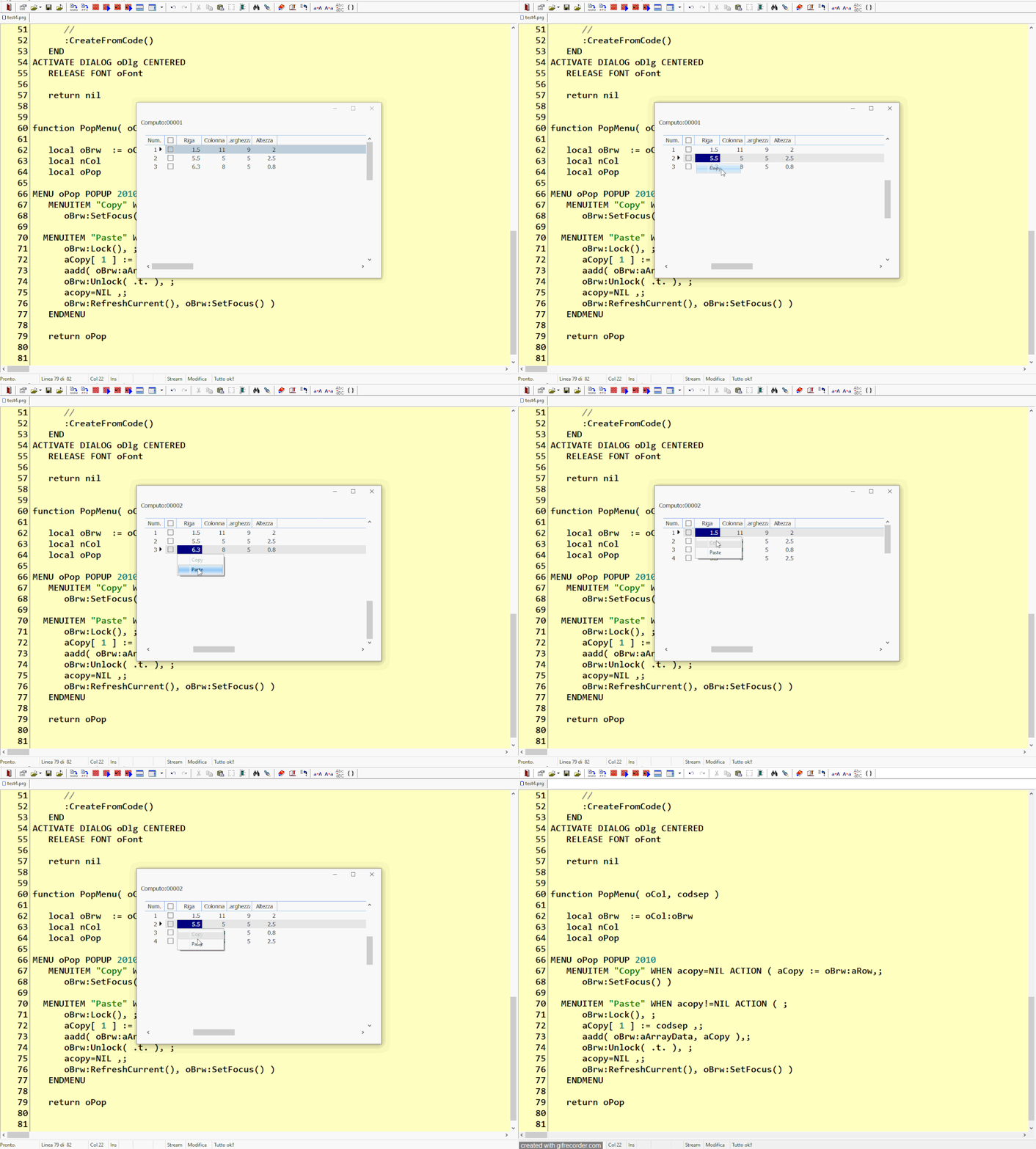
the user open a dialog sample Test("00001")
when the user click on Multiselect one record or more records the procedure must show the menu (copy/paste)
then the use close the dialog and open another with another codcep Test("00002")
and can paste the record or the records copied ( "00001") and create new record or new records
but it must change the field codcep into new codcep ( "00002")
how I can make ?
Since from 1991/1992 ( fw for clipper Rel. 14.4 - Momos)
I use : FiveWin for Harbour March-April 2024 - Harbour 3.2.0dev (harbour_bcc770_32_20240309) - Bcc7.70 - xMate ver. 1.15.3 - PellesC - mail: silvio[dot]falconi[at]gmail[dot]com