Studio — web console
OpenADS Studio is a phpMyAdmin-style web console that lists the connection’s tables, shows their schema, runs ad-hoc SQL, and inspects records (including memo / binary fields). It comes in two flavours:
- Remote-Server mode — embedded inside
openads_serverd.exe. The daemon serves both the OpenADS wire protocol (TCP) and the Studio HTTP listener side-by-side. Best for shared / multi-user deployments. - LocalServer mode — embedded inside
ace64.dll/ace32.dllitself. A Harbour / X# / Clipper application that loads the OpenADS DLL directly gets the same Studio web console in its own process, no separate daemon required. Best for single-user desktop apps, debugging sessions, or inspecting a running Clipper process from a browser.
Enable + launch — Remote Server (openads_serverd)
HTTP support is on by default since v1.0.0-rc20 — no extra
CMake flag needed. Pass -DOPENADS_WITH_HTTP=OFF to opt out.
cmake --preset default
cmake --build build/default --target openads_serverd --config Release

./build/default/tools/serverd/openads_serverd \
    --port 6262 \
    --http-port 6263 \
    --data /path/to/your/data \
    --http-user admin:secret      # optional — register a login
Then open http://<server-host>:6263/ in any browser.
Enable + launch — LocalServer (in-process)
Since v1.0.0-rc9 the Studio HTTP target is folded into
openads_ace (i.e. ace64.dll / ace32.dll). HTTP is on by
default since v1.0.0-rc20, so the standard release ZIP already
ships a Studio-capable DLL. Three OpenADS-only entry points drive
the in-process console:
UNSIGNED32 AdsStudioStart(UNSIGNED16 usPort, UNSIGNED8* pucDataDir);
UNSIGNED32 AdsStudioStop (void);
UNSIGNED32 AdsStudioPort (UNSIGNED16* pusPort);
Two ways to enable it:
1) Programmatic. From the host application (any language that
can call the C ABI — Harbour, X#, Clipper, C++, Python via
ctypes, …):
AdsStudioStart(8080, (UNSIGNED8*)"C:\\app\\data");
/* ... ShellExecute("http://localhost:8080") ... */
AdsStudioStop();
AdsStudioStart returns AE_SUCCESS (0) on success,
AE_INTERNAL_ERROR if the bind / listen fails (port in use, or
pucDataDir == NULL), or AE_FUNCTION_NOT_AVAILABLE if the DLL
was built with -DOPENADS_WITH_HTTP=OFF.
2) Environment-driven auto-start. Set
OPENADS_STUDIO_PORT=<port> before launching the host app and
the DLL boots Studio automatically when it loads:
set OPENADS_STUDIO_PORT=8080
set OPENADS_STUDIO_DATA=C:\app\data       :: default = "."
set OPENADS_STUDIO_HOST=127.0.0.1         :: default = 127.0.0.1
start MyApp.exe
The auto-start hook runs from DllMain DLL_PROCESS_ATTACH on
Windows and a constructor attribute on POSIX. Without
OPENADS_STUDIO_PORT the hook is a no-op — the DLL will not
bind any port unless the host explicitly asks for one. Bind
failures during auto-start are silent so the host process never
fails to load over a Studio port collision; explicit
AdsStudioStart() returns AE_INTERNAL_ERROR instead.
Locking + shared access
Studio opens tables read-only via short-lived ABI connections.
If your application holds a table in EXCLUSIVE mode, the
browser will see a “table busy” error for that table until the
app releases the exclusive lock. Shared opens coexist fine, so
the typical Harbour USE … SHARED pattern works out of the box.
Bind-host default
The default bind host is 127.0.0.1, not 0.0.0.0 — Studio
is local-only out of the box, so a desktop app loading the DLL
does not silently expose its data directory to the LAN. Set
OPENADS_STUDIO_HOST=0.0.0.0 (or pass an explicit host through
a wrapper) when LAN visibility is required, and pair it with
HTTP Basic auth (Remote Server mode adds users via
--http-user; LocalServer mode currently leaves the console
open by design — wrap it behind a reverse proxy if it needs to
face anything other than localhost).
Phone & tablet (responsive)
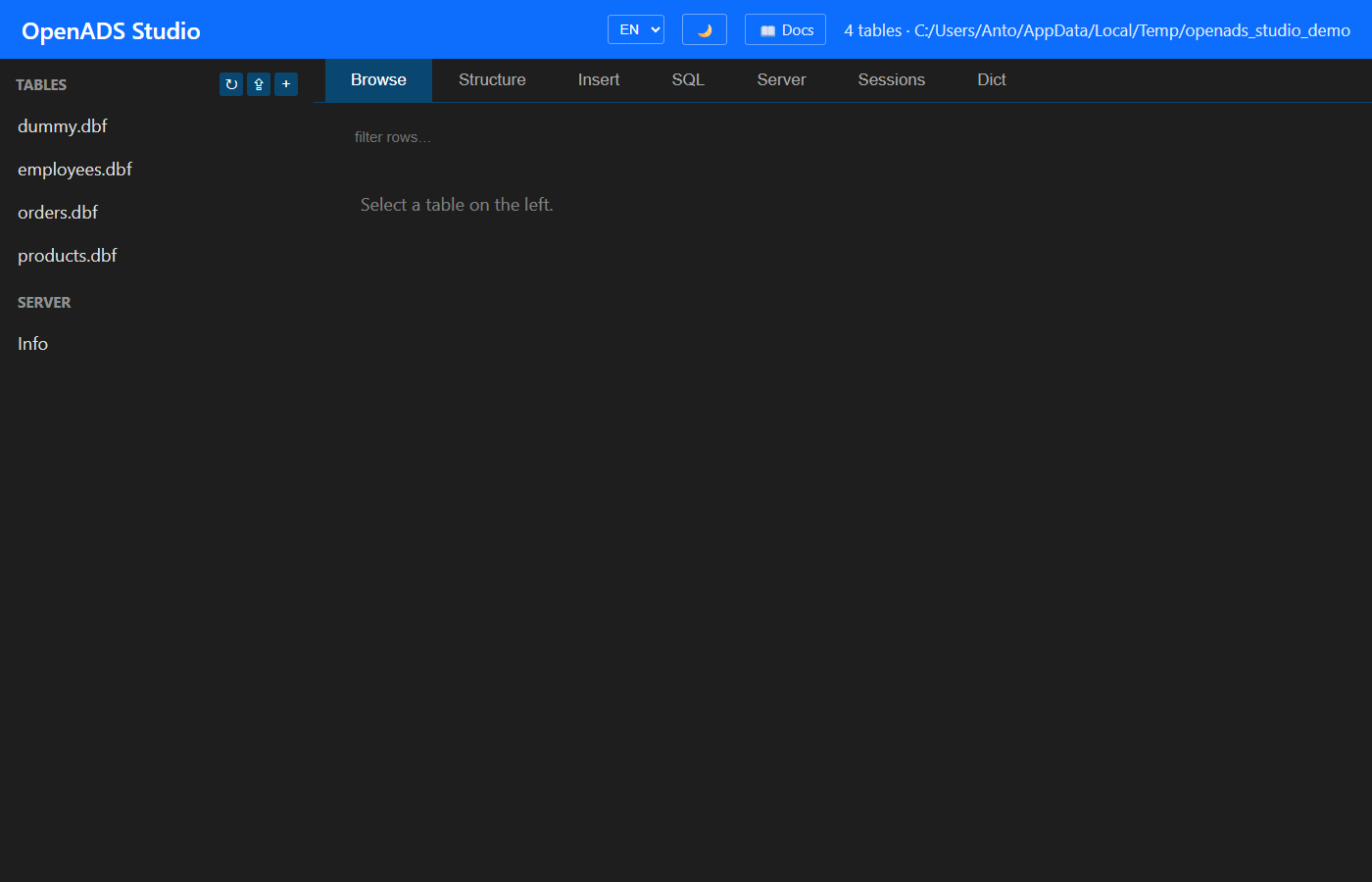
Studio adapts to small screens — it is usable from a phone or tablet, not just a desktop browser. Below ~768 px the left table list collapses into a slide-in drawer: tap the ☰ button in the header to open it, pick a table, and it closes automatically. A dimmed backdrop covers the work area while the drawer is open — tap it to dismiss. The tab bar scrolls horizontally, forms stack into a single column, modals fit the viewport width, and touch targets are enlarged. No separate app or build is needed; just open the same URL in the phone’s browser.
Header
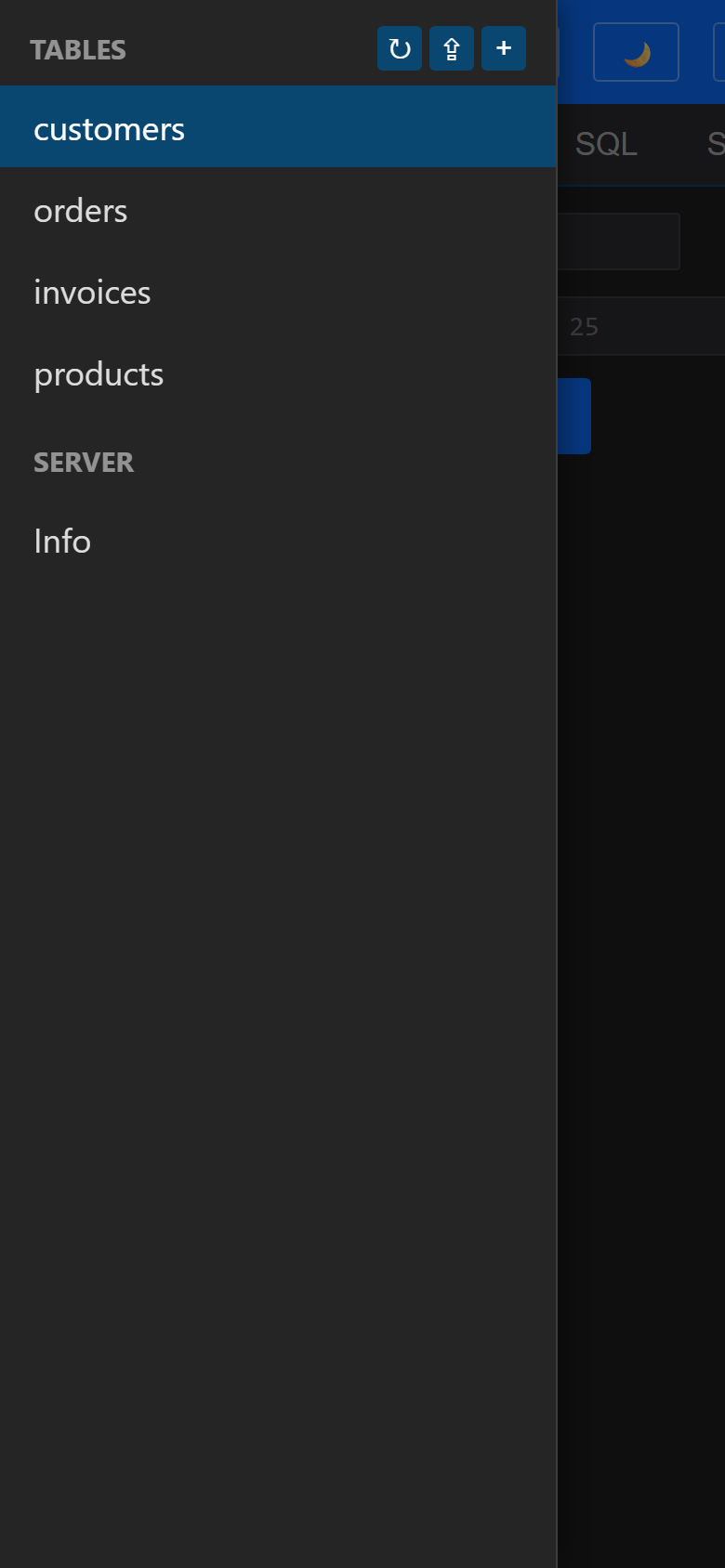
The top bar carries:
- Language selector (
EN/ES/PT) — Studio’s UI strings switch live; choice is persisted inlocalStorage. - 🌙 / ☀ theme toggle — flips the SPA between dark and light
palettes (CSS-variable driven; persisted in
localStorage). - 📖 Docs — link to this site.
- Mode badge — 🏠
LocalServer(green) when the console runs in-process insideace64.dll/ace32.dll, or 🌐Remote Server(blue) when hosted byopenads_serverd. Hover the badge to see the active data directory. The signal comes from/api/health’s newmodefield. - Status — current dataset summary or last error.
Sidebar
The left sidebar lists every *.dbf in the data dir. Three small
buttons next to the Tables heading:
| Button | Action |
|---|---|
↻ |
Refresh table list. |
⇪ |
Open native file picker; multi-file upload via POST /api/upload. |
+ |
New-Table modal (column-by-column schema → CREATE TABLE DDL). |
A second section labels Server / Info and links to the Server tab.
Tabs
| Pane | What it does |
|---|---|
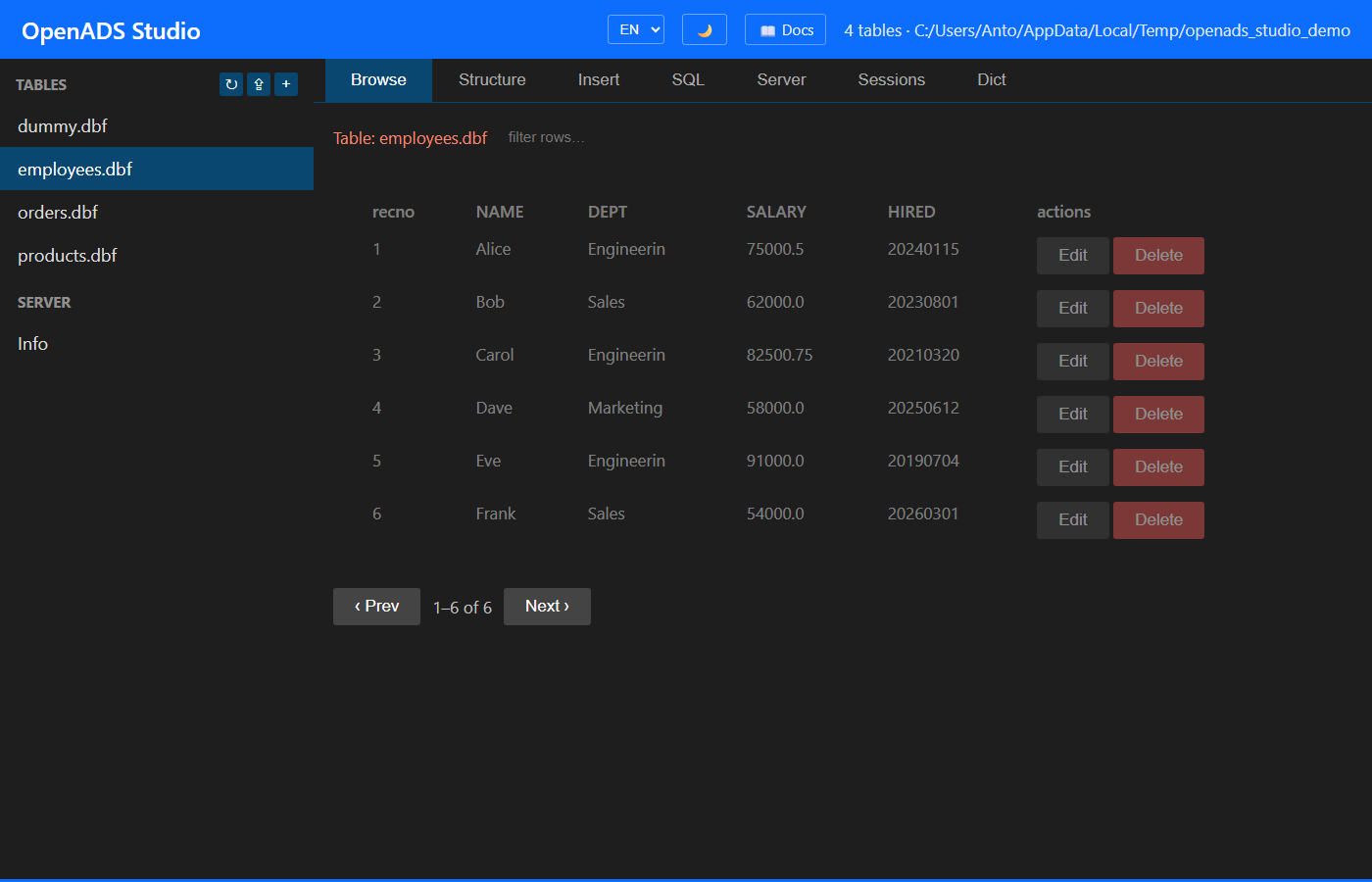
| Browse | Paginated grid of records. Click a column header to sort; type in the filter box to narrow rows on the current page. Edit / delete / recall buttons per row. Click any cell to expand it in a modal (memo / long text). |
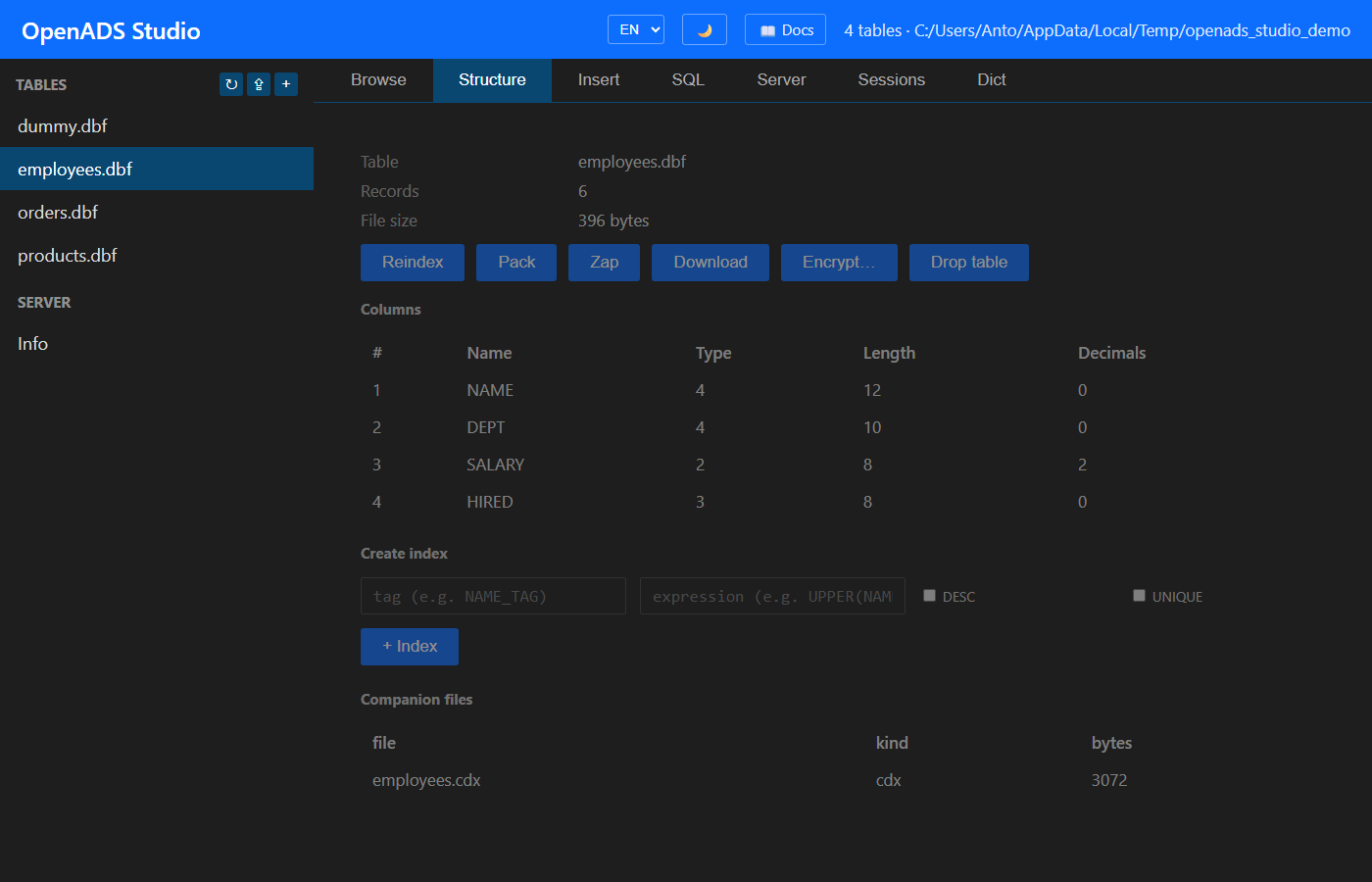
| Structure | Column metadata + record count + file size. Reindex / Pack / Zap / Download / Encrypt / Drop buttons. Inline ‘Create index’ form (tag + expression + DESC + UNIQUE). Companion-files list (.cdx, .ntx, .fpt, .dbt, .dbv). |
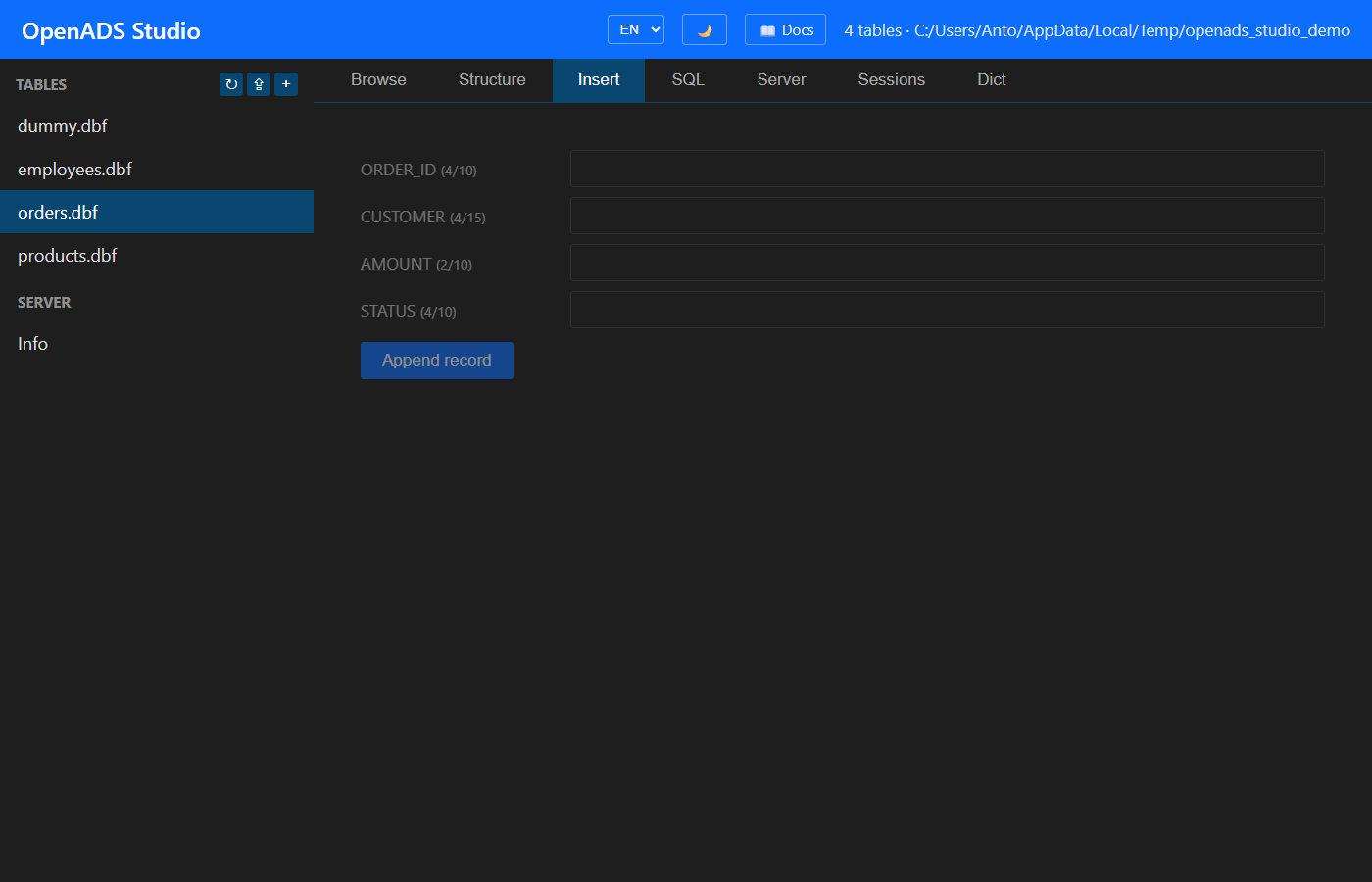
| Insert | Form auto-generated from the table schema; appends a new record. |
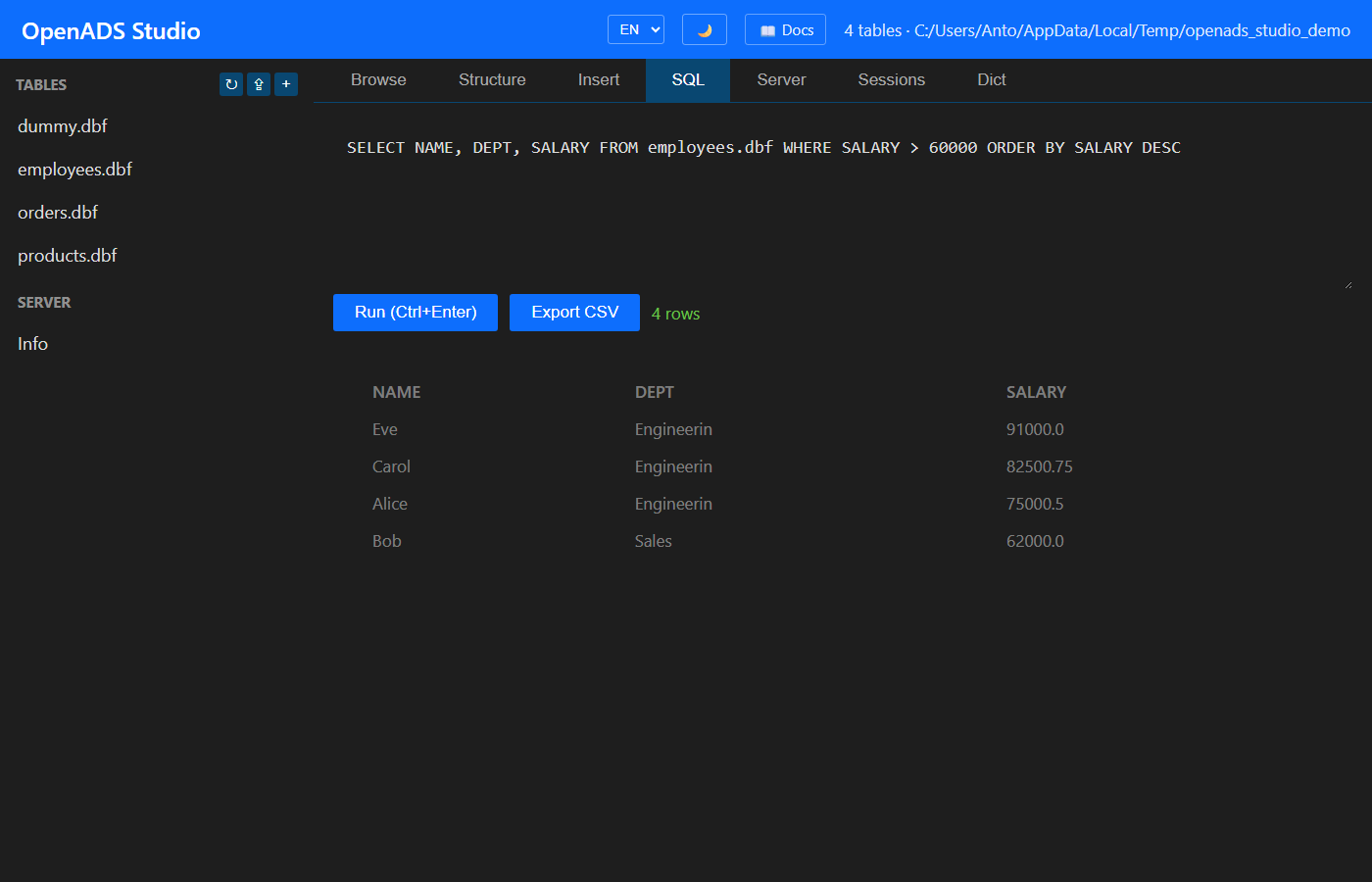
| SQL | Free-form SQL editor. Ctrl+Enter runs. Ctrl+Up / Ctrl+Down recalls history. CSV export. Errors surface the engine’s parser message + a ‘did you mean…?’ hint when the query mixes single + double quotes. |
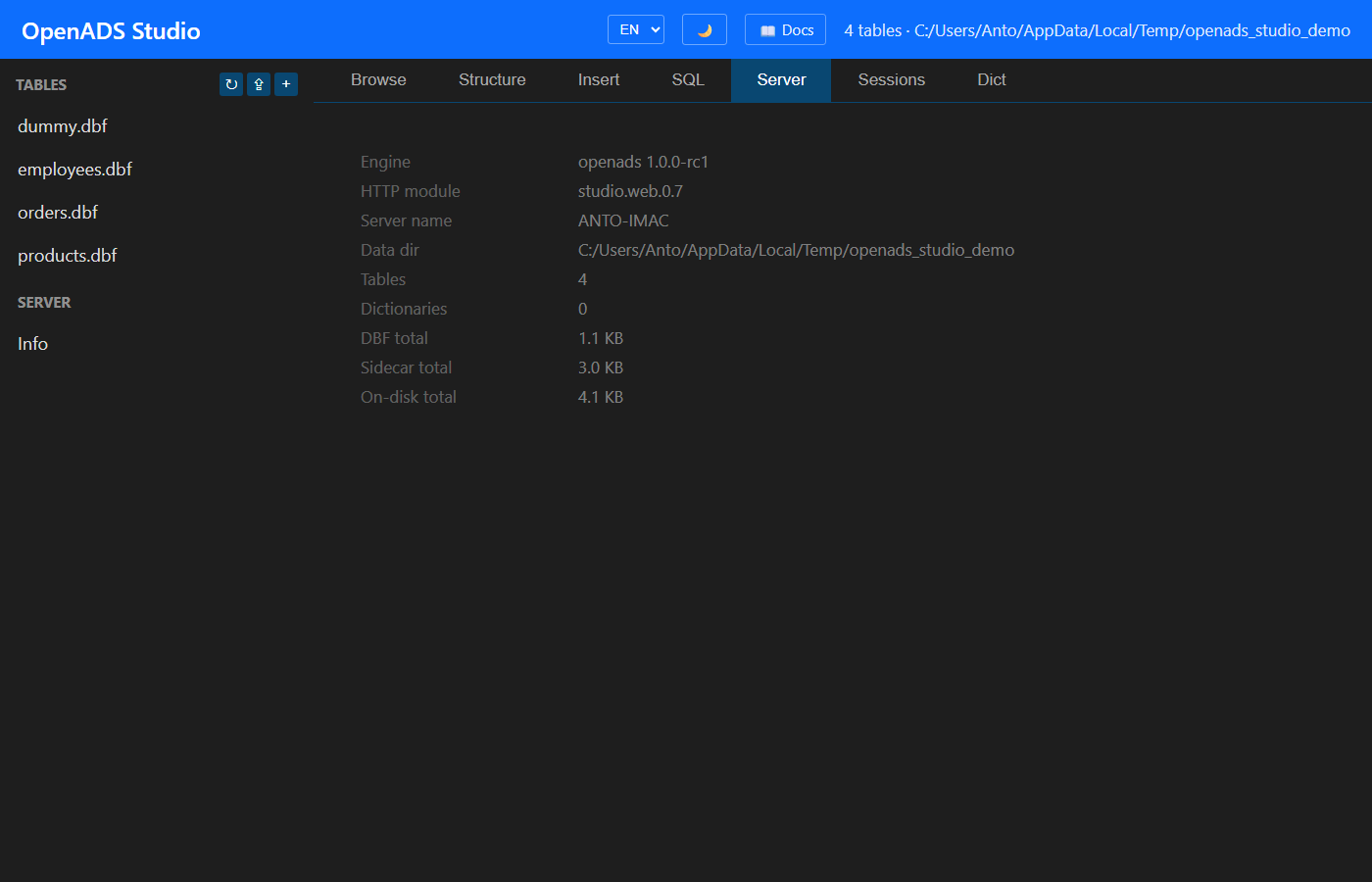
| Server | Engine version + data dir + table list + on-disk byte breakdown (DBF / sidecar / total) + dictionary count. |
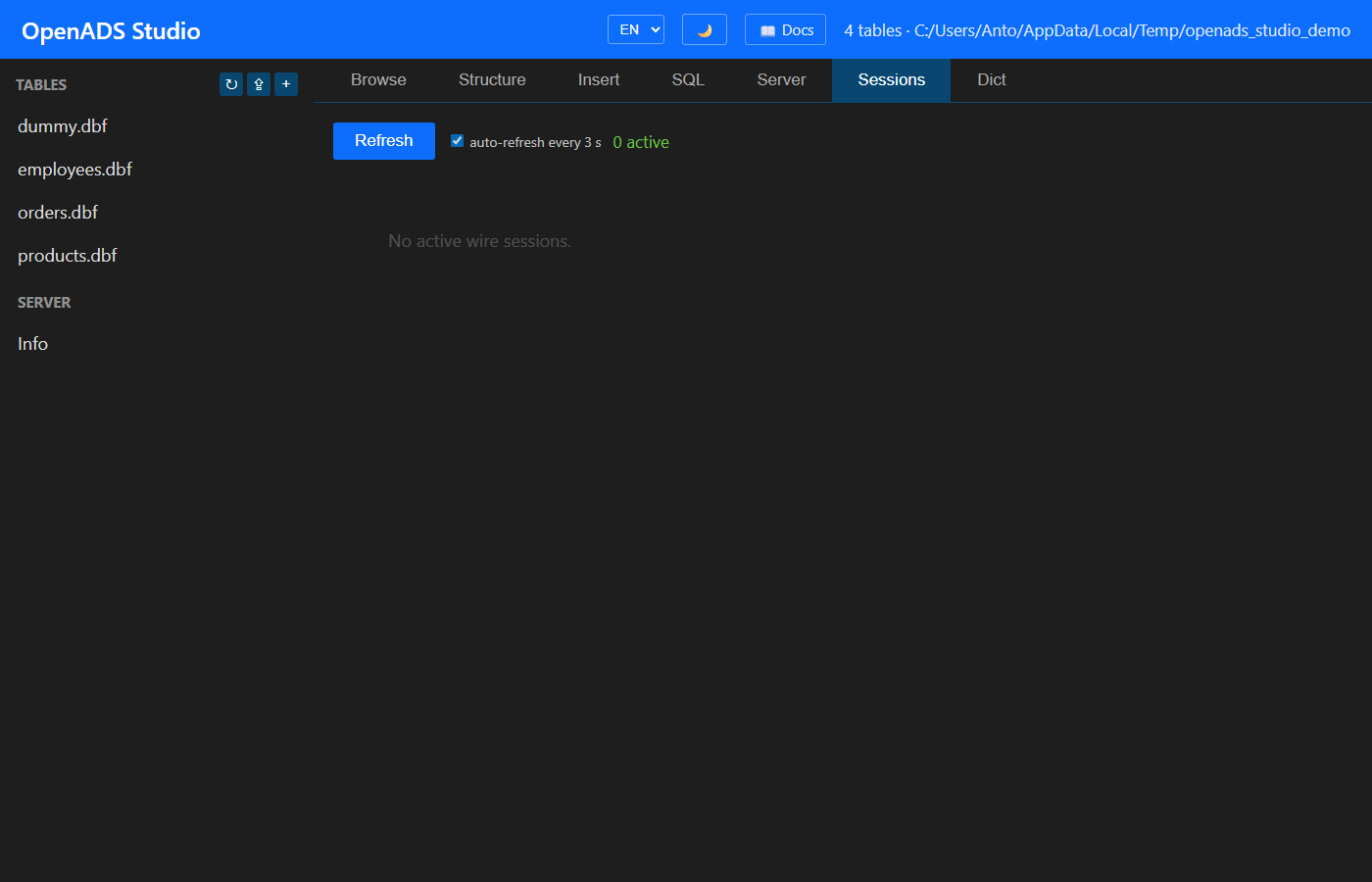
| Sessions | Live registry of every active wire session: peer IP / port, user, data dir, time connected, idle time, frames in / out, open tables. Auto-refreshes every 3 s. |
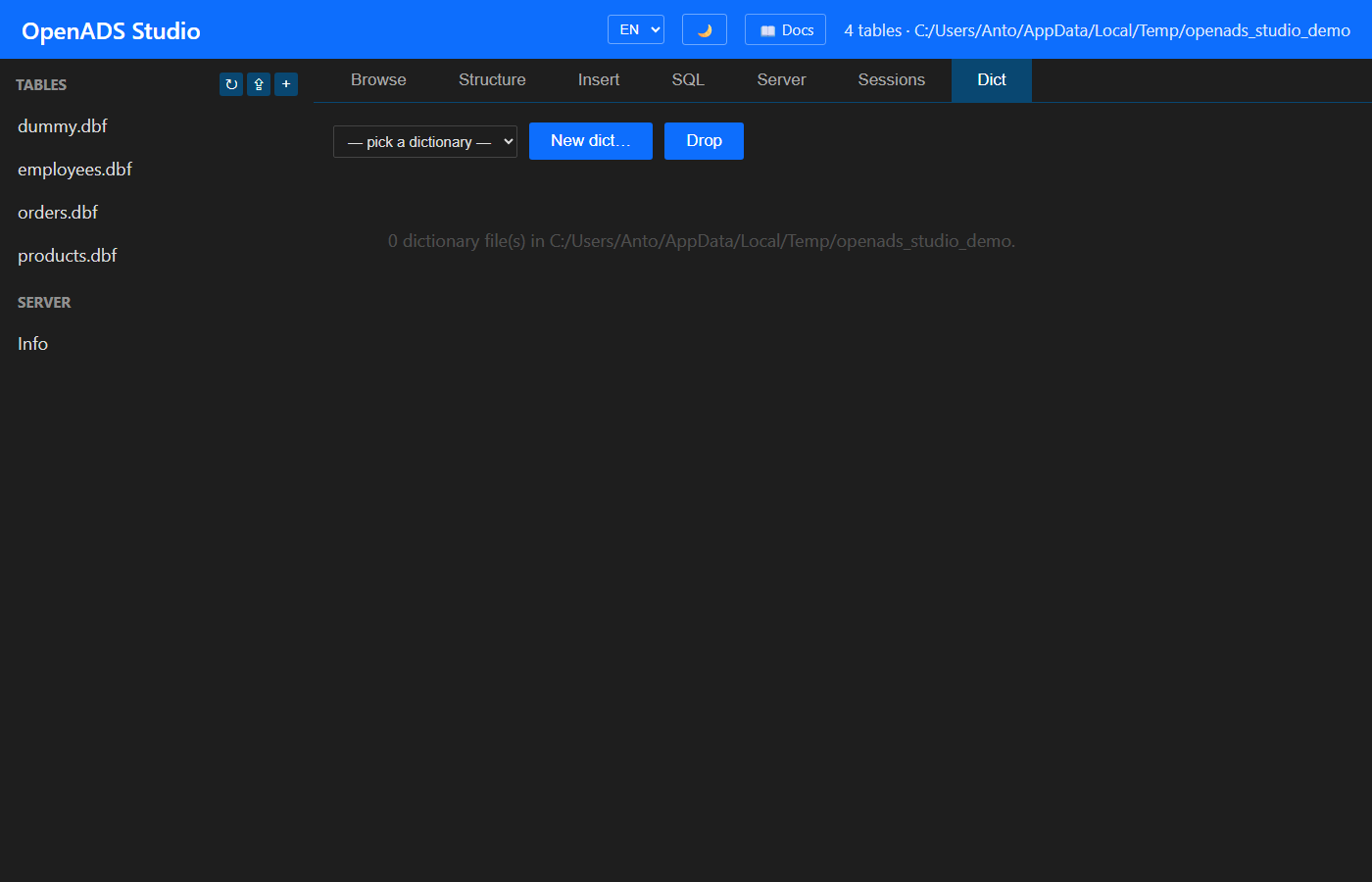
| Dict | Browse / edit Data Dictionary .add files: pick from dropdown, list TABLE aliases / USERs / INDEXes / LINKs / RI rules / DBPROP keys; add / remove forms; New-dict + Drop-dict buttons. |
Browse
AOF (Rushmore) filter
A second toolbar above the grid carries an AOF (Rushmore) filter input, an Apply button, a Clear button, and an optimisation-level badge. Type a Clipper-flavoured cond like
AGE >= 25
NAME = 'SMITH' .AND. ACTIVE = .T.
TAG BETWEEN 'AAAA' AND 'CCCC'
CITY IN ('NYC', 'LON', 'TOK')
press Apply, and the grid pages through only the matching records
(Skip / GoTop honour the AOF bitmap, so Next / Prev keep walking
the same filtered set). The badge reflects what
AdsGetAOFOptLevel reports back:
| Badge | OptLevel | Meaning |
|---|---|---|
🟢 OptLevel: FULL |
ADS_OPTIMIZED_FULL |
Every leaf served by an index range scan — the textbook Rushmore speedup window. |
🟡 OptLevel: PART |
ADS_OPTIMIZED_PART |
Some leaves served by an index, others fell back to per-record AST evaluation. |
⚪ OptLevel: NONE |
ADS_OPTIMIZED_NONE |
No leaf hit an index — the bitmap was built by a full table scan. |
❌ <error> |
parse / unsupported | AdsSetAOF rejected the cond (function call / arithmetic / LIKE / unterminated string / …). |
Clear restores the full unfiltered walk. The cond is forwarded on
every page fetch as ?aof=<cond> — see the REST surface section
below.
V1 grammar accepted by AdsSetAOF:
<field> OP <literal>      OP in { = == != <> # < <= > >= }
<field> BETWEEN a AND b
<field> IN ( v1, v2, ... )
expr AND expr             also `.AND.` (Clipper)
expr OR  expr             also `.OR.`
NOT expr                  also `.NOT.` and `!`
( expr )
Index-accelerated leaves in V1: character / memo fields with a
bare-field-name index expression. Numeric / date / logical
fields, and indexes whose expression is UPPER(field) /
compound, still produce a correct bitmap via the per-record
fallback — they just don’t count as “served by index” in the
OptLevel report.
Structure
Insert
SQL
Server
Sessions
Dict
URL deep links
The SPA reads the following query parameters on load so external links can land directly on a specific view:
| Param | Effect |
|---|---|
?table=<n> |
Pre-selects a table in the sidebar. |
?tab=<browse\|structure\|insert\|sql\|server\|sessions\|dd> |
Pre-opens the named tab. |
?q=<urlencoded-sql> |
Pre-fills the SQL editor (only if tab=sql). |
&autorun=1 |
Runs the query on load. |
?lang=... |
(planned) Force language for one session. |
Same surface is useful for embedding “open this query in Studio” links in chat / docs.
REST API
Each panel is implemented on top of a small REST surface — useful when scripting against the server from Python / curl / etc.
| Method + path | Purpose |
|---|---|
GET /api/health |
liveness probe |
GET /api/server/info |
engine + on-disk byte breakdown |
GET /api/server/sessions |
active wire sessions |
GET /api/tables |
list *.dbf |
POST /api/tables |
CREATE TABLE (DDL via SQL) |
DELETE /api/tables/<n> |
drop file + sidecars |
GET /api/tables/<n>/schema |
column metadata |
GET /api/tables/<n>/sidecars |
companion-file list |
GET /api/tables/<n>/rows?offset=&limit= |
paginated browse |
POST /api/tables/<n>/insert |
append row |
POST /api/tables/<n>/update?recno=N |
overwrite columns |
POST /api/tables/<n>/delete?recno=N |
mark deleted (or ?recall=1 to undelete) |
POST /api/tables/<n>/encrypt |
AES-256-CTR encrypt in place |
POST /api/tables/<n>/reindex |
AdsReindex |
POST /api/tables/<n>/pack |
AdsPackTable |
POST /api/tables/<n>/zap |
AdsZapTable |
POST /api/tables/<n>/index |
CREATE INDEX wizard |
GET /api/tables/<n>/download |
download DBF |
POST /api/upload |
multipart upload of files |
POST /api/sql |
run arbitrary SQL |
GET /api/dd |
list *.add |
POST /api/dd |
create { name } |
GET /api/dd/<n> |
full dictionary content |
DELETE /api/dd/<n> |
drop .add |
POST /api/dd/<n>/tables |
add TABLE alias |
DELETE /api/dd/<n>/tables/<alias> |
remove TABLE alias |
POST /api/dd/<n>/users |
create USER |
DELETE /api/dd/<n>/users/<u> |
drop USER |
POST /api/dd/<n>/dbprop |
set { key, value } DB property |
GET /api/server/backup |
download ZIP backup of the active data dir |
Backup endpoint
The GET /api/server/backup endpoint creates a ZIP archive of the
server’s data directory on-the-fly and streams it to the browser.
Response: A application/zip file named openads-backup-<timestamp>.zip.
Usage:
- Via browser: navigate to
http://localhost:6263/api/server/backup - Via curl:
curl -o backup.zip http://localhost:6263/api/server/backup
The backup includes all tables, index files, memo files, and the data dictionary in the server’s data directory. This is a point-in-time snapshot; tables being actively written may be in an inconsistent state.
Authentication
When --http-user user:password is passed (repeatable for multiple
accounts), every request must carry an Authorization: Basic …
header. The first hit prompts the browser for credentials via the
native login dialog. With no --http-user flag the console is
open (development / single-host setups).
Deployment shapes
- Local admin:
--http-port 6263, browse vialocalhost:6263. - LAN admin: same flag, browse via
http://server.lan:6263. - Remote admin via SSH:
ssh -L 6263:localhost:6263 server, browse vialocalhost:6263. The SSH tunnel handles encryption and authentication; the daemon itself listens on127.0.0.1inside the remote host. - Mobile: any responsive browser hits the same endpoint — Studio’s CSS scales to phone-sized viewports.
Studio milestones
| Tag | Scope |
|---|---|
studio.web.0.1 |
Skeleton — connect, table tree, SQL editor, basic result grid. |
studio.web.0.2 |
CRUD + paginated browse + Server tab. |
studio.web.0.3 |
CREATE / DROP table + Encrypt + persisted SQL history. |
studio.web.0.4 |
Sessions tab (live wire connections). |
studio.web.0.5 |
Data Dictionary tab + REST. |
studio.web.0.6 |
Reindex / Pack / Zap + CREATE INDEX wizard + memo viewer. |
studio.web.0.7 |
Sidecar list + server-stats breakdown + DBF upload + refresh button. |
studio.web.0.8 |
HTTP Basic auth + table download + theme toggle. |
studio.web.0.9 |
Browse client-side sort + filter + i18n (EN / ES / PT). |
studio.web.0.10 |
Bulk select + saved queries + SQL syntax highlight. |
studio.web.0.11 |
Kill-session button + JSON export. |
studio.web.0.12 |
ZIP backup of the active data dir. |
studio.web.0.13 |
Table-type override + memo hex viewer. |
studio.web.0.14 |
Host OS / arch / compiler banner. |
| rc9 | Embedded Studio (LocalServer) — same console embedded in ace64.dll / ace32.dll; AdsStudioStart / Stop / Port + OPENADS_STUDIO_PORT env auto-start. |
| rc10 | Mode badge — 🏠 LocalServer / 🌐 Remote Server in the header (driven from /api/health mode field). |
| rc12 | AOF (Rushmore) filter toolbar + OptLevel badge in the Browse pane. |
| rc13 | Guided ▶ Demo button + functional AOF hint chips. |
| rc20 | OPENADS_WITH_HTTP=ON becomes the build default. |