FiveTech Support Forums

FiveWin / Harbour / xBase community
Board index FiveWin for Harbour/xHarbour Ribbon Theme
Posts: 7317
Joined: Thu Oct 18, 2012 07:17 PM
Re: Ribbon Theme
Posted: Sun Apr 28, 2019 04:19 PM

Antonio,
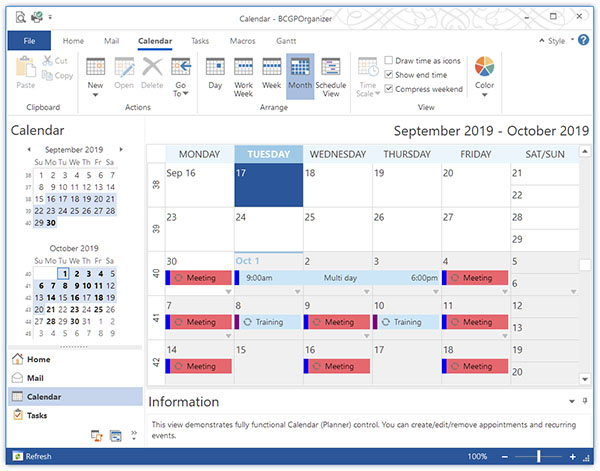
I tried to insert my theme but I have make a confusion..
I use l2016 for ribbonbar and then l2013 for tgroup simulating theme 2019

can you help me to set these colors ?
the color of bar where are the item of menu is gray but it is wrong

Since from 1991/1992 ( fw for clipper Rel. 14.4 - Momos)

I use : FiveWin for Harbour March-April 2024 - Harbour 3.2.0dev (harbour_bcc770_32_20240309) - Bcc7.70 - xMate ver. 1.15.3 - PellesC - mail: silvio[dot]falconi[at]gmail[dot]com
Posts: 6755
Joined: Wed Feb 15, 2012 08:25 PM
Re: Ribbon Theme
Posted: Sun Apr 28, 2019 04:26 PM
rhlawek

I have not tried it in an MDI environment, but it should work the same
Follow the following steps:
1) Fully define RibbonBar, including the call to the function that generates the new style.
2) When defining the Ribbonbar, make sure that there is enough space left in the upper part to place the buttonbar, for this, use the clause TOPMARGIN nTopMarg in the definition of the Ribbonbar.
3) Define the buttonbar but associated with the RIBBONBAR object
Code (fw): Select all Collapse
.../...
   oRBar:Default()

   SetRibbonBarTheme( oRBar, 6 ) 
   // End definition of RibbonBar

   DEFINE BUTTONBAR oBar SIZE 22, 22 2010 OF oRBar
Cristobal Navarro

Hay dos tipos de personas: las que te hacen perder el tiempo y las que te hacen perder la noción del tiempo

El secreto de la felicidad no está en hacer lo que te gusta, sino en que te guste lo que haces
Posts: 195
Joined: Sun Jul 22, 2012 07:01 PM
Re: Ribbon Theme
Posted: Sun Apr 28, 2019 04:56 PM

Thank you so much.

Making the button bar a child or the ribbon bar fixes most of the painting problems, and all of the clicking behavior problems. And setting the top margin to a larger value does push the top of the ribbon bar tabs down so that the tabs should be visible, but the groups and the buttons on the ribbon bar itself aren't following that down, they are still painting over the top of the tabs. I can change the size of the groups and the buttons, but I haven't figured out what to change to force them down below the tabs again.

Posts: 6755
Joined: Wed Feb 15, 2012 08:25 PM
Re: Ribbon Theme
Posted: Sun Apr 28, 2019 05:08 PM
rhlawek wrote:Thank you so much.

Making the button bar a child or the ribbon bar fixes most of the painting problems, and all of the clicking behavior problems. And setting the top margin to a larger value does push the top of the ribbon bar tabs down so that the tabs should be visible, but the groups and the buttons on the ribbon bar itself aren't following that down, they are still painting over the top of the tabs. I can change the size of the groups and the buttons, but I haven't figured out what to change to force them down below the tabs again.


Please, set height of ribbonbar, look


.../...
local nTopMarg := 24
local nHeight := 128 + nTopMarg

DEFINE RIBBONBAR oRBar WINDOW oWnd ;
PROMPT "One and more", "Two and minus", "Three and more or minus" ;
HEIGHT nHeight TOPMARGIN nTopMarg
.../...
Cristobal Navarro

Hay dos tipos de personas: las que te hacen perder el tiempo y las que te hacen perder la noción del tiempo

El secreto de la felicidad no está en hacer lo que te gusta, sino en que te guste lo que haces
Posts: 195
Joined: Sun Jul 22, 2012 07:01 PM
Re: Ribbon Theme
Posted: Sun Apr 28, 2019 06:15 PM

Thanks again.

I'm going to edit the sample that was provided here to better illustrate the last painting problem.

No matter what I change I can't get the top of the ribbon bar, starting with the tabs but also the ribbon bar background itself, to start painting below the button bar, the ribbon bar seems to want to align to the top of the button bar. Which would be okay, but when I adjust the top margin it pushes down the ribbon bar, but not the groups or the buttons themselves. Things are much improved from when I set out to debug this earlier today, but there is still something I don't fully understand.

Posts: 6755
Joined: Wed Feb 15, 2012 08:25 PM
Re: Ribbon Theme
Posted: Sun Apr 28, 2019 06:39 PM

Ok, I wait your sample

Cristobal Navarro

Hay dos tipos de personas: las que te hacen perder el tiempo y las que te hacen perder la noción del tiempo

El secreto de la felicidad no está en hacer lo que te gusta, sino en que te guste lo que haces
Posts: 44158
Joined: Thu Oct 06, 2005 05:47 PM
Re: Ribbon Theme
Posted: Sun Apr 28, 2019 07:23 PM
In my posted example if you add this line, then you get a more modern look:

Code (fw): Select all Collapse
function BuildRibbon( oWnd )

   local oRb := TRibbonBar():New( oWnd ), oGroup, oBtn

   oRb:SetStyles( .F., .T. )  // New


regards, saludos

Antonio Linares
www.fivetechsoft.com
Posts: 44158
Joined: Thu Oct 06, 2005 05:47 PM
Re: Ribbon Theme
Posted: Sun Apr 28, 2019 07:30 PM

Robert,

Please set oWnd:oTop := nil (after creating the ribbon) and try it again.

Whatever control is placed at oWnd:oTop will try to align itself to the top.

regards, saludos

Antonio Linares
www.fivetechsoft.com
Posts: 195
Joined: Sun Jul 22, 2012 07:01 PM
Re: Ribbon Theme
Posted: Sun Apr 28, 2019 08:32 PM
I just tried that, it actually moves the problem back to where I started before making the suggested change to attach to oRb instead of oWnd. It paints incorrectly and nothing is clickable whether using oRb or oWnd.

Here is the sample code you provided, edited to show the situation. It adds MDI to the windows definition, it adds the button bar attaching to oRb, and it adds and explicitly assigns the values oRb:nTopMargin := 50 and oRb:nTop in SetRibbonBarTheme()

Code (fw): Select all Collapse
#include "FiveWin.ch"

#define RB_THEME_DARK         6
#define COLOR_GRAYTEXT       17

//----------------------------------------------------------------------------//

function Main()

   local oWnd

   DEFINE WINDOW oWnd MDI
   
   oWnd:SetSize( 1200, 800 )

   BuildRibbon( oWnd )

   ACTIVATE WINDOW oWnd CENTER // MAXIMIZED

return nil

//----------------------------------------------------------------------------//

function BuildRibbon( oWnd )

   local oRb := TRibbonBar():New( oWnd ), oGroup, oBtn, oBar
      
   DEFINE BUTTONBAR oBar SIZE 26, 26 _3D _2010 OF oRb // oWnd  

   DEFINE BUTTON OF oBar ;
          RESOURCE "..\bitmaps\32x32\open.bmp" ;
          FLAT TOOLTIP "Hello world." ;
          ACTION ( MsgInfo( "Hello world.") )

   oGroup = oRb:AddGroup( 185, "First", 1 )
   oBtn = oGroup:AddButton( 3, 3, oGroup:nHeight - 19, 90, "One", { || MsgInfo( "One" ) } )
   oBtn:LoadBitmaps( "..\bitmaps\32x32\new.bmp" )
   oBtn = oGroup:AddButton( 3, oBtn:nWidth + 3, oGroup:nHeight - 19, 90, "Two", { || MsgInfo( "Two" ) } )
   oBtn:LoadBitmaps( "..\bitmaps\32x32\open.bmp" )
   
   oGroup = oRb:AddGroup( 185, "Second", 1 )
   oBtn = oGroup:AddButton( 3, 3, oGroup:nHeight - 19, 90, "Three" )
   oBtn:LoadBitmaps( "..\bitmaps\32x32\setup.bmp" )
   oBtn = oGroup:AddButton( 3, oBtn:nWidth + 3, oGroup:nHeight - 19, 90, "Four" )
   oBtn:LoadBitmaps( "..\bitmaps\32x32\quit.bmp" )

   oRb:AddGroup( 185, "Third", 1 )

   SetRibbonBarTheme( oRb, RB_THEME_DARK )
   
return oRb   

//----------------------------------------------------------------------------//

function SetRibbonBarTheme( oRb, nTheme ) 

   local oDlg, oGroup, oBtn

   do case
      case nTheme == RB_THEME_DARK
         oRb:oFont:End() 
         oRb:SetFont( TFont():New( "Segoe UI", 0, -14 ) )
         
         oRb:nTopMargin  := 50 
         oRb:nTop        := 28
         oRb:nHeight     = 136
         oRb:nHeightFld  =  20
         oRb:hSeparation =   4
         oRb:nLeftMargin =  20
         oRb:nRoundBox   =   0

         oRb:nClrPaneRB    = RGB( 68,   68,  68 )
         oRb:nClrBoxOut    = RGB( 178, 178, 178 )
         oRb:nClrBoxIn     = RGB( 178, 178, 178 )
         oRb:nClrBoxSelOut = RGB( 178, 178, 178 )
         oRb:nClrBoxSelIn  = RGB( 178, 178, 178 )
         oRb:aGrad         = { { 1, RGB( 178, 178, 178 ), RGB( 178, 178, 178 ) } }
         oRb:aGradFld      = { | nOpt | If( nOpt == oRb:nStart, { { 1, RGB( 178, 178, 178 ), RGB( 178, 178, 178 ) } },;
                                                                { { 1, RGB( 178, 178, 178 ), RGB( 178, 178, 178 ) } } ) }
         oRb:aGradHigh     = { { 1, RGB( 178, 178, 178 ), RGB( 178, 178, 178 ) } }  
         oRb:aGradOver     = { { 1, RGB( 0, 114, 198 ), RGB( 0, 114, 198 ) } }
         
         AFill( oRb:aClrTabTxt, { | oSelf, nPrompt | If( nPrompt == oSelf:nOption, RGB( 0, 0, 0 ), RGB( 255, 255, 255 ) ) } )
         
         DeleteObject( oRb:hBmpBrushEx )
         DeleteObject( oRb:hBrushEx )
         oRb:hBmpBrushEx = GradientBmp( oRb, oRb:nRight - oRb:nRightMargin - 3, oRb:nBottom - oRb:nTopMargin + 1, oRb:aGrad )
         oRb:hBrushEx    = CreatePatternBrush( oRb:hBmpBrushEx )
         
         for each oDlg in oRb:aDialogs
            
            oDlg:hBack = oRb:hBrushEx
            oDlg:Refresh()
            
            for each oGroup in oDlg:aControls
               if oGroup:IsKindOf( "TRBGROUP" )
                  oGroup:oFont:End()
                  oGroup:SetFont( oRb:oFont )
                  
                  oGroup:nHeight     -= 24
                  oGroup:nClrBoxIn    = RGB( 160, 160, 160 )
                  oGroup:aGradCaption = { { 1, RGB( 160, 160, 160 ), RGB( 160, 160, 160 ) } }
                  oGroup:bClrText     = { | lEnable | If( lEnable, RGB( 0, 0, 0 ), GetSysColor( COLOR_GRAYTEXT ) ) }
                  oGroup:nClrBoxIn    = RGB( 160, 160, 160 )
                  oGroup:nClrBoxOut   = RGB( 160, 160, 160 )
                  
                  DeleteObject( oGroup:hBrushSel )
                  DeleteObject( oGroup:hBrushUnSel )
                  DeleteObject( oGroup:hBack )
                  oGroup:hBrushUnSel  = oDlg:hBack
                  oGroup:hBack        = oDlg:hBack
                  
                  for each oBtn in oGroup:aControls
                     if oBtn:IsKindOf( "TRBTN" )
                        oBtn:oFont:End()
                        oBtn:SetFont( oRb:oFont )
                        
                        oBtn:nHeight       -= 24
                        oBtn:bClrGradNormal = { | lPressed | If( lPressed, { { 1, RGB( 160, 160, 160 ), RGB( 160, 160, 160 ) } },;
                                                                           { { 1, RGB( 160, 160, 160 ), RGB( 160, 160, 160 ) } } ) }
                        oBtn:aClrGradUnder = { || { { 1, RGB( 160, 160, 160 ), RGB( 160, 160, 160 ) } } }   
                        oBtn:aClrGradBack  = { { 1, RGB( 160, 160, 160 ), RGB( 160, 160, 160 ) } }
                        oBtn:nClrBoxIn     = RGB( 160, 160, 160 )
                        oBtn:nClrBoxOut    = RGB( 160, 160, 160 )
                     endif   
                  next
                  oGroup:Refresh()
                  
               endif
            next
         next   
         
   endcase
   
   // oRb:Refresh()
   oRb:Default()

return nil

//----------------------------------------------------------------------------//
Posts: 44158
Joined: Thu Oct 06, 2005 05:47 PM
Re: Ribbon Theme
Posted: Tue Apr 30, 2019 08:04 AM

Robert,

As you are using a MDI environment you have to change this line this way:

local oRb := TRibbonBar():New( oWnd:oWndClient )

regards, saludos

Antonio Linares
www.fivetechsoft.com
Posts: 7317
Joined: Thu Oct 18, 2012 07:17 PM
Re: Ribbon Theme
Posted: Tue Apr 30, 2019 09:11 AM
Since from 1991/1992 ( fw for clipper Rel. 14.4 - Momos)

I use : FiveWin for Harbour March-April 2024 - Harbour 3.2.0dev (harbour_bcc770_32_20240309) - Bcc7.70 - xMate ver. 1.15.3 - PellesC - mail: silvio[dot]falconi[at]gmail[dot]com
Posts: 838
Joined: Wed Aug 22, 2007 10:09 AM
Re: Ribbon Theme
Posted: Tue Apr 30, 2019 04:55 PM

Cool, I love that Ribbon in blue!

Saludos / Regards,


FWH 20.04, Harbour 3.2.0 dev (r1909261630) y BCC 7.40
Posts: 3022
Joined: Fri Oct 07, 2005 01:45 PM
Re: Ribbon Theme
Posted: Tue Apr 30, 2019 06:34 PM

Antonio,

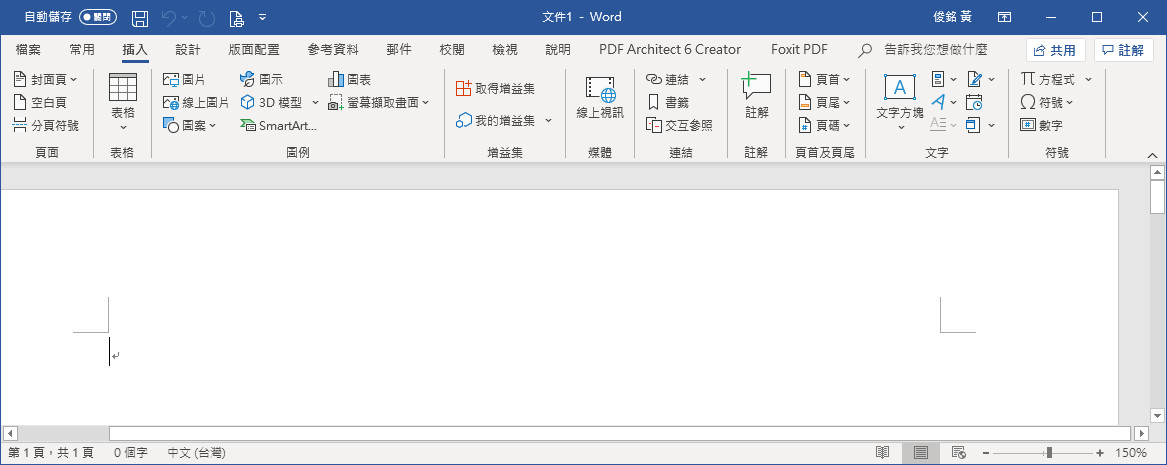
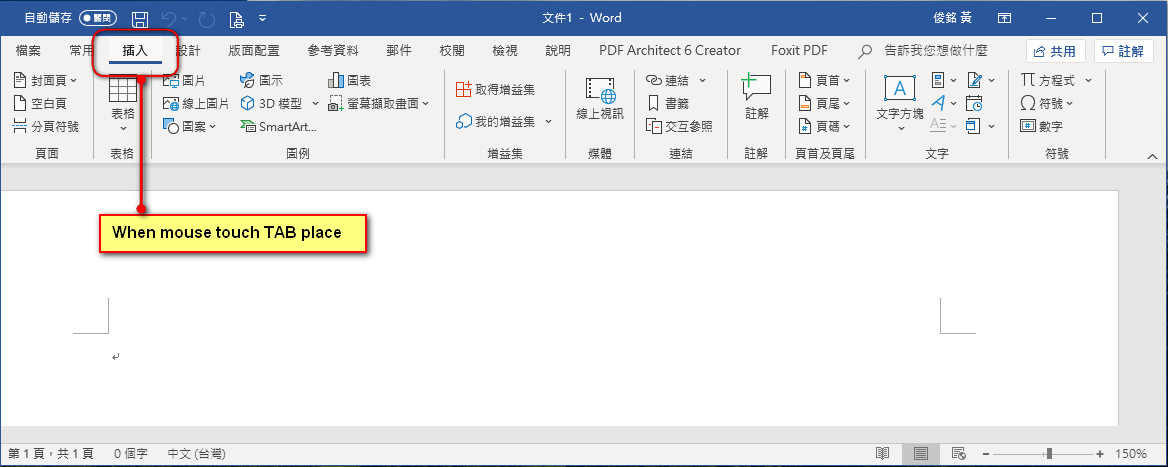
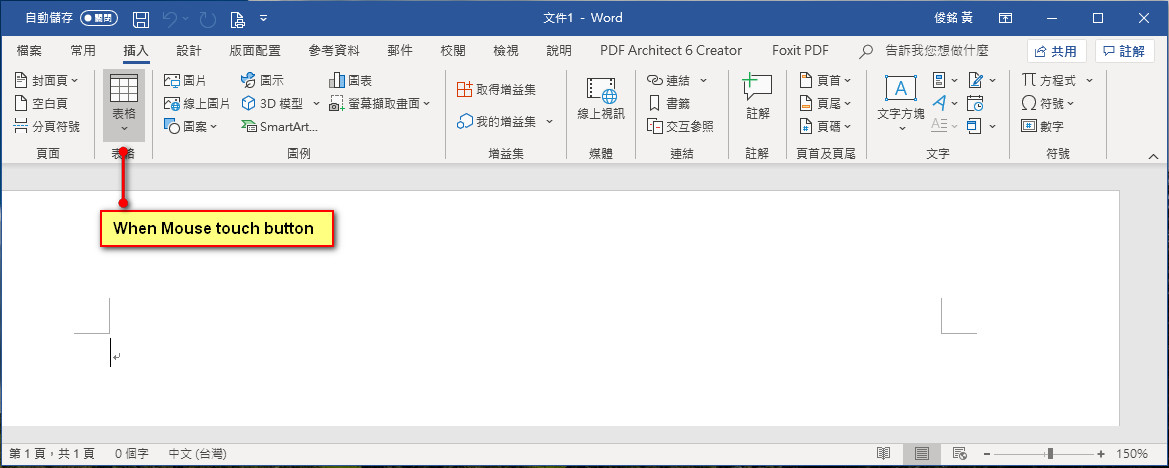
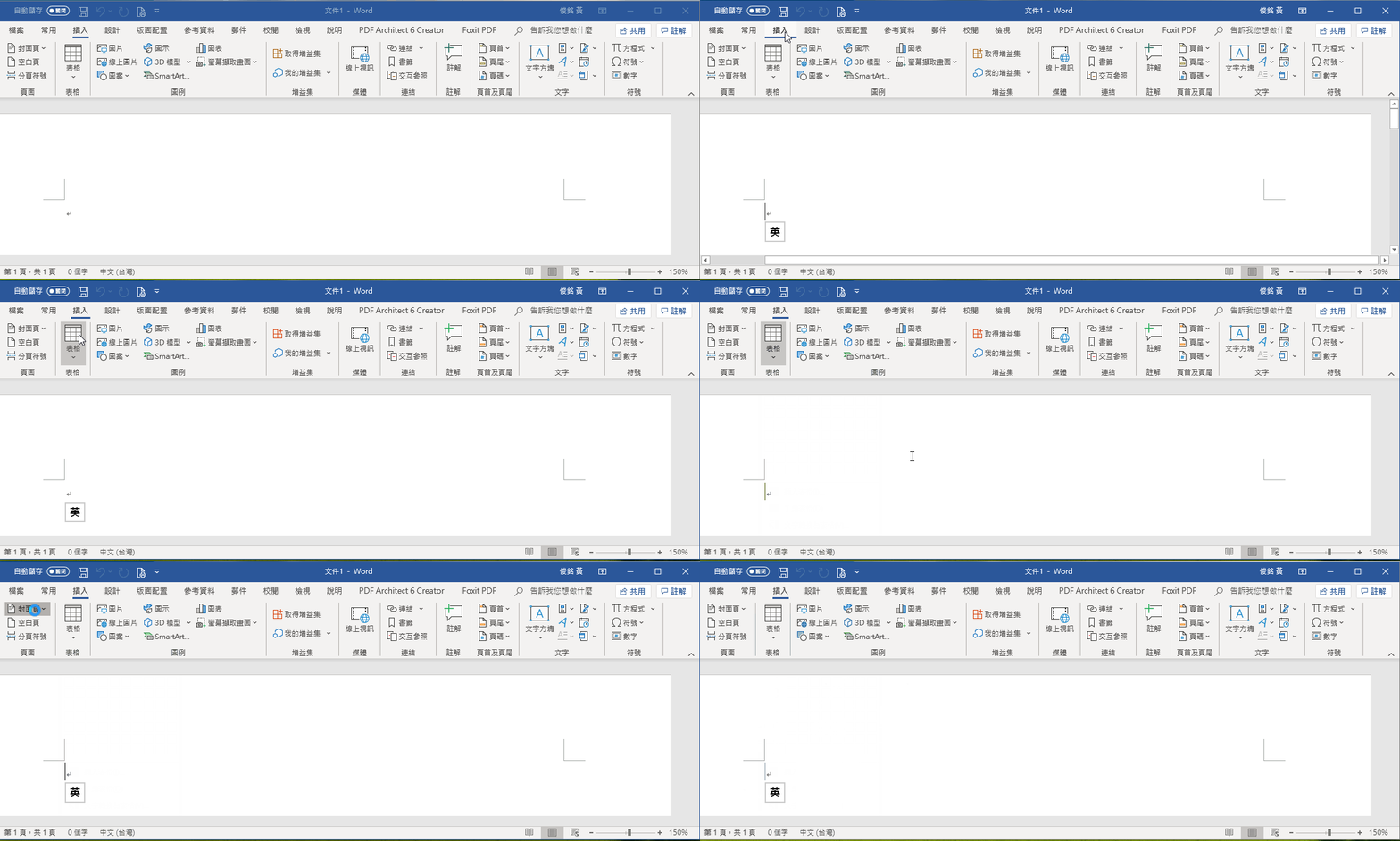
The latest theme from Microsoft ( Ribbon Bar ) is essentially black on grey. The buttons are black outline images ( no color ). The tabs have no color change, and the focused tab is simply the title in bold. The font's are smaller and there are no differences in color with the group labels. The font is smaller. This is the most modern version released recently with Office 365.

Tim Stone
http://www.MasterLinkSoftware.com
http://www.autoshopwriter.com
timstone@masterlinksoftware.com
Using: FWH 23.10 with Harbour 3.2.0 / Microsoft Visual Studio Community 2022-24 32/64 bit
Posts: 44158
Joined: Thu Oct 06, 2005 05:47 PM
Re: Ribbon Theme
Posted: Wed May 01, 2019 03:48 AM

Tim,

Could you provide a screenshot ? thanks

regards, saludos

Antonio Linares
www.fivetechsoft.com
Posts: 866
Joined: Tue Oct 16, 2007 08:57 AM
Re: Ribbon Theme
Posted: Wed May 01, 2019 10:17 AM
Hi Antonio,

Please look it. office 365


Best Regards,


Richard


Harbour 3.2.0dev (r2503251254) => Borland C++ v7.7 32bit

MySQL v8.0

Harbour 3.2.0dev (r2503251254) => Borland C++ v7.7 64bit